
Enterprise AI Agents: The Trend Leaders Need to Understand
A practical, source-backed guide to enterprise AI agents: what changed, where the trend is heading, risks to manage, and how leaders should build a safe strategy.
Enterprise AI Agents: The Trend Leaders Need to Understand
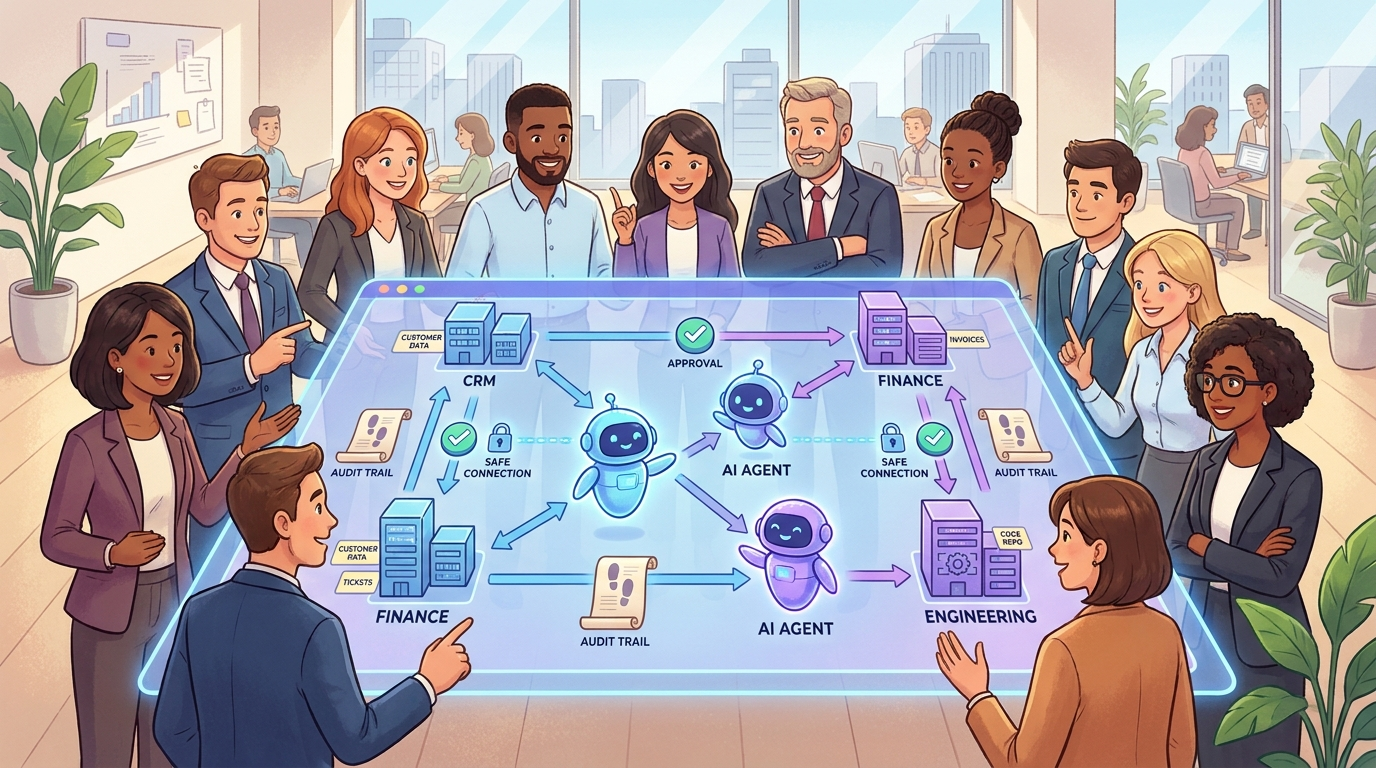
Enterprise AI agents are becoming one of the most important shifts in business technology because they move AI from answering questions to helping complete work. A chatbot waits for a prompt. A copilot helps a person inside one tool. An enterprise AI agent can read context, choose a next step, call approved tools, create outputs, ask for human approval, and leave an audit trail.
That does not mean every company is ready for fully autonomous software workers. In fact, the safest and most useful version of the trend is usually much more practical: agents that handle bounded workflows, surface evidence, draft actions, route exceptions, and let humans approve important decisions. The real opportunity is not replacing the organization overnight. It is redesigning the boring, fragmented, high-friction work that already slows teams down.
This guide explains what changed, why the trend matters, where enterprise agents fit, what risks leaders should take seriously, and how to build a practical adoption plan without falling for hype.
What are enterprise AI agents?
An enterprise AI agent is an AI-powered system that can use business context and approved tools to help complete a workflow. The simplest version might classify a support ticket and draft a reply. A more advanced version might check a customer record, compare it with policy, recommend a resolution, create a task in a CRM, and ask a human manager to approve the final action.
The important word is enterprise. A consumer agent can be playful, flexible, and forgiving. An enterprise agent must operate inside constraints: identity, permissions, data boundaries, logging, security review, compliance, escalation paths, and measurable outcomes. It should know what it is allowed to do, what it must not do, when to stop, and when a person needs to make the decision.
That makes enterprise agents different from three older categories:
| System type | Typical behavior | Limitation | Where agents differ |
|---|---|---|---|
| Chatbot | Answers user questions | Often disconnected from real systems | Agents can act inside a workflow |
| Copilot | Assists inside one application | Usually depends on the user to drive every step | Agents can coordinate multiple steps |
| RPA bot | Follows fixed rules in software interfaces | Breaks when rules or screens change | Agents can reason over context, but need stronger controls |
| Enterprise AI agent | Interprets context, uses tools, proposes or performs actions | Risky if permissions and evaluation are weak | Combines language understanding, tools, memory, policy, and oversight |
If you want the foundational concept first, read AI Agents Explained. This article focuses on the business trend: how agents are moving into enterprise workflows and what leaders should do about it.
Why the enterprise AI agent trend is accelerating
Enterprise AI agents are not appearing because one model suddenly became magical. The trend is accelerating because several layers matured at the same time.
1. Models became better at following multi-step instructions
Modern frontier models are better at planning, summarizing, extracting structured information, using tools, and adapting language to a task. They still make mistakes, but they can now handle enough reasoning and context to be useful in bounded workflows. This changes the enterprise conversation from “Can AI write text?” to “Can AI help move a process forward?”
2. Business tools are becoming easier for AI systems to access
Agents need safe access to data and tools. The rise of tool-calling patterns, APIs, retrieval systems, and connection standards such as Anthropic’s Model Context Protocol shows a broader industry move toward connecting AI assistants with content repositories, business systems, and developer environments. That matters because isolated AI cannot do much enterprise work. Connected AI can.
3. Companies are moving from experiments to operating models
Early generative AI experiments often lived in innovation teams. The next stage is more operational: finance wants invoice support, sales wants account research, support wants ticket triage, engineering wants code review assistance, HR wants policy search, and operations wants exception handling. Leaders are learning that the hard part is not a demo. The hard part is reliable workflow design.
4. Governance pressure is increasing
As AI touches more decisions, governance becomes a practical requirement. NIST’s AI Risk Management Framework gives organizations a language for mapping, measuring, managing, and governing AI risk. OWASP’s work on LLM and generative AI security highlights risks such as prompt injection, data leakage, insecure output handling, excessive agency, and supply-chain exposure. Enterprise agents sit directly inside these concerns because they connect models with tools and data.
5. The productivity story is shifting from individuals to systems
A single employee using AI to draft an email is helpful. A team redesigning a workflow so AI collects context, drafts the next step, checks policy, and routes exceptions can change throughput. That is why the agent trend is bigger than better chat. It is about building human-AI operating systems for repeated work.
The enterprise AI agent maturity model
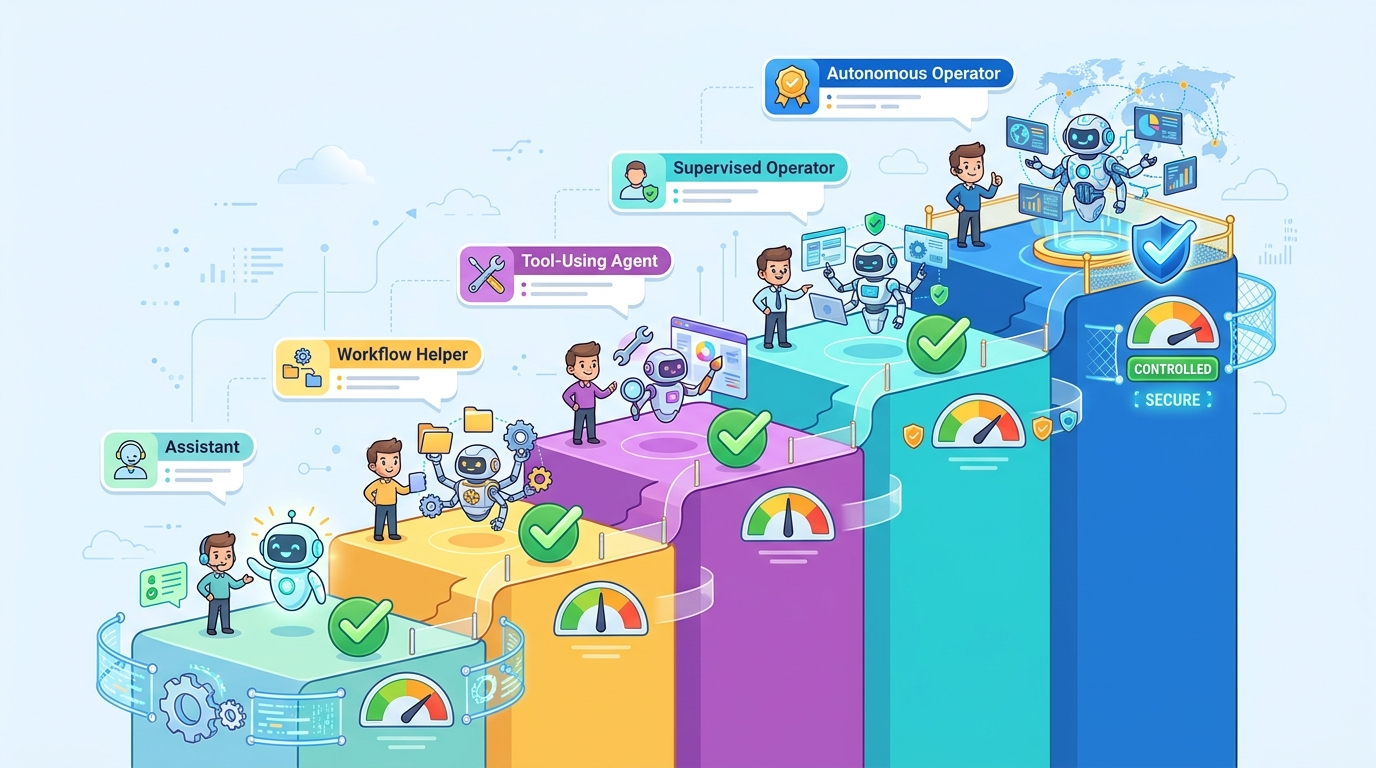
Most companies should not jump straight to autonomous agents. A maturity model helps leaders choose the right level of autonomy for each workflow.
| Level | Agent behavior | Human role | Best for | Risk level |
|---|---|---|---|---|
| Level 1: Assistant | Summarizes, drafts, explains, searches | User reviews everything | Research, writing, policy lookup | Low |
| Level 2: Workflow helper | Prepares structured outputs and recommendations | User chooses next step | Ticket triage, sales prep, document review | Low to medium |
| Level 3: Tool-using agent | Calls approved tools and creates records | User approves important actions | CRM updates, internal tasks, report generation | Medium |
| Level 4: Supervised operator | Completes bounded workflows with exception routing | Human monitors metrics and handles edge cases | Low-risk back-office operations | Medium to high |
| Level 5: Autonomous operator | Acts independently across systems | Human audits after the fact | Rare, narrow, heavily controlled cases | High |
The winning enterprise strategy is usually not “more autonomy everywhere.” It is matching autonomy to risk. A refund recommendation can be drafted by an agent. A high-value refund might require approval. A regulatory filing should have stricter review. A harmless internal formatting task might run automatically.
Where enterprise AI agents create the most value
The best agent use cases have repeated work, clear inputs, accessible data, measurable outputs, and a safe fallback path. Weak use cases are vague, high-stakes, politically sensitive, or impossible to evaluate.
Customer support and service operations
Support teams are natural early adopters because they handle large volumes of repeated requests. Agents can summarize conversation history, identify intent, search knowledge bases, draft responses, recommend next steps, detect escalation risk, and create follow-up tasks. The agent should not blindly send every answer. It should help humans respond faster while improving consistency.
Sales and account research
Sales teams spend time gathering context from CRM notes, company websites, call transcripts, emails, and product usage signals. An agent can prepare account briefs, generate meeting prep, flag renewal risks, suggest discovery questions, and update CRM fields after approval. The goal is not to replace relationship-building. It is to reduce research and admin drag.
Finance and procurement workflows
Finance teams deal with invoices, purchase requests, policy checks, vendor records, and exceptions. Agents can extract information, compare it with policy, flag missing fields, route approvals, and prepare audit notes. These workflows need strict permissions, logging, and human review because errors can create financial or compliance problems.
HR and internal knowledge support
Employees often ask repeated questions about policies, benefits, onboarding, and internal processes. An agent connected to approved knowledge sources can answer questions, cite source documents, generate forms, and route sensitive cases to HR. This is a strong fit for retrieval-augmented generation, but only if the source material is current and access control is respected.
Engineering and IT operations
Developers already use AI coding assistants, but enterprise agents go further: incident summarization, log analysis, runbook execution suggestions, pull request review, environment checks, and internal tooling automation. The risk is excessive agency. Agents that can touch production systems need strong approval gates and observability. For implementation depth, see How to Build AI Agents and AI Agent Observability.
Legal, compliance, and risk review
Agents can help classify documents, compare clauses, summarize obligations, and prepare review packets. But legal and compliance workflows are high-context and high-risk. The best pattern is evidence preparation, not unsupervised decision-making. Agents should cite sources, preserve uncertainty, and make review easier for qualified humans.
The use-case selection scorecard
Before building an agent, score the workflow. A simple scorecard prevents teams from chasing impressive demos that fail in production.
| Question | Good signal | Warning signal |
|---|---|---|
| Is the workflow repeated often? | Happens daily or weekly | Rare, bespoke, or political |
| Are inputs available digitally? | Documents, tickets, CRM, databases, APIs | Critical context lives only in people’s heads |
| Can success be measured? | Accuracy, cycle time, deflection, cost, quality | No clear metric or owner |
| Is the risk bounded? | Errors are reversible or reviewable | Errors cause legal, safety, or major financial harm |
| Can a human approve key actions? | Approval path is clear | No accountable reviewer |
| Are source systems stable? | APIs and policies are maintained | Messy data, unclear permissions, stale docs |
If a use case scores poorly, do not force an agent into it. Start with knowledge cleanup, process redesign, or a lower-autonomy assistant.
The risks leaders cannot ignore
Enterprise AI agents create value because they can act. That is also why they create risk. Governance is not a legal appendix; it is product architecture.
Prompt injection and tool misuse
If an agent reads emails, tickets, documents, or web pages, it can encounter malicious or misleading instructions. A prompt injection attack tries to make the model ignore its real instructions, reveal data, or perform unsafe actions. Tool-using agents need layered defenses: input filtering, tool permission limits, action confirmations, separation between untrusted content and trusted instructions, and monitoring.
Data leakage and permission errors
Agents often need access to internal data. If access control is too broad, the agent can expose information to the wrong user or include sensitive context in outputs. The safest pattern is least privilege: the agent should only access the data needed for the task, and it should inherit the user’s permissions where appropriate.
Excessive agency
OWASP’s LLM security work highlights the danger of systems that can take consequential actions without adequate limits. In business terms, this means an agent should not be able to approve a payment, delete records, email customers, or modify production systems unless the workflow has explicit controls. The more powerful the tool, the stronger the approval gate.
Hallucinated reasoning and false confidence
An agent can produce a polished explanation that is wrong. This is especially dangerous when outputs look authoritative. Require citations, structured evidence, confidence labels, and human review for decisions where mistakes matter. The article AI Agent Evaluation explains how to test reliability before scaling.
Audit and accountability gaps
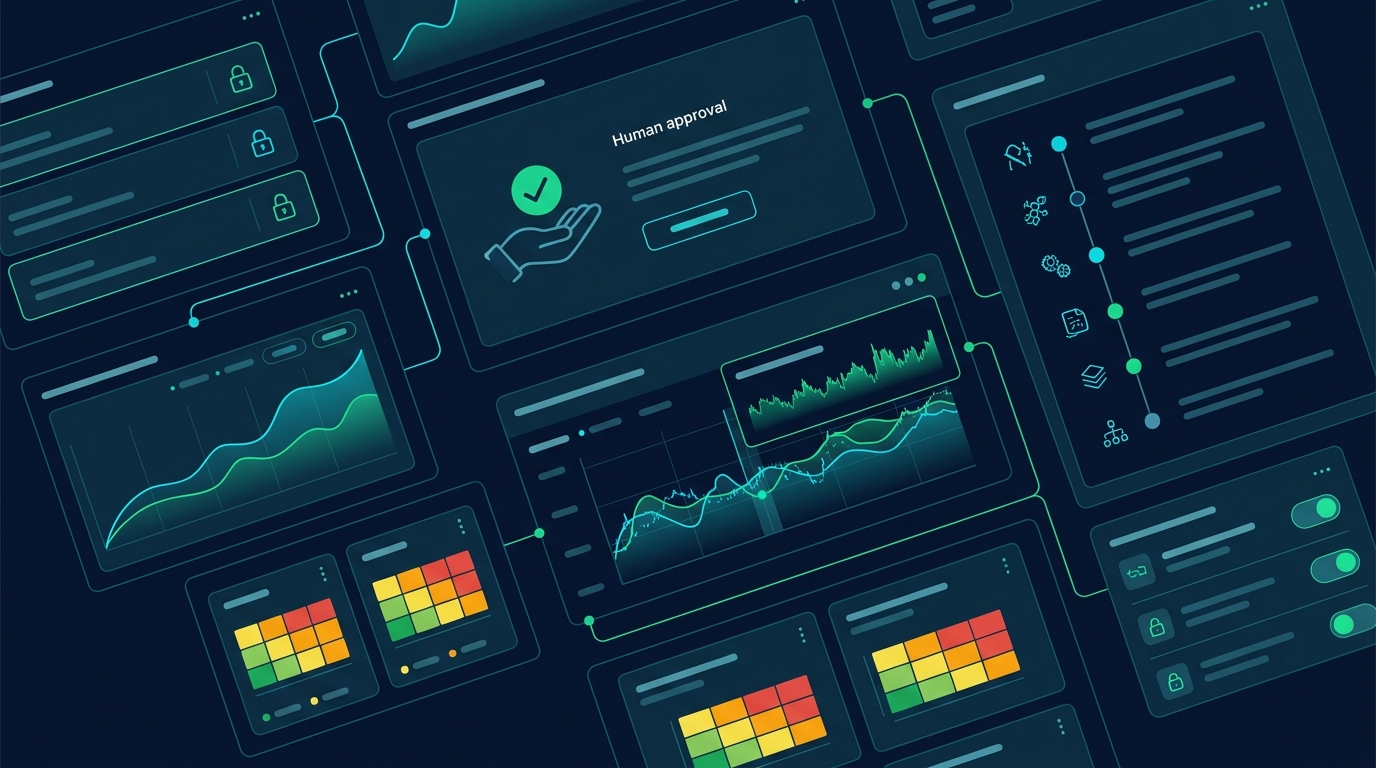
If nobody can explain what the agent saw, what it decided, what tool it called, and who approved the action, the organization cannot govern it. Logs, traces, approval records, and versioned prompts are not optional in serious deployments. They are the difference between a demo and an accountable business system.
The governance matrix for enterprise agents
| Risk area | Control | Owner | Evidence to keep |
|---|---|---|---|
| Data access | Least privilege, user-scoped permissions, sensitive data filters | Security / IT | Access logs, permission reviews |
| Unsafe actions | Approval gates, transaction limits, tool allowlists | Process owner | Approval records, tool-call logs |
| Bad outputs | Evaluation sets, human review, source citations | AI product owner | Test results, error analysis |
| Prompt injection | Instruction hierarchy, untrusted-content isolation, monitoring | Security / engineering | Attack tests, incident reports |
| Compliance drift | Policy mapping, review cadence, model/version tracking | Legal / compliance | Policy approvals, change logs |
For a deeper governance lens, connect this trend to human approval for AI agents, AI agent control planes, and AI governance frameworks.
A practical enterprise AI agent adoption roadmap
The best adoption plan is boring in the right ways. It starts with workflow evidence, builds narrow pilots, measures outcomes, and expands only when reliability and governance are proven.
Step 1: Build an agent opportunity map
List 20 to 50 workflows across teams. For each one, capture volume, pain level, data sources, current cycle time, error cost, risk level, owner, and existing systems. Do not start with tools. Start with work.
Step 2: Choose one narrow pilot
Pick a workflow where the agent can save time without creating unacceptable risk. Good pilots include internal knowledge support, support-ticket summarization, sales account briefs, compliance evidence collection, or finance exception routing. Avoid high-stakes autonomous actions at the beginning.
Step 3: Define the agent’s job description
Write down what the agent does, what it does not do, which tools it can call, which sources it can use, when it must ask for approval, what output format it must produce, and how success will be measured. If you cannot write this clearly, the workflow is not ready.
Step 4: Connect only the minimum required tools
Tool access is power. Start small. A support triage agent may need the ticket text, knowledge base search, customer plan level, and a draft-response tool. It probably does not need billing modification privileges on day one.
Step 5: Create evaluation cases before launch
Use real or realistic examples: easy cases, messy cases, edge cases, adversarial cases, policy conflicts, and incomplete-data cases. Measure whether the agent follows instructions, cites sources, escalates correctly, and avoids unsafe actions.
Step 6: Launch with human-in-the-loop review
The first production stage should be supervised. Let the agent draft, recommend, summarize, and prepare actions. Let humans approve. Track what humans change. Those edits are training data for process improvement, even if you never fine-tune a model.
Step 7: Expand autonomy only where evidence supports it
After the pilot shows reliability, identify low-risk steps that can be automated. Keep approval gates for irreversible, high-value, customer-facing, legal, financial, or safety-sensitive actions. Autonomy should be earned by evidence, not granted by excitement.
Metrics leaders should track
Enterprise AI agent success should not be measured by novelty. Measure whether the workflow became faster, safer, cheaper, or better.
| Metric | What it tells you | Why it matters |
|---|---|---|
| Cycle time reduction | How much faster work moves | Shows operational impact |
| Human edit rate | How often reviewers change outputs | Reveals quality and trust |
| Escalation accuracy | Whether the agent knows when to stop | Critical for safety |
| Tool-call success rate | Whether integrations work reliably | Prevents silent workflow failure |
| Policy violation rate | How often outputs break rules | Governance signal |
| User adoption and retention | Whether teams keep using it | Separates demos from value |
| Cost per completed workflow | Model, tool, review, and engineering cost | Connects AI to business economics |
| Incident rate | Security, privacy, compliance, or customer-impact issues | Protects the organization |
One of the most useful metrics is the automation boundary: which parts of the workflow the agent can complete reliably, which parts need human approval, and which parts should remain fully manual. This boundary should change slowly as evidence improves.
What this trend means for leaders
The enterprise AI agent trend is not just a technology upgrade. It changes how organizations think about process design, data readiness, software permissions, accountability, and employee skills.
Leaders should take five lessons seriously:
- Agents expose process debt. If a workflow is unclear for humans, it will be fragile for agents.
- Data governance becomes operational. Agents need access to useful data, but access must be controlled.
- Human approval is a design pattern. Review gates are not a failure of AI; they are how responsible autonomy scales.
- Evaluation is a product capability. Every serious agent needs test cases, traces, and error reviews.
- Skills will shift. Teams will need people who can map workflows, write clear acceptance criteria, evaluate outputs, and manage AI-assisted operations.
This is why the trend connects directly to future careers. The people who become valuable are not only prompt writers. They are workflow designers, AI operations leads, automation architects, domain experts who can supervise AI, and managers who know how to redesign work around responsible assistance.
Common mistakes to avoid
Mistake 1: Starting with the most impressive demo
A flashy autonomous demo can hide weak reliability. Start with a workflow where success is measurable and failure is manageable.
Mistake 2: Giving agents broad system access too early
Broad permissions create broad risk. Use least privilege, tool allowlists, and approval gates.
Mistake 3: Treating governance as paperwork
Governance must be implemented in architecture: logs, permissions, evaluations, escalation paths, and monitoring.
Mistake 4: Ignoring employees
Agents change daily work. If teams do not trust the system, understand it, or see how it helps them, adoption will stall.
Mistake 5: Measuring only time saved
Time saved matters, but quality, risk, user trust, and incident rates matter too.
Source-backed signals behind the article
This article uses several credible sources as directional evidence. Stanford’s AI Index provides macro context on AI progress and adoption. NIST’s AI Risk Management Framework provides a practical governance vocabulary. OWASP’s generative AI security work highlights security categories relevant to LLM applications and agentic systems. Anthropic’s Model Context Protocol announcement shows the industry push toward standard ways of connecting AI assistants to tools and data. McKinsey’s State of AI research is useful for enterprise adoption context, though exact figures should be checked directly in the latest report before quoting them in board materials.
The main conclusion is not that every organization should deploy autonomous agents immediately. The conclusion is that connected, tool-using AI systems are becoming normal enough that leaders need an operating model now.
Conclusion: the real trend is controlled autonomy
Enterprise AI agents matter because they turn AI from a content interface into a workflow participant. But the valuable version of this trend is not uncontrolled autonomy. It is controlled autonomy: agents that operate inside clear permissions, use approved tools, cite evidence, ask for review, and improve measurable business processes.
The smartest leaders will not ask, “How do we replace people with agents?” They will ask, “Which workflows should become faster, safer, and more consistent when people and agents work together?”
Start with one workflow. Map the risk. Define the agent’s job. Add human approval. Measure outcomes. Then expand only where the evidence supports it.
FAQ
What are enterprise AI agents?
Enterprise AI agents are AI systems that use business context and approved tools to help complete workflows. They can summarize, reason, draft, route, recommend, call tools, and ask for approval depending on how they are designed.
How are AI agents different from chatbots?
Chatbots mainly answer questions. AI agents can participate in workflows by using tools, retrieving context, creating structured outputs, and moving tasks forward. In enterprise settings, agents also need permissions, logs, governance, and human approval paths.
Are enterprise AI agents safe?
They can be safe enough for useful bounded workflows when designed with least privilege, evaluation, monitoring, approval gates, and clear escalation rules. They are risky when given broad access, vague goals, or permission to take consequential actions without review.
What is the best first use case for enterprise AI agents?
Good first use cases are repeated, measurable, low-to-medium risk workflows such as support triage, internal knowledge search, sales research, document summarization, finance exception preparation, and engineering incident summaries.
Should AI agents be fully autonomous?
Usually not at first. Most organizations should start with supervised agents that draft, recommend, and prepare actions while humans approve important steps. More autonomy should be added only after reliability, governance, and business value are proven.
Sources and references
- Stanford AI Index
- NIST AI Risk Management Framework
- OWASP Top 10 for Large Language Model Applications / GenAI Security Project
- Anthropic: Model Context Protocol
- McKinsey State of AI
Sources are used for directional evidence, governance language, and technology context. This article avoids unsupported statistics and recommends checking primary reports before quoting exact numbers in business decisions.
