
AI Automation Engineer Roadmap: Skills, Tools, Portfolio Projects, and a 90-Day Plan
A practical, evidence-aware AI automation engineer roadmap for people who want to build useful workflows, agents, integrations, and portfolio projects—not chase shallow tool hype.

AI automation engineer roadmap searches usually hide a deeper question: “What should I actually learn, build, and show so that people trust me with real automation work?” The answer is not “learn one AI tool” or “become a machine-learning researcher overnight.” An AI automation engineer sits between business workflow design, software integration, AI model use, evaluation, and human oversight. The role is valuable because most organizations do not need more demos; they need reliable systems that connect data, tools, people, and AI decisions without creating chaos.
This guide gives you a realistic path. It is useful if you are a software developer moving into AI workflows, an operations professional who already automates work with spreadsheets and low-code tools, a freelancer building client automations, or a career switcher trying to avoid random tutorial loops. It uses labor-market context from sources such as the World Economic Forum Future of Jobs Report 2025, PwC’s 2025 Global AI Jobs Barometer, and the LinkedIn Workplace Learning Report, but it avoids fake salary promises, guaranteed job timelines, and “learn AI in 7 days” claims.
What an AI Automation Engineer Actually Does
An AI automation engineer designs, builds, tests, and maintains workflows where AI helps complete repeatable work. That might mean an internal support triage system, a sales research workflow, a compliance document checker, a meeting-summary pipeline, a customer-response drafting system, a data-cleaning assistant, or an AI agent that uses tools under human approval. The job is not simply writing prompts. It is making sure an AI-enabled workflow is useful, safe, observable, and connected to the systems people already use.
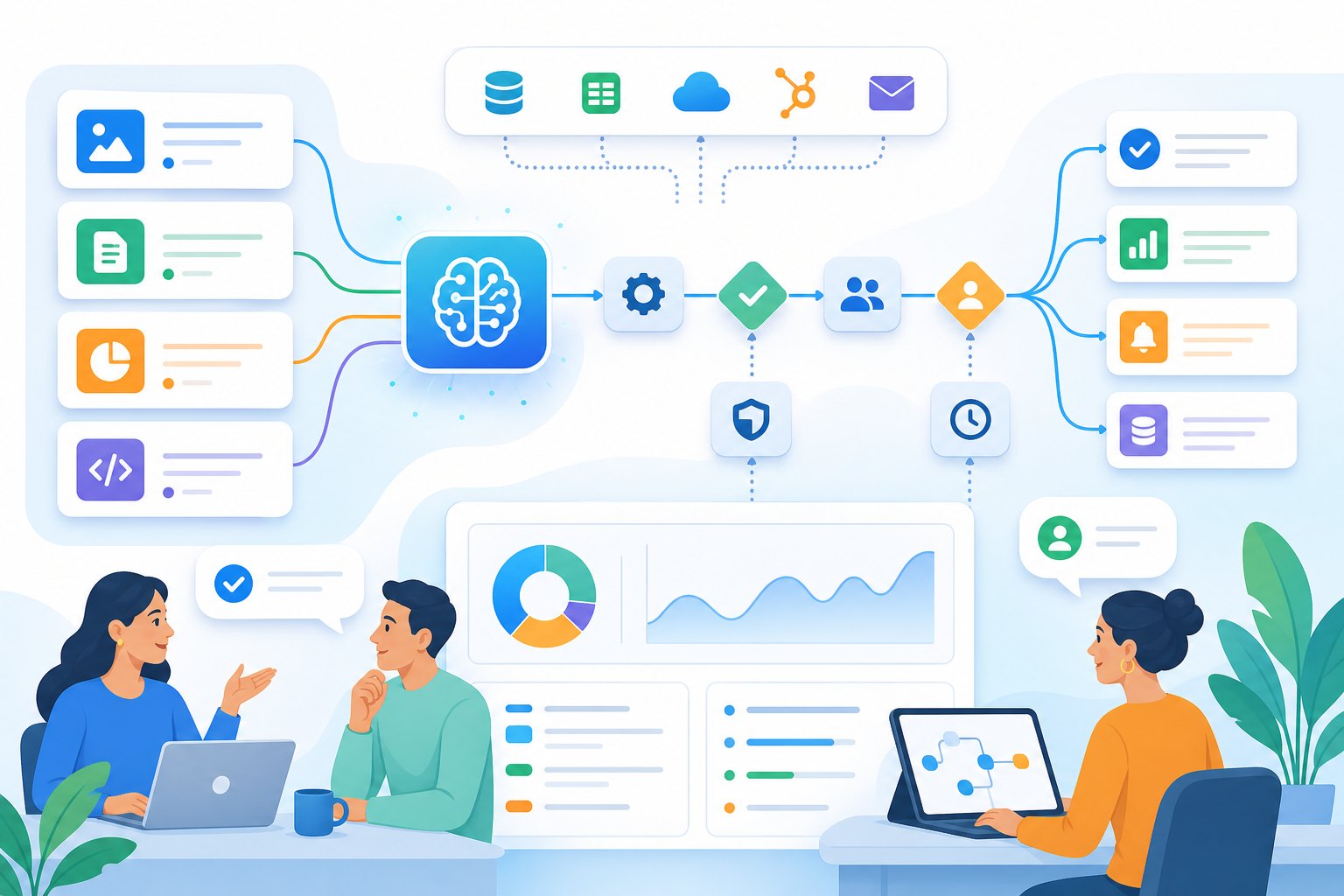
Think of the role as a bridge between four worlds. The first is process analysis: understanding where work starts, what information is needed, who approves it, and what “done” means. The second is integration: connecting APIs, databases, SaaS tools, webhooks, queues, documents, and spreadsheets. The third is AI system design: using LLMs, retrieval, structured outputs, tool calls, routing, and evaluation. The fourth is operations: monitoring failures, controlling cost, handling permissions, documenting changes, and improving the workflow over time.
That is why this path overlaps with several Singularity Journey topics. If you are new to the concept layer, read AI agents explained. If you want the broader career context, pair this roadmap with AI agent careers and AI skills to learn in 2026. If you are ready to build, the DEV ZONE guide on how to build AI agents is a natural next step.
The AI Automation Engineer Roadmap Skill Stack
The skill stack is layered. You do not need to master everything before building your first project, but you do need to understand what each layer is for. The biggest mistake beginners make is jumping directly into a fashionable agent framework without understanding APIs, error handling, data shape, user permissions, or evaluation. The second biggest mistake is spending months on abstract machine-learning theory without shipping any workflow a real person could use.
| Layer | What to learn | Proof you can show |
|---|---|---|
| Workflow thinking | Process mapping, trigger-action flows, approvals, exception paths, handoffs, and outcome metrics. | A diagram showing before/after workflow, bottlenecks, and failure cases. |
| Core automation | Webhooks, schedulers, forms, spreadsheets, CRMs, ticketing tools, email, Slack/Teams, and data transformations. | A working workflow that moves data across at least three systems. |
| APIs and scripting | REST APIs, JSON, authentication, pagination, retries, rate limits, Python or JavaScript, and logging. | A small service or script with tests and clear README instructions. |
| AI application layer | Prompt patterns, structured outputs, embeddings, RAG, tool calling, model routing, and context limits. | An AI workflow that produces structured, validated output from messy inputs. |
| Reliability and evaluation | Golden test sets, trace logs, accuracy checks, human review queues, cost/latency tracking, and regression tests. | An evaluation report showing how the workflow performs on realistic cases. |
| Security and governance | Least privilege, data privacy, prompt injection awareness, approval gates, audit logs, and access control. | A risk checklist and documented controls for sensitive actions. |
This stack also explains why AI automation engineering can be accessible from multiple backgrounds. A backend developer may already know APIs and deployment but need workflow design and AI evaluation. An operations analyst may understand business processes but need APIs and structured outputs. A no-code builder may move quickly with tools like Zapier, Make, or n8n, but needs to learn when custom code, testing, and observability become necessary. Your starting point changes the path; it does not remove the need for proof.
Tools to Learn Without Becoming Tool-Dependent
Tools matter, but tools are not the career. The durable skill is knowing how to decompose work into inputs, decisions, actions, approvals, and measurable outcomes. In 2026, an AI automation engineer may use no-code platforms, low-code orchestration, custom scripts, hosted model APIs, vector databases, browser automation, databases, internal APIs, and agent frameworks. The exact stack changes by company. The underlying pattern stays stable.
Start with workflow tools
Learn one visual automation platform well enough to build reliable flows: n8n, Make, Zapier, Pipedream, Airtable automations, or a company-approved internal platform. Focus on triggers, branching, retries, data mapping, credentials, and logs.
Add code deliberately
Learn Python or JavaScript for the tasks visual tools handle poorly: API wrappers, validation, batch processing, transformations, tests, and custom integrations. You do not need to become a research engineer to be useful.
Learn AI primitives
Understand prompts, structured JSON output, embeddings, retrieval, tool calls, context windows, hallucination risks, and model selection. These concepts let you use OpenAI, Anthropic, Google, local models, or future providers without being trapped by one vendor.
Learn evaluation early
Every serious AI automation project needs a way to answer: did it work, what failed, how often, how much did it cost, and what should a human review? This is where many portfolios become credible.
The AI labor-market evidence supports this practical orientation. WEF’s 2025 report frames technology and skills transformation as major drivers through 2030, based on employer input across economies and industries. PwC’s AI Jobs Barometer reports that AI-exposed jobs are seeing faster skill change and that AI skills are associated with a growing wage premium. LinkedIn’s learning research emphasizes career-driven learning and adaptability. The cautious takeaway is not “everyone must become an AI engineer.” It is that workers who can prove AI-era skills in real workflows are better positioned than workers who only list tool names.

A Practical 90-Day AI Automation Engineer Roadmap
Ninety days will not make you senior. It can, however, take you from scattered learning to a coherent foundation and one credible portfolio project. Treat the plan as a build cycle, not a course list. Every week should produce an artifact: a workflow diagram, a working automation, a test set, a README, a demo video, a deployment, or a short case study.
| Phase | Focus | Build artifact | What good looks like |
|---|---|---|---|
| Days 1-15 | Workflow foundations | Map three repetitive workflows from your job, study, or personal operations. | You can explain triggers, data, decisions, exceptions, approvals, and success metrics. |
| Days 16-30 | No-code/low-code automation | Build one workflow connecting forms, sheets/database, email/chat, and a task tracker. | It handles errors, logs results, and has a clear owner and rollback path. |
| Days 31-45 | APIs and scripting | Create a small Python or JavaScript integration that calls an API, validates data, and writes output. | The repo has setup instructions, environment variable handling, tests, and sample data. |
| Days 46-60 | LLM workflow | Add AI summarization, classification, extraction, or drafting with structured output. | Outputs are validated against a schema and routed to human review when confidence is low. |
| Days 61-75 | RAG or agent pattern | Build retrieval over a small document set or an agent that calls two safe tools. | You include citations, tool limits, failure handling, and trace logs. |
| Days 76-90 | Evaluation and portfolio | Create a case study with tests, metrics, screenshots, architecture diagram, and lessons learned. | A hiring manager or client can understand the problem, design, tradeoffs, and outcome in five minutes. |
If you are a non-coder, spend more time on workflow tools and API concepts before writing code. If you are already a developer, move faster through low-code basics and spend more time on evaluation, security, and deployment. If you are a data analyst, use your SQL and reporting strengths to build automations around data quality, insight generation, and decision support. The roadmap should fit your starting point, but the portfolio must still prove that you can ship reliable work.
Portfolio Projects That Prove AI Automation Skill
A credible portfolio project should solve a workflow problem, not merely show that you can call a model API. Recruiters, clients, and team leads have seen many generic chatbots. A stronger project explains the domain, the workflow, the constraints, the automation design, the AI component, the evaluation method, and the human oversight model. The README should make your thinking visible.
| Project | What it proves | Upgrade for credibility |
|---|---|---|
| Support ticket triage assistant | Classification, routing, summarization, structured outputs, and human review. | Add a small labeled test set and report accuracy, uncertain cases, and escalation rules. |
| Sales research workflow | API integration, web research discipline, CRM update draft, and approval flow. | Use citations and draft-only updates; do not auto-send outreach. |
| Invoice or document extraction pipeline | OCR/doc parsing, schema validation, exception handling, and operations logging. | Add validation errors and a manual correction queue. |
| Internal knowledge RAG assistant | Embeddings, chunking, retrieval, answer citation, and hallucination controls. | Add retrieval evaluation and a “no answer found” behavior. |
| AI agent with safe tools | Tool calling, retries, idempotency, permissions, and audit logs. | Use read-only tools first, then draft-only actions with human approval. |
For each project, include five proof artifacts: a short problem statement, an architecture diagram, a working demo or screenshots, a test/evaluation note, and a “what broke” section. The “what broke” section is especially powerful because it shows engineering judgment. Did the model hallucinate categories? Did API rate limits fail? Did the workflow create duplicate tasks? Did users need a review queue? Did costs grow unexpectedly? Serious automation work is full of these details.
Interactive Career Readiness Checker
Use this quick checker to identify your next learning priority. It is not a certification or job guarantee; it is a practical way to avoid blind spots.
AI automation readiness check
Select each statement you can honestly prove with a project, repo, workflow, or case study.
Resume Keywords and Proof Points
Resume keywords help only when they point to proof. Do not list every tool you have watched a tutorial about. Instead, group your skills by what you can do. A stronger resume bullet says, “Built a support triage workflow that classified 200 historical tickets, routed high-risk cases to review, logged decisions, and reduced manual sorting in a simulated operations queue,” rather than “Experienced with AI, automation, ChatGPT, and Zapier.”
Useful keyword clusters include: workflow automationAPI integrationsPython automationwebhooksstructured LLM outputsRAGAI agentsevaluationhuman-in-the-loop reviewn8nMakeZapierFastAPIvector databasesobservabilityprompt versioning
For each keyword, attach evidence. If you list RAG, show the document set, retrieval method, citation behavior, and evaluation cases. If you list AI agents, show tool boundaries, logs, retries, and approval. If you list automation platforms, show multi-step workflows, error paths, and credentials handling. If you list evaluation, show before/after results, golden examples, or a small benchmark you created yourself. Avoid unsupported claims such as “expert,” “enterprise-grade,” or “production-ready” unless you can show real operational usage.
Common Mistakes to Avoid
The first mistake is chasing tool identity. “I am an n8n expert” or “I am a LangChain developer” may help in some searches, but the durable identity is broader: “I build reliable AI-enabled workflows that connect systems and people.” Tools change. Workflow thinking, APIs, validation, human review, evaluation, and documentation travel across stacks.
The second mistake is skipping boring engineering. Many AI automation failures are not model failures; they are integration failures. The webhook sends duplicate events. The API token expires. The spreadsheet column changes. The model returns malformed JSON. The workflow retries a payment twice. The CRM field is missing. The human reviewer cannot see why the AI made a recommendation. These are the details that turn a demo into a system.
The third mistake is promising full autonomy too early. High-impact automations should often start as assistive systems: draft, summarize, classify, recommend, prepare, or route. Add direct actions only when the risk is low or when approval, permissions, rollback, and audit logs are ready. This connects directly to Singularity Journey’s guidance on human approval for AI agents and AI agent evaluation.
The fourth mistake is ignoring communication. AI automation engineers often work with non-technical stakeholders. You need to ask good questions, write simple docs, explain risk, estimate effort, and set expectations. A portfolio case study that explains tradeoffs clearly can be more persuasive than a complicated repo with no narrative.
Who This Path Is Best For
This path is strongest for people who enjoy systems. You do not need to be a PhD researcher, but you should like connecting pieces, debugging edge cases, and improving workflows. If you prefer pure model research, this roadmap may feel too operational. If you prefer pure no-code building, the API, evaluation, and security layers may feel demanding. But if you like making messy work smoother, safer, and more measurable, AI automation engineering is a practical lane.
For beginners, the realistic goal is not to claim a senior title after one course. The realistic goal is to build a portfolio that shows progression: one simple automation, one API-based integration, one AI-assisted workflow, one evaluation layer, and one documented case study. For working professionals, the best path is often to automate real pain points in your current domain, because domain context makes your projects less generic. A finance analyst, operations coordinator, support lead, marketer, paralegal, or engineer can all build stronger AI automation projects by starting from workflows they already understand.
Final Action Plan
If you want to start this week, choose one workflow that wastes time but has low risk. Map it. Build a simple version without AI. Add AI only where it improves classification, summarization, extraction, drafting, or decision support. Add logging and review. Write a case study. Then repeat with a harder workflow. That sequence beats passive learning because it produces evidence.
By the end of your first serious project, you should be able to answer these questions: What problem did you solve? What systems did you connect? What did the AI do, and what did it not do? How did you validate output? What failed? What required human approval? What would you improve next? Those answers are the real AI automation engineer roadmap.
FAQ: AI Automation Engineer Roadmap
Is AI automation engineer a real job?
It is an emerging responsibility more than a single standardized title. You may see related roles such as automation engineer, AI workflow specialist, solutions engineer, AI operations specialist, AI agent developer, RevOps automation builder, or business systems engineer with AI responsibilities.
Do I need to code to become an AI automation engineer?
You can start with no-code and low-code tools, but coding becomes important as workflows become more custom, reliable, secure, or integrated. Learn enough Python or JavaScript to call APIs, validate data, handle errors, and write small services.
Which AI automation tool should I learn first?
Pick one workflow tool and one programming language. For workflow tools, n8n, Make, Zapier, Pipedream, or Airtable automations can all work. For code, Python is usually the most transferable starting point for AI workflows.
What portfolio project should I build first?
Build a low-risk workflow with clear inputs and outputs: support ticket triage, meeting summary routing, document extraction, sales research drafting, or internal knowledge retrieval. Add validation, logs, and a short case study.
How long does it take to become job-ready?
It depends on your starting point. A developer with API and deployment experience may build a credible AI automation portfolio in a few months. A non-coder may need longer to build foundations. Avoid promises that any path guarantees a job in a fixed number of days.
What makes an AI automation portfolio credible?
A credible portfolio shows a real workflow, architecture diagram, working demo, code or configuration, test cases, evaluation results, failure notes, and a clear explanation of human review and risk controls.
