
AI CORE · Cluster guide
Human Approval for AI Agents: When to Ask, What to Review, and How to Escalate
Human approval is the brake pedal for useful AI agents. This guide explains when an agent should stop, what a reviewer should check, and how simple escalation rules prevent small automations from becoming uncontrolled actions.
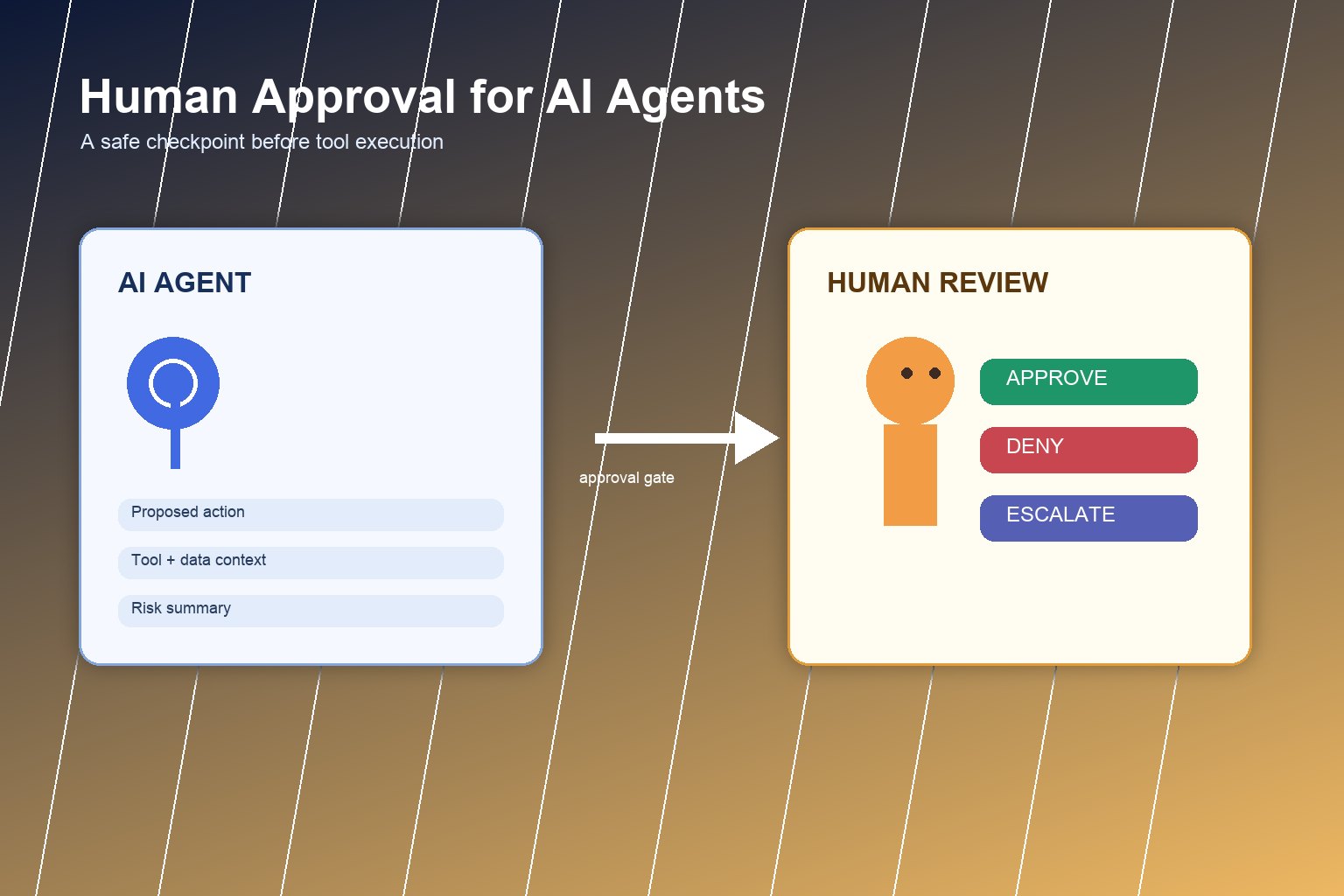
If you are new to AI agents, start with the broader pillar guide: AI Agent Controls Explained: Tools, Memory, Permissions, and Human Approval. This cluster article zooms in on one control: human approval.
An AI agent becomes useful when it can use tools, remember context, and take steps toward a goal. The same abilities also create risk. A chatbot that writes a suggestion is one thing. An agent that sends an email, changes a database record, books a paid service, or shares customer data is different. Human approval creates a deliberate pause before the agent crosses that line.
What human approval means in an AI agent workflow
Human approval means the agent cannot complete certain actions until a person reviews the request and chooses approve, deny, edit, or escalate. It is not the same as asking a human to do all the work. The agent can still research, draft, classify, summarize, prepare tool calls, and recommend an action. The approval step only controls the moment where consequences leave the sandbox.
Think of approval as a checkpoint between three layers:
- Agent reasoning: what the model believes should happen next.
- Tool execution: the API, app, file, database, message, or payment action the agent wants to use.
- Human judgment: the final decision when the action is sensitive, uncertain, or irreversible.
This is why approval belongs next to permissions, audit logs, and guardrails. Permissions decide what the agent is allowed to ask for. Approval decides whether a specific high-risk request should happen now.
When should an AI agent ask for approval?
The simplest rule is: require approval when the action has real-world consequences that are hard to undo. Beginners often make the mistake of approving only “dangerous-looking” tasks. A better approach is to classify actions by risk.
| Agent action type | Approval rule | Example |
|---|---|---|
| Read-only and low sensitivity | Usually no approval, but log the action | Summarizing a public help article |
| Internal draft or recommendation | No approval for drafting; approval before sending or changing records | Drafting a customer reply |
| External communication | Approval before the first send or when tone/risk is uncertain | Emailing a client or posting publicly |
| Money, contracts, or account changes | Always require approval and often a second reviewer | Buying ads, issuing refunds, changing billing |
| Personal, confidential, or regulated data | Approval plus data minimization and audit logging | Exporting employee or customer records |
| Security-sensitive operations | Approval, identity verification, and escalation path | Changing permissions or rotating credentials |
This risk-tier approach aligns with the spirit of the NIST AI Risk Management Framework: map the context, measure risk, manage controls, and govern how systems are used. You do not need a heavy governance program to apply the idea. Even a small team can define which agent actions are safe, which need review, and which are blocked.
The approval request should show the right context
A vague approval button is dangerous. “Approve this action?” is not enough. The reviewer needs enough context to make a real decision without rereading the entire conversation.
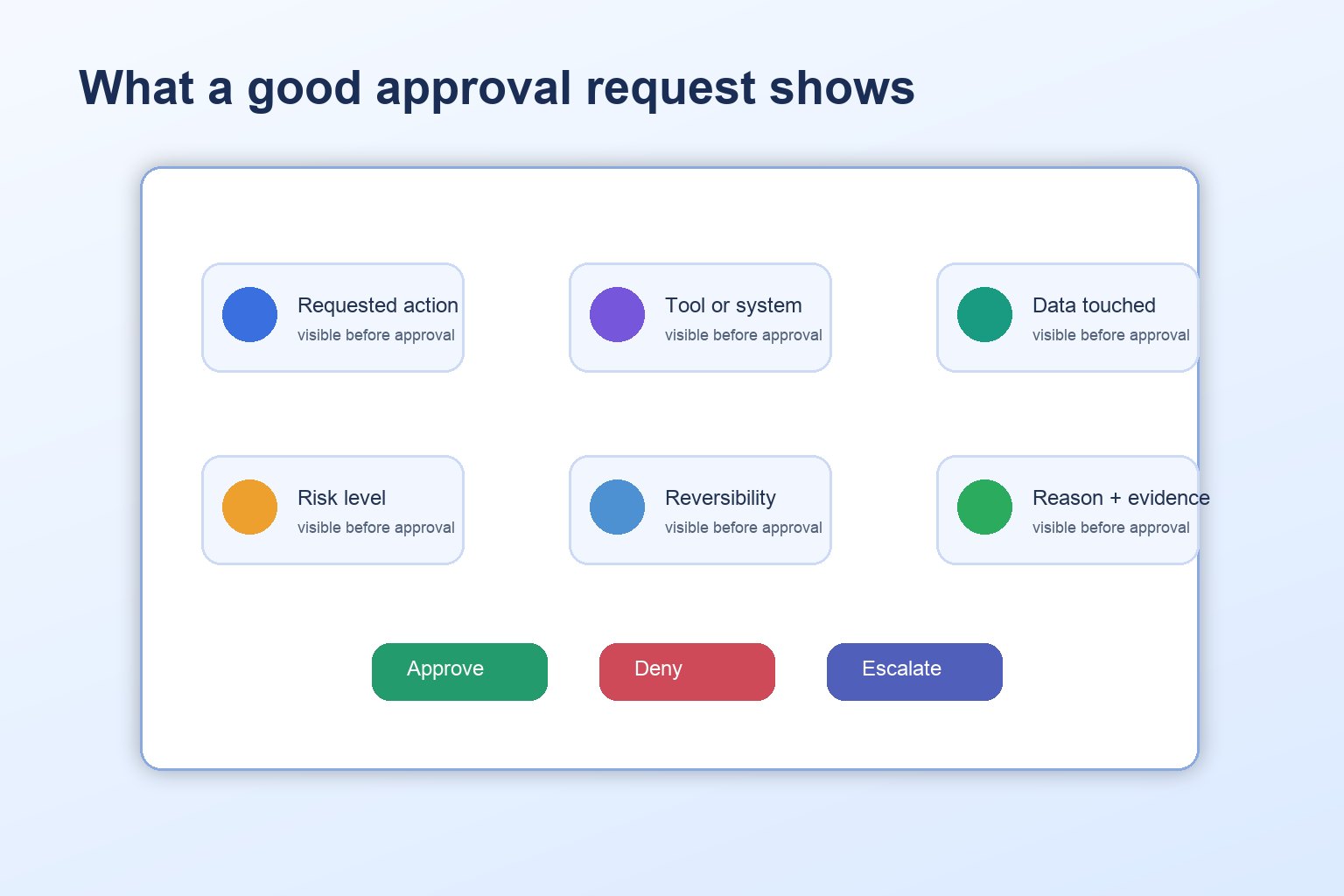
A strong approval request should include:
- Requested action: exactly what the agent wants to do.
- Tool or system: which app, API, file, inbox, database, or account will be used.
- Reason: why the agent believes this action is needed.
- Data touched: what private, customer, financial, or internal information is involved.
- Risk level: low, medium, high, or blocked.
- Reversibility: whether the action can be undone easily.
- Expected result: what should happen if approved.
- Alternatives: safer options, such as draft-only, read-only, or ask-for-clarification.
- Audit record: who approved it, when, and what context they saw.
This is especially important because prompt injection and tool misuse are real risks in agent systems. The OWASP GenAI Security Project highlights risks around prompt injection, sensitive information disclosure, excessive agency, and insecure tool use. Human approval does not solve all of these, but it gives teams a practical checkpoint before risky tool execution.
What should the human reviewer check?
The reviewer is not there to admire the agent’s confidence. The reviewer is there to check whether the proposed action is appropriate. A short checklist helps avoid rubber-stamp approval.
| Reviewer question | Why it matters |
|---|---|
| Is the action actually necessary? | Agents can over-act when a safer draft or clarification would work. |
| Is the target correct? | Wrong recipient, wrong file, wrong account, or wrong customer can create real harm. |
| Is the data appropriate to use? | Approval should catch private or excessive data exposure. |
| Is the action reversible? | Irreversible actions deserve stricter review. |
| Does the agent cite its evidence? | Unverified claims should not be sent, published, or acted on. |
| Is this within policy? | The reviewer should compare the action against team rules, not gut feeling alone. |
| Should this be escalated? | Some actions need a manager, security owner, legal reviewer, or domain expert. |
The best approval systems make denial easy. If denying a request is awkward or slow, people will approve too much. Give reviewers quick options: approve, deny, edit, request more context, or escalate.
Escalation rules prevent approval overload
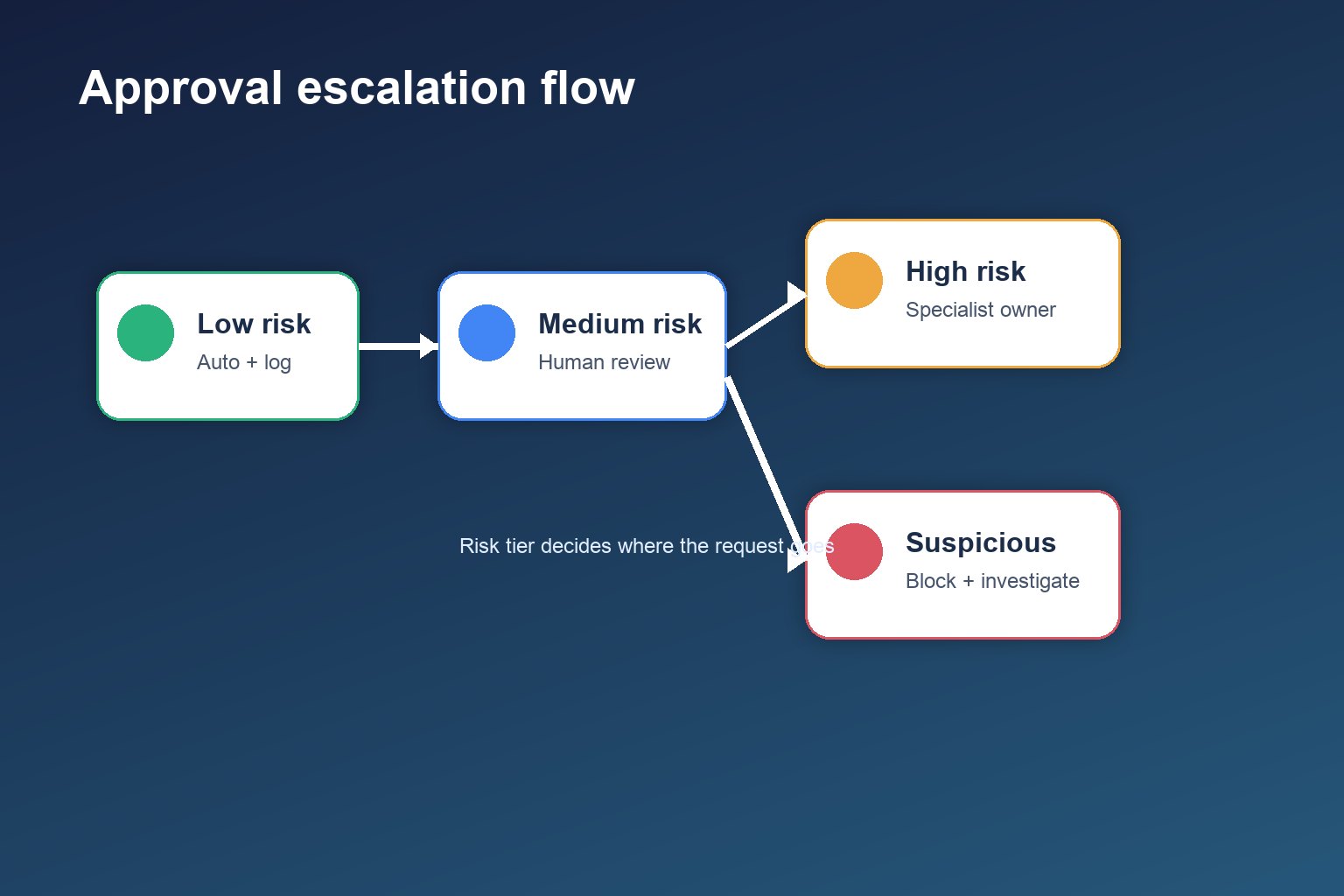
Human approval can fail in two opposite ways. If everything requires approval, people get tired and click yes. If too little requires approval, agents can act beyond their safe boundary. Escalation rules solve this by routing only the right actions to the right people.
| Condition | Escalation rule |
|---|---|
| Low-risk repeated action | Auto-approve within a narrow limit and log it |
| New tool, new account, or unusual data access | Send to the workflow owner |
| External message to an important customer or public channel | Require human review before sending |
| Financial, legal, HR, security, or privacy impact | Require specialist approval or two-person review |
| Policy conflict or uncertain intent | Deny by default and ask for clarification |
| Prompt injection or suspicious instruction detected | Block, log, and escalate to security or admin owner |
A useful rule of thumb: the more irreversible, external, private, expensive, or security-sensitive the action is, the more human review it needs.
Examples of good approval boundaries
Customer support agent
The agent may summarize the customer history and draft a reply without approval. It needs approval before sending the reply, issuing a refund, changing account status, or promising a policy exception.
Research assistant agent
The agent may collect public sources, summarize papers, and prepare notes. It needs approval before emailing experts, uploading a report, quoting uncertain claims, or using confidential internal documents.
Developer operations agent
The agent may inspect logs, suggest a fix, and open a draft pull request. It needs approval before deploying code, changing environment variables, deleting data, or modifying permissions. For production systems, the approval may need to happen through the same change-management process humans already use.
Personal productivity agent
The agent may draft calendar options, summarize inbox items, and prepare task lists. It needs approval before sending messages, booking paid travel, sharing files, or accepting invitations that affect other people.
What to measure after adding approvals
Approval workflows should improve over time. Instead of guessing whether the setup works, track simple operational signals:
- Approval rate: how often requests are approved, denied, edited, or escalated.
- Queue latency: how long approvals sit before action.
- Repeat denial reasons: common agent mistakes that need better prompts, permissions, or training data.
- Override rate: how often humans change the agent’s proposed action.
- High-risk request count: whether the agent is asking for too many sensitive actions.
- Incident review notes: what approvals missed and how rules changed afterward.
These are not universal benchmarks. They are internal health signals. A team using AI agents responsibly should be able to explain why approvals are required, who reviews them, how often they are denied, and what happens when the agent is uncertain.
Common mistakes to avoid
- Approving without context: a button is not a control if the reviewer cannot see the action, tool, data, and risk.
- Using approval to fix bad permissions: the agent should not be able to request wildly overbroad actions in the first place.
- Making every action manual: too many approvals create fatigue and reduce trust.
- Skipping logs: without an audit trail, you cannot learn from approvals or investigate incidents.
- Letting the model grade its own risk alone: model-provided risk labels can help, but policy rules should be explicit and testable.
A simple starter approval policy
If you are designing a beginner agent workflow, start with this policy:
- The agent can read approved sources and draft outputs without approval.
- The agent must ask before sending, publishing, purchasing, deleting, changing permissions, exporting private data, or contacting external people.
- The approval request must show action, tool, target, data touched, reason, risk, reversibility, and audit ID.
- High-risk categories require escalation to a named owner.
- If the agent is uncertain, detects conflicting instructions, or sees suspicious content, it denies by default and asks for help.
- Approval decisions are logged and reviewed to improve prompts, permissions, and policies.
This starter policy supports the broader control model in the pillar article on AI agent controls: tools create capability, memory creates context, permissions create boundaries, and human approval handles judgment when consequences matter.
Conclusion: approval is where judgment enters the system
Human approval is not a sign that an AI agent is weak. It is a sign that the system is designed for the real world. Good agents should move quickly on safe, reversible work and slow down before actions that affect money, privacy, security, reputation, or other people.
The goal is not to keep humans in every loop forever. The goal is to put humans in the right loops: the moments where judgment, accountability, and context matter most.
FAQ
When should an AI agent ask for human approval?
An AI agent should ask for approval when an action is irreversible, expensive, externally visible, privacy-sensitive, security-sensitive, legally meaningful, or outside its normal policy.
Is human approval the same as human-in-the-loop AI?
Human approval is one practical form of human-in-the-loop control. It means the agent pauses before selected actions and gives a person enough context to approve, deny, edit, or escalate.
Can approval workflows make AI agents completely safe?
No. Approval reduces risk, but it does not replace scoped permissions, secure tools, input validation, monitoring, testing, and audit logs.
What should an approval request include?
It should include the requested action, tool, account, data touched, expected result, risk level, reversibility, cost or impact, reason, alternatives, and audit record.
How do you avoid approval fatigue?
Use risk tiers. Let low-risk, reversible actions proceed within narrow limits, but require review for external, irreversible, private, financial, legal, or security-sensitive actions.
