
AI Agents Explained: How They Work, What They Can Do, and Where They Still Fail
AI agents are one of the most overused phrases in technology right now. This guide strips away the buzzwords and explains the real architecture: goals, planning, tool use, memory, verification, and human control.

Answer first: an AI agent is a software system that uses an AI model to pursue a goal, choose actions, use tools or data, observe results, and continue until it reaches a useful stopping point. A chatbot mainly responds. An assistant helps. An agent can act, but only inside the permissions and guardrails humans design.
Table of contents
- What is an AI agent?
- How AI agents work
- AI agents vs chatbots vs assistants
- Memory, tools, and MCP
- Examples and use cases
- Limitations and failure modes
- How to evaluate an AI agent
- FAQ
What Is an AI Agent?
An AI agent is best understood as a goal-directed AI system. The user or developer gives it an objective, such as “summarize these documents and draft a response,” “monitor this support queue,” or “find the best time for a meeting.” The agent then decides what steps are needed and uses its allowed tools to complete the task.
That makes agents different from ordinary prompts. A prompt asks a model for an answer. An agentic system gives the model a role inside a workflow. It may search, read files, call APIs, ask clarifying questions, update a database, create a draft, check the draft, and hand control back to a human for approval.
AWS describes AI agents as software programs that interact with their environment, collect data, and perform self-directed tasks toward predetermined goals. Google Cloud similarly describes agents as systems that use AI to pursue goals and complete tasks on behalf of users. IBM emphasizes the workflow angle: an AI agent autonomously performs tasks by designing workflows with available tools. These definitions differ in wording, but the common pattern is clear: goal + model + tools + autonomy boundary.
The autonomy boundary matters. An agent is not magic, and it is not automatically trustworthy. It can only act through the systems connected to it. If it has read-only access, it can gather information. If it has write access, it may change records. If it has payment access, it can create financial risk. A responsible agent is therefore defined not only by what it can do, but also by what it is forbidden to do without human approval.
The simplest mental model
Think of an AI agent as an intern with a laptop, a checklist, and limited permissions. The intern can reason, search, draft, and use software. But the quality of the work depends on the instructions, tools, training data, feedback, and review process. If you give vague goals and unrestricted access, you get unpredictable work. If you give clear scope, reliable tools, and approval checkpoints, you get useful automation.
| Agent component | Plain-English role | Example |
|---|---|---|
| Model | The reasoning and language engine | An LLM such as GPT, Claude, Gemini, or an open model |
| Goal | The outcome the system is trying to achieve | “Resolve this customer issue” |
| Tools | Actions the agent can take | Search, calendar, database, email draft, calculator |
| Memory/context | Information carried across steps or sessions | User preferences, conversation history, retrieved documents |
| Policy/guardrails | Rules that shape safe behavior | “Do not send refunds above $100 without approval” |
| Evaluation | Checks that measure reliability | Task success, accuracy, latency, cost, escalation rate |
How AI Agents Work: The Agent Loop
Most AI agents follow some version of an iterative loop. The details vary by framework, but the pattern is similar: understand the goal, plan, choose an action, use a tool, observe the result, update context, and continue. This is why agents are often described as systems that can “reason and act.”
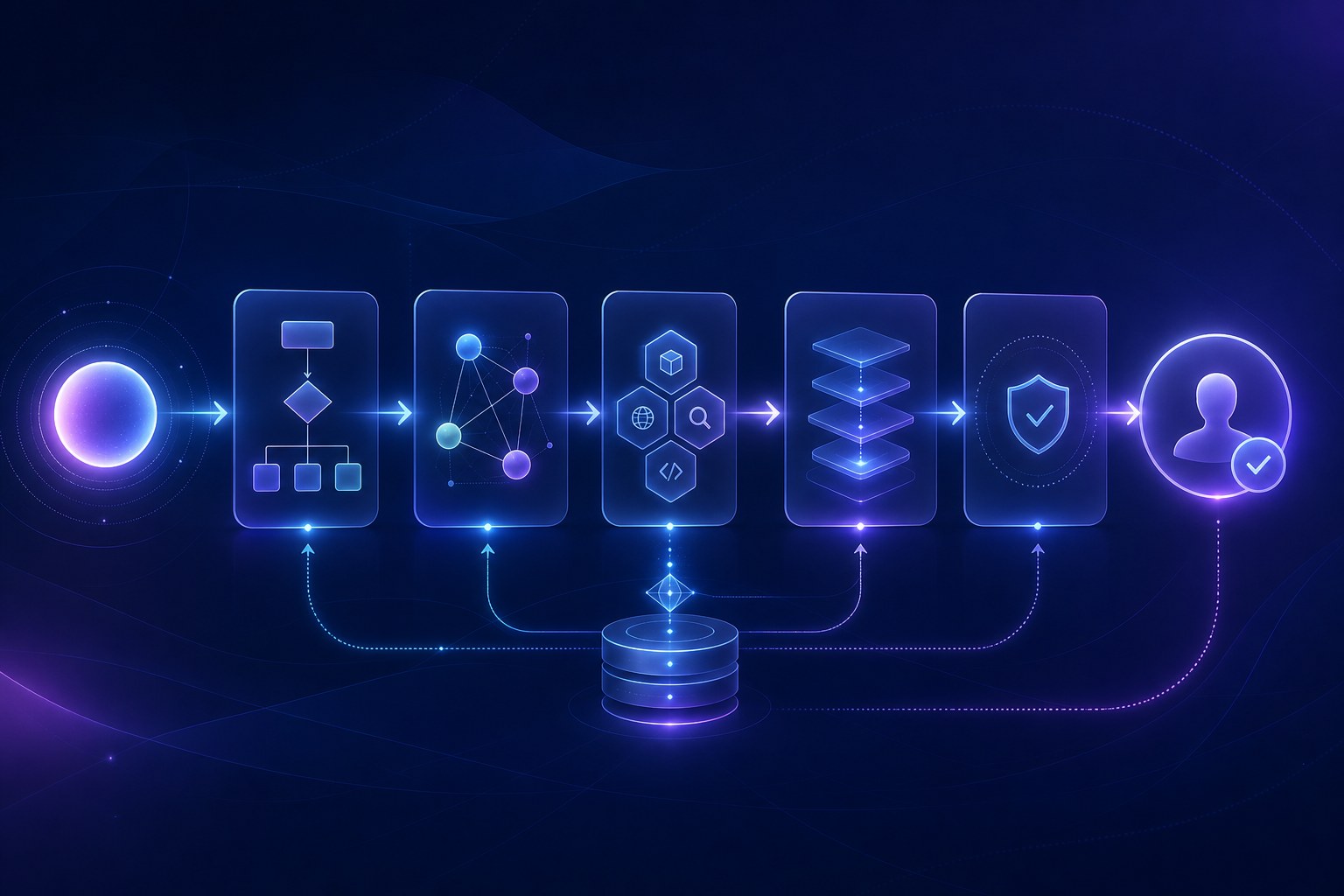
1. The agent receives a goal
The goal may come from a user, a scheduled workflow, another system, or a human operator. A weak goal sounds like “handle support.” A stronger goal sounds like “draft a response to this support ticket using the knowledge base, but do not send it until a human approves it.” The second version defines task, source, boundary, and approval step.
2. The agent builds a plan
Planning can be explicit or implicit. For a simple task, the agent may take one step. For a complex task, it may break the goal into subtasks: identify the issue, search documentation, check order status, draft a reply, verify policy, and request approval. Planning is useful because it makes the work inspectable. It also creates a place to insert gates before risky actions.
3. The agent chooses a tool
A model by itself cannot check your inventory, read your private documents, send an email, or calculate a live shipping estimate. It needs tools. Tool use can be implemented through function calling, APIs, browser automation, databases, scripts, or standards such as the Model Context Protocol. MCP documentation describes it as an open-source standard for connecting AI applications to external systems such as data sources, tools, and workflows.
4. The agent observes the result
After each tool call, the agent receives output. That output becomes new context. A search result may change the plan. A database error may require fallback. A low-confidence answer may trigger escalation. Good agent systems treat observations as evidence, not as decoration.
5. The agent verifies or asks for approval
Verification is where many toy demos fail. A production-minded agent should check whether its action actually advanced the goal. If the task affects money, health, legal rights, security, or customer trust, the agent should stop and ask for human approval before taking irreversible action.
AI Agents vs Chatbots vs AI Assistants
The most common beginner question is simple: is an AI agent just a chatbot with better marketing? Sometimes, unfortunately, yes. Many products use “agent” as a label for a normal chatbot. But architecturally, there is a real distinction.
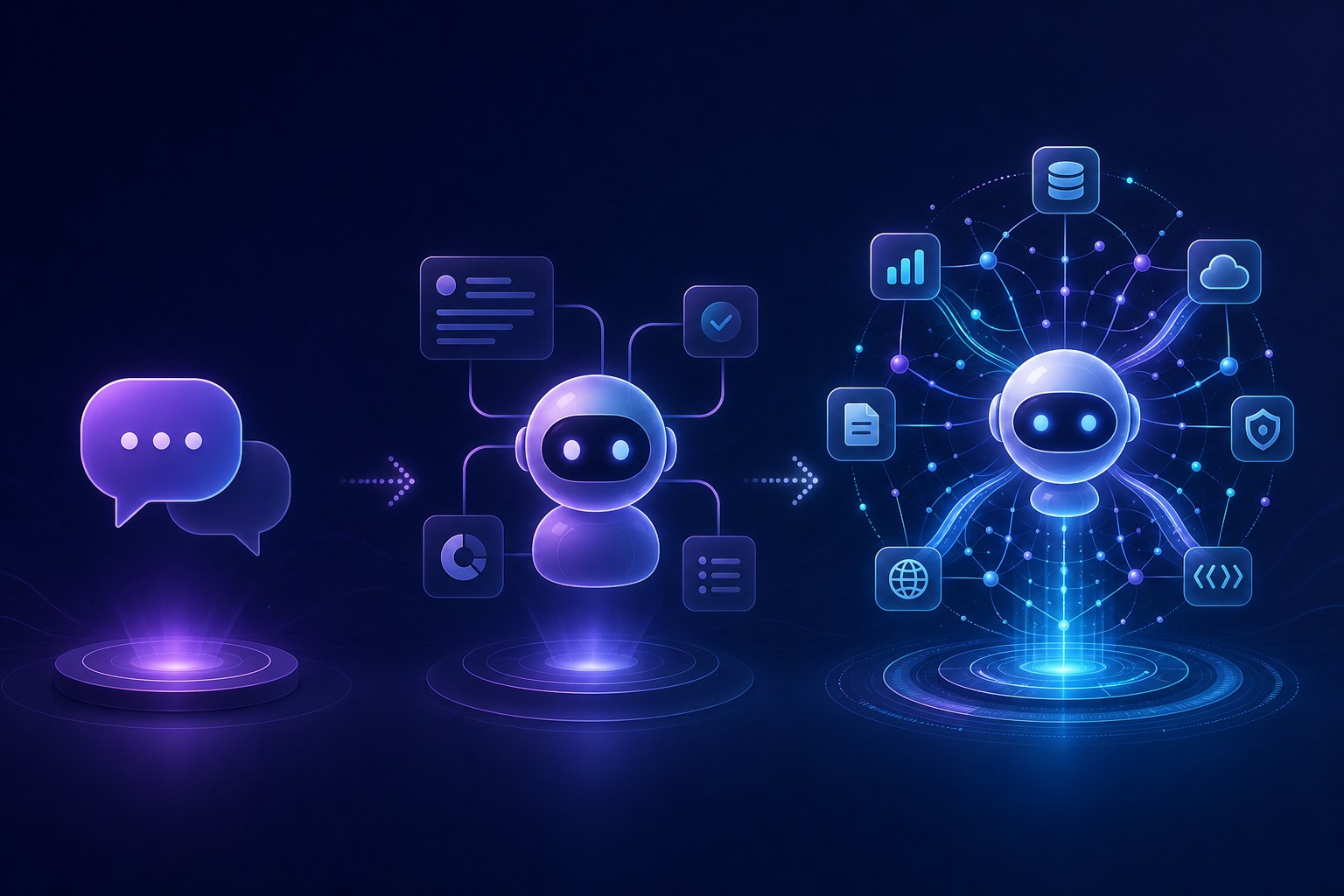
| System | Primary job | Autonomy level | Typical capabilities | Best for |
|---|---|---|---|---|
| Chatbot | Respond in conversation | Low | FAQ answers, scripted flows, basic retrieval | Simple support, navigation, lead capture |
| AI assistant | Help a user complete tasks | Medium | Drafting, summarizing, recommending, limited tool use | Personal productivity, writing, research, analysis |
| AI workflow | Execute predefined steps | Medium but predictable | LLM calls inside fixed code paths | Repeatable business processes |
| AI agent | Pursue a goal dynamically | Higher, bounded by permissions | Planning, tool selection, memory, multi-step action, self-correction | Open-ended tasks where steps vary |
Anthropic’s guidance on building effective agents is useful here because it separates workflows from agents. Workflows use predefined code paths. Agents dynamically direct their own tool use and process. That distinction prevents a common mistake: building an autonomous agent when a simple workflow would be cheaper, faster, and safer.
When a chatbot is enough
Use a chatbot when the user mostly needs answers, not actions. A policy FAQ, product selector, or documentation search interface may not need agentic autonomy. Retrieval and a good interface may solve the problem with less risk.
When an assistant is enough
Use an assistant when the user remains in charge. For example, an assistant can draft emails, summarize meetings, or recommend next steps. The human reviews and decides.
When an agent is justified
Use an agent when the number of steps is uncertain, the system must choose tools, and the task benefits from adaptation. Examples include triaging complex tickets, investigating incidents, coordinating calendars across constraints, or researching a topic across multiple sources and producing a structured deliverable.
Memory, Tools, RAG, and MCP: The Pieces People Confuse
Beginners often hear “agent memory,” “RAG,” “tool calling,” and “MCP” in the same conversation. They are related, but they are not the same thing.
Tool use
Tool use means the agent can call something outside the model. A tool may be a calculator, a web search, a CRM lookup, a Python script, a calendar API, a database query, or a browser action. Tools are the “hands” of the agent. Without tools, the model can mostly talk. With tools, it can act.
RAG
Retrieval-augmented generation, or RAG, connects a model to external knowledge. The system retrieves relevant documents and gives them to the model as context. RAG is powerful for grounding answers in a knowledge base, but it is not the same as memory. A RAG system may retrieve old information without understanding how a user’s preferences changed over time.
Memory
Memory is persistent context that can be read, written, updated, and sometimes forgotten. Short-term memory may be the current conversation. Long-term memory may include user preferences, project history, facts the user approved, or summaries of past work. Good memory design requires curation. Bad memory becomes stale, bloated, contradictory, or privacy-invasive.
MCP
The Model Context Protocol is a standard way for AI applications to connect to tools and data sources. The useful analogy from the MCP documentation is that it acts like a USB-C port for AI applications: one standard interface for connecting many external systems. MCP does not magically make an agent safe or smart, but it can reduce integration complexity and make tool ecosystems more reusable.
Practical Examples of AI Agents
AI agents are easiest to understand through examples. The key is to look at what the system can do beyond conversation.
Customer support agent
Reads a ticket, checks order status, retrieves policy, drafts a response, suggests a refund, and escalates if the refund exceeds policy limits.
Research agent
Searches sources, extracts evidence, creates a structured brief, flags uncertainty, and gives citations for human review.
Developer agent
Reads code, runs tests, edits files, checks errors, and opens a pull request under repository permissions.
Operations agent
Monitors alerts, gathers logs, summarizes probable causes, and recommends a runbook step before an engineer approves action.
Notice that each example has three layers: the task, the tools, and the boundary. A customer support agent without policy checks can create brand damage. A developer agent without tests can introduce bugs. A research agent without citations can launder hallucinations into a polished brief. The agent is only as reliable as the system around it.
Where AI Agents Still Fail
The most dangerous way to understand agents is to imagine them as reliable digital employees. A better frame is “probabilistic automation with planning and tools.” That sounds less exciting, but it is more accurate.
| Failure mode | What it looks like | How to reduce risk |
|---|---|---|
| Hallucinated action rationale | The agent explains why it did something, but the explanation does not match reality. | Log tool calls and verify against source outputs. |
| Wrong tool choice | The agent uses search when it should query a database, or sends a message when it should draft only. | Limit tools by task and require approval for risky tools. |
| Context overload | The agent receives too much information and misses the important constraint. | Use retrieval, summarization, and explicit state tracking. |
| Memory drift | Old or irrelevant memories influence new decisions. | Use memory review, expiration, and user-approved facts. |
| Over-autonomy | The agent completes the wrong task very efficiently. | Define scope, stop conditions, and escalation triggers. |
| Evaluation gap | The demo works, but production performance is inconsistent. | Create test sets, monitor failures, and measure task success. |
Anthropic’s recommendation to start with the simplest solution possible is especially important. Agents usually increase latency, cost, and debugging complexity. If a single model call, a search interface, or a deterministic workflow solves the problem, that is often the better architecture.
How to Evaluate an AI Agent Before You Trust It
Before using an AI agent in a real workflow, evaluate it like a system, not like a clever demo. A demo shows possibility. Evaluation shows reliability.
Use this production-readiness checklist
- Goal clarity: Is the task objective specific enough to test?
- Tool scope: Does the agent have only the tools it needs?
- Permission boundaries: Which actions require approval?
- Source grounding: Can the agent show what evidence it used?
- Memory policy: What can it remember, update, or forget?
- Fallback path: When does it ask a human?
- Audit trail: Are prompts, tool calls, outputs, and approvals logged?
- Test set: Do you have known tasks that should always pass?
- Cost and latency: Is the performance acceptable at real volume?
- Security review: Can prompt injection, data leakage, or tool misuse cause damage?
Metrics that matter
For beginner projects, start with simple metrics: task completion rate, factual accuracy, escalation rate, human correction rate, average cost per task, average time per task, and user satisfaction. For retrieval-heavy agents, measure whether the system retrieves the right sources before judging the final answer. For high-risk workflows, measure near misses, not only visible failures.
If you want to go deeper into the implementation side, read AI Agent Tools Explained: Search, APIs, Code, and Human Approval. If you want the long-term governance and safety angle, read The Real Path to AGI: Why Standards, Safety, and Human Oversight Matter Now.
FAQ: AI Agents Explained
What is an AI agent in simple terms?
An AI agent is software that uses an AI model to pursue a goal, decide next steps, use tools, observe results, and continue until it produces an outcome or reaches a stopping point.
Are AI agents the same as chatbots?
No. A chatbot mainly responds in conversation. An AI agent may include a chat interface, but it can also plan, use tools, remember context, and act across connected systems.
Do AI agents really think?
They do not think like humans. They generate reasoning-like text and choose actions based on model outputs, instructions, context, and tool results. Treat their reasoning as useful but fallible.
What is agent memory?
Agent memory is stored context that can influence future behavior. It may include conversation history, user preferences, project summaries, or retrieved documents. It must be managed carefully to avoid stale or incorrect context.
When should you not use an AI agent?
Do not use an agent when a simple rule, search feature, fixed workflow, or single AI response can solve the task with less cost and risk.
What is MCP in AI agents?
MCP, or Model Context Protocol, is an open standard for connecting AI applications to external data sources, tools, and workflows. It helps standardize integrations, but it does not replace security, evaluation, or human oversight.
Next step
If this guide helped, continue with the DEV ZONE article on agent tools and human approval. The safest way to use agents is to understand both the concept and the implementation boundary.
