
AI Automation Portfolio Projects: 5 Workflow Case Studies That Prove Your Skills
A practical portfolio guide for aspiring AI automation engineers who want proof-of-work projects, not vague tool screenshots or inflated claims.

AI automation portfolio projects should prove that you can turn messy work into reliable AI-assisted workflows. A generic chatbot demo is rarely enough. Hiring managers, clients, and technical leads want to see that you can map a real process, connect tools, handle errors, validate AI output, protect sensitive actions, and explain what broke. That is why the best portfolio is not a gallery of prompts; it is a set of small case studies that make your engineering judgment visible.
This article supports the broader AI automation engineer roadmap by going deeper on one narrow question: what should you actually build? The roadmap explains the overall skill stack. Here, we focus on five portfolio projects that show workflow thinking, APIs, LLM use, evaluation, and human oversight. The goal is practical credibility, not hype.
Why AI Automation Portfolio Projects Matter More Than Tool Lists
AI automation is a practical role. You can read documentation, watch tutorials, and collect certificates, but the role becomes believable when someone can inspect a working workflow and understand your decisions. Did you choose the right trigger? Did you prevent duplicate actions? Did you validate model output before writing to another system? Did you route uncertain cases to a person? Did you log enough information to debug failures? These are the details that separate a useful automation builder from someone who only knows a tool name.
There is also a labor-market reason to show proof. The World Economic Forum Future of Jobs Report 2025 describes technology and skills transformation as major forces shaping work through 2030. PwC’s 2025 Global AI Jobs Barometer reports fast skill change in AI-exposed roles. Those reports do not mean every learner should claim instant expertise. They mean practical, demonstrable AI workflow skills are becoming more valuable, and your portfolio should make those skills visible.
Developer evidence points in the same direction. The Stack Overflow Developer Survey 2025 continues to show broad AI tool usage alongside concerns about trust, accuracy, and workflow impact. A strong AI automation portfolio answers those concerns directly. It does not merely say “I used AI.” It shows how you checked the output, handled uncertainty, limited risky actions, and improved the workflow over time.
What Makes an AI Automation Project Credible?
A credible project has a real workflow shape. It starts with an input, has a clear transformation or decision, produces an output, and includes exception handling. It also has a risk boundary. If the project sends emails, changes records, posts content, or triggers payments, it should start in draft or review mode. If it uses documents or private data, it should describe privacy assumptions. If it uses retrieval, it should cite sources and refuse unsupported answers. If it uses an agent, it should constrain tools and log actions.
| Credibility signal | Weak portfolio version | Stronger version |
|---|---|---|
| Problem framing | “I built an AI bot.” | “I reduced manual support triage by routing tickets into categories with review for uncertain cases.” |
| Architecture | One screenshot of a tool canvas. | A diagram showing trigger, data sources, AI step, validation, storage, review queue, and notification. |
| AI output | Free-form model response pasted into a field. | Structured JSON output validated against a schema before any downstream action. |
| Reliability | No mention of errors. | Retries, idempotency notes, malformed-output handling, and a short failure log. |
| Evaluation | “It works well.” | A small test set with pass/fail examples, edge cases, and limitations. |
| Human oversight | Automation performs every action directly. | High-risk actions become drafts or review tasks, with clear approval steps. |
This is why the project choices below are workflow projects, not pure model projects. You can still use Python, JavaScript, n8n, Make, Zapier, Airtable, Google Sheets, OpenAI, Anthropic, Gemini, vector databases, or a framework like LangGraph. But the portfolio should emphasize the system you designed, not the brand of tool you clicked.
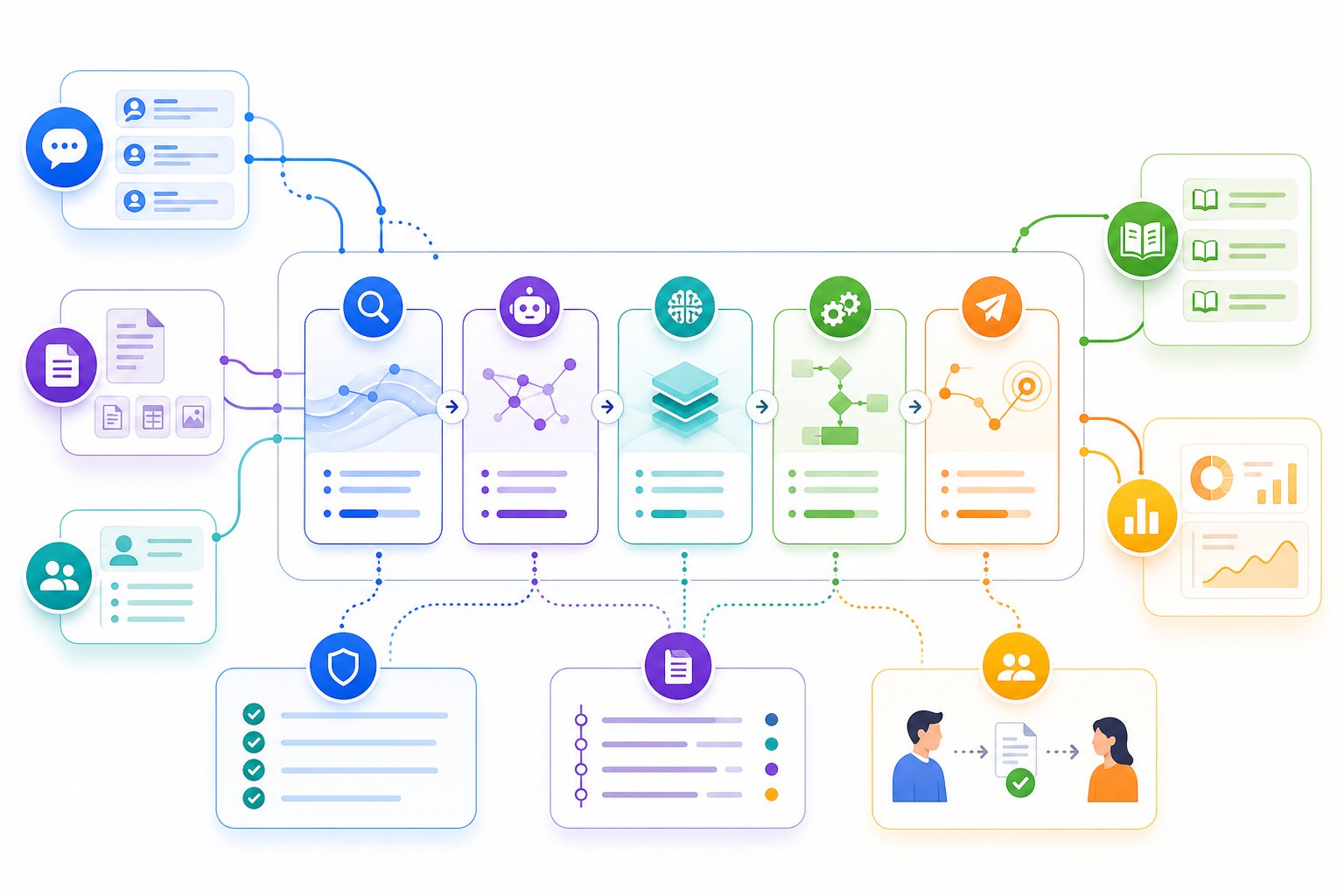
Five AI Automation Portfolio Projects to Build
1. Support Ticket Triage Assistant
This is one of the best first projects because it has a clear business workflow and a natural human review path. The system receives support tickets, summarizes the issue, classifies the category, estimates urgency, detects missing information, and routes the ticket to the right queue. The AI should not close tickets by itself. It should prepare structured information that a support lead can review.
What it proves: classification, summarization, structured outputs, routing logic, confidence thresholds, and review queues. Use a small set of synthetic or anonymized sample tickets. Create labels such as billing, technical issue, account access, feature request, and urgent escalation. If the model is uncertain, route the ticket to manual review instead of pretending it knows.
Proof artifacts: ticket schema, workflow diagram, sample input/output table, a confusion table for 20 test tickets, screenshots of the review queue, and a note on what failed. Use official structured-output guidance such as OpenAI structured outputs or equivalent provider documentation to explain why you validated output before routing.
2. Sales Research and Draft Outreach Workflow
This project shows that you can combine research, data cleanup, and safe drafting without turning AI into a spam engine. The workflow starts from a list of companies or leads, enriches each record from approved sources, summarizes relevant context, drafts a personalized email, and creates a CRM task for human approval. The key rule is simple: draft-only, never auto-send.
What it proves: API integration, data enrichment, prompt design, citation discipline, CRM updates, and human approval. It also proves judgment because outreach automation can become risky quickly. Your case study should explain source boundaries, rate limits, data privacy assumptions, and why a human approves the final message.
Proof artifacts: before/after CRM record, prompt version, enrichment source list, draft output examples, approval checklist, and a rollback note. If you already read Singularity Journey’s guide to human approval for AI agents, use the same principle here: AI prepares the work; a person authorizes sensitive external action.
3. Document Intake and Extraction Pipeline
A document extraction workflow is useful for operations, finance, legal admin, recruiting, education, and customer onboarding. The system receives a PDF, form, invoice, resume, or policy document, extracts key fields, validates the result, flags missing information, and writes a clean record to a spreadsheet or database. This is stronger than a basic “chat with PDF” demo because it produces structured, auditable output.
What it proves: document handling, schema design, validation, exception queues, and data quality. You can keep it simple: use sample invoices, public forms, or synthetic documents. Do not upload sensitive personal data. The important part is showing how the workflow handles ambiguous documents, missing fields, malformed model output, and manual correction.
Proof artifacts: extraction schema, sample documents, validation rules, error table, manual correction screenshot, and a “known limitations” section. A mature version includes a test set with easy, medium, and hard documents, plus notes on when OCR, layout parsing, or human review is required.
4. Internal Knowledge Base Answer Assistant
This project proves retrieval and trust discipline. The workflow indexes a small document set, retrieves relevant chunks, generates an answer with citations, and refuses to answer when the source material does not support a claim. It can be built with a vector database, a search API, or a simple local retrieval setup. The portfolio value is not the size of the database; it is how clearly you show retrieval quality and citation behavior.
What it proves: chunking, embeddings or search, retrieval evaluation, citation behavior, and hallucination control. It also links well to broader AI concepts such as AI agent memory and AI agents explained. Keep the scope small: a team handbook, product FAQ, policy guide, or course notes.
Proof artifacts: document list, chunking approach, sample questions, retrieved source snippets, answer examples with citations, “no answer found” behavior, and a retrieval test table. If you include screenshots, avoid fake dashboards and fake metrics. Show the actual workflow and the test cases you used.
5. Safe Tool-Using Agent for a Low-Risk Workflow
The final project should be agent-style but not reckless. Build an assistant that can use two or three safe tools: read calendar availability, search a knowledge base, create a draft task, summarize a document, or prepare a message for approval. Avoid tools that spend money, delete data, change permissions, or message customers directly unless they are disabled or approval-gated.
What it proves: tool calling, permissions, logging, retries, idempotency, human approval, and guardrail design. This project pairs naturally with Singularity Journey’s guides on how to build AI agents, AI agent tools, and AI agent evaluation.
Proof artifacts: tool schema, permission table, sample traces, approval screen or task, retry behavior, and a risk checklist. A strong case study explains not only what the agent can do, but also what it is intentionally not allowed to do.
A Simple AI Automation Case-Study Template
Your case study should be short enough to scan and detailed enough to trust. A hiring manager or client should understand the project in five minutes. A technical reviewer should be able to inspect your design choices in more depth. Use the same structure for every portfolio project so your body of work feels professional.
| Section | What to include | Why it matters |
|---|---|---|
| Problem | The workflow pain, user, input, output, and success criteria. | Shows you solve real problems, not random demos. |
| Architecture | Trigger, data flow, AI step, validation, storage, review, and notification. | Shows system thinking. |
| Tools used | Only the tools that matter, with a reason for each choice. | Avoids tool-name stuffing. |
| AI design | Prompt pattern, structured output, retrieval, tool calls, or model choice. | Shows you understand the AI layer. |
| Evaluation | Test cases, pass/fail examples, edge cases, and limitations. | Builds trust. |
| Human oversight | Which actions are draft-only, approval-gated, or logged. | Shows mature risk judgment. |
| What broke | Malformed JSON, wrong category, missing data, duplicate action, latency, cost, or UX issue. | Demonstrates learning and honesty. |
| Next improvement | One or two realistic upgrades. | Shows roadmap thinking without overclaiming. |

Interactive Project Selector
Use this quick selector to choose your next portfolio project. It is not a certification or job guarantee; it is a practical way to match your current strengths to a project that can produce credible evidence.
Which AI automation project should you build next?
Proof Artifacts Checklist
Before publishing a portfolio project, check whether it includes enough evidence. You do not need a polished SaaS product. You do need enough proof for a reviewer to understand the workflow, verify your thinking, and see your limitations.
- A one-paragraph problem statement with the user and workflow outcome.
- An architecture diagram or clear workflow map.
- Sample input and output data, anonymized or synthetic where needed.
- A README with setup steps, environment variables, and usage notes.
- At least 10-30 test cases, depending on project complexity.
- A validation or evaluation section with honest pass/fail examples.
- A human review or approval design for risky actions.
- A common errors section explaining malformed output, missing fields, duplicates, rate limits, or retrieval failures.
- A source and privacy note explaining what data is real, public, synthetic, or excluded.
- A short demo video, screenshots, or hosted demo if safe to share.
If you are publishing code, avoid committing secrets, API keys, private data, or customer examples. Use environment variables, sample data, and clear disclaimers. If you are showing screenshots, avoid fake metrics and fake company logos. If you use synthetic data, say so. Trust grows when you are specific about boundaries.
Common Portfolio Mistakes to Avoid
The first mistake is building too broad. “An AI assistant for everything” usually proves less than a narrow workflow that works well. Choose a specific job: triage tickets, extract invoice fields, draft CRM follow-ups, answer handbook questions, or create review tasks. Narrow projects are easier to evaluate and easier to explain.
The second mistake is skipping evaluation. If your project relies on model output, include examples where it succeeds and examples where it fails. Show what happens when the input is incomplete, ambiguous, duplicated, or outside scope. Evaluation does not need to be a formal benchmark. A small, honest test set is already better than unsupported claims.
The third mistake is promising autonomy too early. In early portfolio projects, safer language is better: draft, suggest, classify, summarize, route, flag, or prepare. Reserve automatic external actions for low-risk cases or clearly simulated environments. This is especially important if the project touches customers, money, legal documents, health data, or account permissions.
The fourth mistake is hiding your thinking. A portfolio is not only a demo; it is evidence of judgment. Explain why you chose a tool, why you used review, why you rejected a risky feature, and what you would improve next. That narrative helps non-technical stakeholders and technical reviewers trust you.
How This Supports Your AI Automation Engineer Roadmap
The larger career path is still broader than portfolio projects. You need workflow thinking, APIs, automation tools, AI primitives, evaluation, and communication. But portfolio projects are where those skills become visible. If you are following the AI automation engineer roadmap, treat this article as your project layer. Pick one project now, complete it carefully, publish a case study, then build a second project that covers a different part of the stack.
A strong beginner portfolio might include a support triage workflow and a document extraction pipeline. An intermediate portfolio might add a RAG knowledge assistant and an API-based CRM draft workflow. A more advanced portfolio might include a safe tool-using agent with trace logs, permission boundaries, and approval gates. The goal is not quantity. The goal is a balanced set of case studies that prove you can build useful AI-enabled workflows responsibly.
FAQ: AI Automation Portfolio Projects
How many AI automation portfolio projects do I need?
Two or three strong case studies are better than ten shallow demos. Aim for one workflow automation, one AI-assisted structured-output project, and one project that shows evaluation or human review. Add more only when each project proves a different skill.
Should I use no-code tools or code for my portfolio?
Use the tool that fits the workflow, but show your reasoning. No-code tools can prove process design and rapid integration. Code can prove API handling, validation, tests, and custom logic. A strong portfolio can include both.
Is a chatbot a good AI automation portfolio project?
A generic chatbot is usually weak. A focused knowledge assistant with citations, retrieval tests, no-answer behavior, and clear source boundaries can be strong. The difference is evaluation and workflow context.
Can beginners build these projects?
Yes, but beginners should start with low-risk projects and synthetic data. A support triage assistant, document extraction workflow, or simple draft-and-review automation is usually safer than a fully autonomous agent.
What should I avoid claiming in my portfolio?
Avoid saying a project is production-ready, enterprise-grade, secure, or highly accurate unless you have real evidence. Say what was tested, what was simulated, what failed, and what would be needed for real deployment.
What is the best first AI automation project for a career switcher?
Choose a workflow from a domain you already understand. If you have operations experience, build a task-routing workflow. If you know finance admin, build document extraction. If you know support, build ticket triage. Domain context makes your project less generic.
