
How to Build AI Agents in 2026: Architecture, Tools, Memory, and Evaluation
AI agents are no longer just chatbots with longer prompts. A useful agent can understand a goal, choose the right tools, keep enough state to continue the task, verify its own work, and hand control back to a person when risk is too high. Builders need a clearer way to decide when an agent is the right architecture.
This guide is for developers, founders, technical operators, and AI-curious professionals who want a practical answer to one question: how do you build AI agents in 2026 without turning a demo into a fragile production system? The short version is simple. Start with a narrow job, give the model only the tools it needs, record every important action, evaluate against real tasks, and design human approval before the agent touches money, customer data, infrastructure, or irreversible decisions.
What Makes an AI Agent Different From a Normal AI Feature?
A normal AI feature usually takes an input and returns an output. Examples include summarizing a meeting, rewriting a paragraph, classifying support tickets, extracting fields from a document, or answering a question from a known knowledge base. The model may be powerful, but the application flow is mostly fixed.
An AI agent has more responsibility. It can decide which step to take next, call tools, inspect results, update its plan, and continue until a task is finished or blocked. The agent is not just producing text. It is participating in a workflow.
That difference changes the engineering problem. Once a model can call a tool, it can create a side effect. Once it can loop, it can waste money or repeat a bad action. Once it has memory, it can carry forward useful context or stale assumptions.
A Simple Definition
An AI agent is a software system where a model uses context, tools, memory, and control logic to complete a goal through multiple steps. The model is important, but the agent is the full system around it: application code, tool permissions, retrieval, state, logs, evaluation, guardrails, and human review.
You do not make an agent reliable by writing a bigger prompt. You make it reliable by designing a smaller, observable, testable system.
Use an Agent Only When the Workflow Needs One
The first framework is a fit test. Before choosing an agent architecture, ask whether the task has enough uncertainty to justify it. Many product ideas are better served by a deterministic workflow with one or two model calls.
Use a regular AI feature when the steps are known in advance, the output format is stable, and the model does not need to choose between actions. A contract clause extractor, blog title generator, or support sentiment classifier probably needs a good prompt, examples, validation, and monitoring, not an agent.
Use an agent when the system must decide what to do next based on intermediate results. Research assistants, coding assistants, data-cleaning helpers, security triage tools, migration planners, sales operations assistants, and customer support copilots often need agentic behavior because they must inspect evidence, choose tools, adapt to failure, and ask for clarification.
The Agent Fit Checklist
- Variable path: the task may require different steps each time.
- Tool use: the system needs to search, query, write, calculate, run code, or call APIs.
- Intermediate judgment: later steps depend on what earlier steps reveal.
- Recoverable failure: the workflow can retry, ask a human, or stop safely.
- Observable outcome: you can tell whether the final result was useful.
If the task fails this checklist, simplify it. A fixed workflow with one or two model calls is easier to test and often easier for users to trust.
The Core Architecture of a Reliable AI Agent
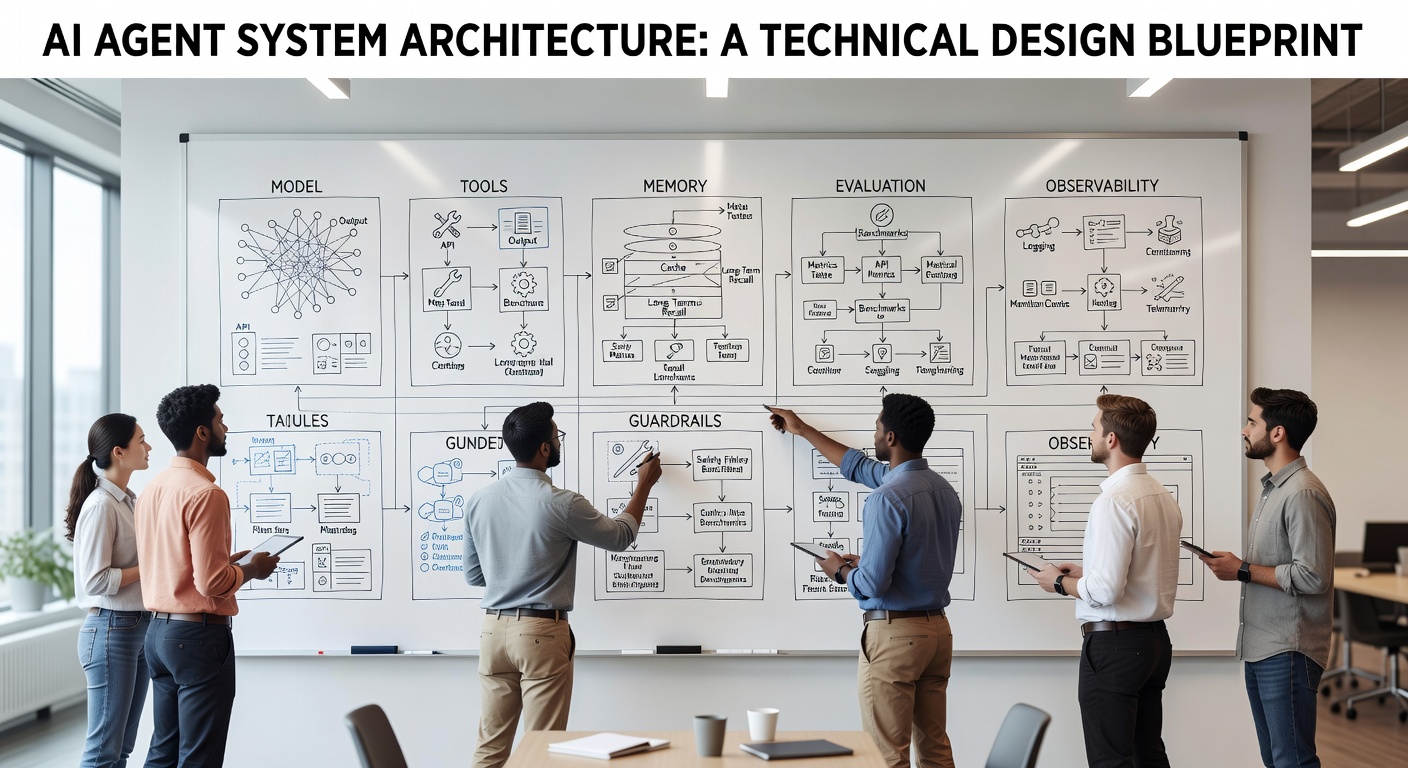
A production agent has six core layers: goal intake, planning, context, tools, execution control, and evaluation. You can implement these with a framework or with your own application code, but the responsibilities should be explicit.
1. Goal Intake
Goal intake turns a user request into a bounded job. The agent should know what success looks like, what resources it can use, what it must not do, and when it should stop. A weak intake is "handle this customer issue." A stronger intake is "draft a refund recommendation for ticket 4921 using order history and policy docs; do not issue the refund; ask for human approval if the amount exceeds $100."
Good intake reduces ambiguity before the model starts acting. Collect structured fields, set task limits, and let the agent ask clarification questions when the job is too broad.
2. Planning
Planning is the agent's method for deciding the next step. The key is to separate planning from permission. A model may propose a plan, but the application should still enforce what tools can be called, how often they can be called, and which actions require approval.
For small agents, a short checklist is enough: gather context, call one tool, verify the result, then answer. For complex agents, split the work into specialist roles such as researcher, analyst, reviewer, and executor. The OpenAI Agents SDK documentation describes agents as applications that can plan, call tools, collaborate across specialists, and maintain enough state for multi-step work: OpenAI Agents SDK guide.
3. Context
Context is the information the agent sees right now: user request, system instructions, retrieved documents, database rows, previous messages, tool results, and policy constraints. Context quality usually matters more than context size.
Design context like an API contract. A customer support agent should not receive "customer seems angry." It should receive ticket text, account status, product version, order date, relevant policy snippets, and a confidence score for any classification.
4. Tools
Tools are how agents affect the world. They may search documents, read calendars, run code, send messages, update records, query databases, or create files. Tool design is where many agent projects become risky. A tool should do one clear thing, require structured arguments, return structured output, and expose only the permission level the task needs. For a deeper breakdown of tool categories and approval boundaries, see AI agent tools explained.
Prefer narrow tools over broad ones. "Create refund recommendation" is safer than "update order." "Search approved policy documents" is safer than "browse the entire company drive." "Open a pull request" is safer than "push to main." The model should not hold raw credentials, and tool calls should be logged with inputs, outputs, user, time, and run ID.
If your agent needs to connect to external tools or data sources, the Model Context Protocol is worth studying because it standardizes how clients expose tools, resources, and prompts to model-based systems: Model Context Protocol specification.
5. Execution Control
Execution control is the runtime logic around the model. It decides maximum steps, timeout behavior, retry rules, approval gates, cost limits, and stop conditions. This layer is what turns a clever model interaction into software you can operate.
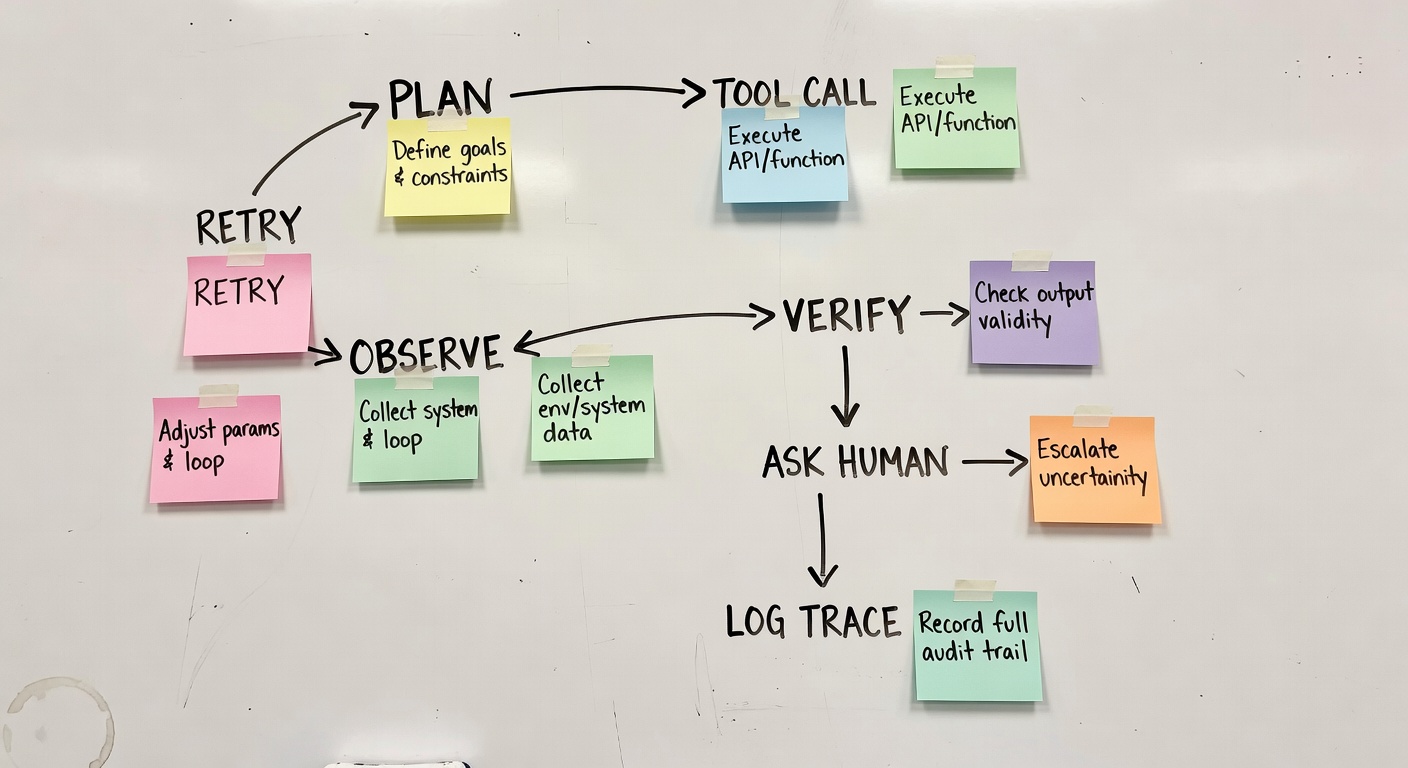
A simple control loop looks like this: receive goal, build context, ask for next action, validate the action, call the tool, store the result, evaluate progress, repeat until done or blocked. The model suggests actions; your code enforces boundaries.
When that loop becomes long-running or approval-based, pair this architecture with durable AI agent workflows so retries, state, and recovery are handled outside the model context window.
6. Evaluation
Evaluation tells you whether the agent is getting better. Without evaluation, every agent demo feels impressive until users find the edge cases. Start with a small test set of real tasks. For each task, record the expected outcome, allowed tools, unacceptable behaviors, and what a good answer should include.
Measure task success, not just answer quality. Did the agent solve the user's job, use the right sources, avoid forbidden actions, request approval at the right time, and leave a trace that a developer can inspect?
Memory: What to Store, What to Forget, and What to Rebuild
Agent memory is not a magic folder where every conversation should be stored forever. It is a product decision about what context should carry across steps, sessions, and tasks.
There are three practical memory types. Working memory exists inside the current run: the goal, plan, tool results, and unresolved questions. User memory persists across sessions: preferences, saved context, account settings, or long-term project facts. System memory stores operational history: traces, evaluations, tool logs, and previous outcomes that help developers improve the agent.
Most early agents should start with working memory and system memory, then add user memory carefully. Persistent user memory creates privacy, correctness, and consent issues. Give users visibility and control when long-term memory affects their experience.
A Practical Memory Rule
Store facts that are stable, useful, permissioned, and easy to correct. Do not store every retrieved document or raw message unless you have a clear operational need. For many agents, the best memory is a compact task record with source links, decisions, tool calls, approvals, and final outcome.
Vector search can be useful for semantic recall, but it should not be treated as a truth engine. Retrieved memories need source labels, timestamps, and confidence boundaries.
Tool Calling Without Chaos
The safest tool strategy is capability by capability. Start with read-only tools. Add write tools only after the agent can show that it gathers the right context and makes reasonable recommendations. Then add human approval before any irreversible action.
For example, a finance operations agent might first read invoices and draft discrepancy notes. Later it might create accounting tasks. Only after review should it update payment status or send vendor messages.
The Tool Permission Ladder
- Read: search, retrieve, inspect, summarize, classify.
- Draft: prepare messages, create recommendations, generate files.
- Stage: create pending records, open pull requests, queue changes.
- Execute with approval: send, update, merge, refund, schedule, deploy.
- Execute automatically: only for narrow, reversible, well-tested tasks.
Every tool should also have input validation. If a tool expects an order ID, validate the format. If it expects a file path, constrain the directory. If it sends an email, require recipient checks, preview text, and approval.
Observability: Make Every Agent Run Inspectable
Agents fail in ways normal software does not. They may choose the wrong source, call a tool too early, stop before finishing, over-trust a retrieved document, or produce a plausible answer that hides uncertainty. Logs that only show the final answer are not enough.
Record the full run shape: user goal, selected plan, model calls, tool calls, tool outputs, retries, approval decisions, final answer, cost, latency, and evaluator results. Store enough detail to reconstruct why the agent behaved as it did, while respecting privacy and retention limits.
OpenTelemetry's trace model is a useful reference because spans represent operations within a larger trace, and semantic conventions help systems describe operations consistently: OpenTelemetry trace semantic conventions. You can begin with a run table, a step table, and structured JSON for tool calls.
Minimum Useful Agent Logs
- Run ID, user ID or workspace ID, timestamp, and agent version.
- Goal, task type, and risk level.
- Model, prompt version, retrieved sources, and tool list.
- Each tool call with arguments, result summary, latency, and error state.
- Approval requests and human decisions.
- Final output, evaluator score, user feedback, and follow-up action.
This record becomes your debugging surface, evaluation dataset, and governance trail.
Evaluation: Build a Scorecard Before You Ship
A good agent evaluation plan is small, concrete, and tied to the job. Do not start by asking whether the agent is "smart." Ask whether it completed 30 representative tasks under realistic constraints.
Create a test set from real or realistic user requests. Include easy cases, ambiguous cases, tool failures, missing information, policy conflicts, and adversarial inputs. Run the same set every time you change prompts, models, tools, memory, or orchestration.
The Four-Part Agent Scorecard
- Task success: did the agent complete the actual job?
- Process quality: did it use the right sources, tools, and order of operations?
- Safety and policy: did it avoid forbidden actions and request approval when required?
- Operating cost: did it finish within acceptable latency, token, and tool-call budgets?
Use automated checks for format, policy, exact facts, allowed tools, and regressions. Keep human review for judgment, tone, business context, and whether the result would satisfy a real user.
Guardrails and Human Review
Guardrails are not a single filter at the end of a response. Validate the user's request at intake. Limit available tools before the run starts. Check tool arguments before execution. Require approval for high-risk side effects.
A practical guardrail strategy begins with risk levels. A low-risk task might run automatically. A medium-risk task might require user confirmation. A high-risk task should require human review or remain recommendation-only, especially in legal, medical, financial, security, or production infrastructure contexts.
The NIST AI Risk Management Framework is useful here because it frames AI risk as something organizations manage across design, development, use, and evaluation, not as a one-time compliance checkbox: NIST AI Risk Management Framework. For builders, the practical takeaway is to make risk decisions explicit in the product architecture.
A First Agent You Can Actually Build
Suppose you want to build a developer support agent for an internal engineering team. The goal is not to replace engineers. The goal is to reduce time spent finding context, reproducing known issues, and drafting first-pass fixes.
Start narrow. The first version can answer questions about one service, search approved docs, inspect recent logs, and draft a suggested next step. It cannot deploy, restart systems, modify production data, or message customers.
Version 1 Scope
- Inputs: issue description, service name, environment, error message, and optional log snippet.
- Tools: search docs, query recent logs, find related tickets, inspect repository files, draft ticket comment.
- Memory: current run state, links to sources used, final recommendation, user feedback.
- Guardrails: read-only production access, no secret display, no deploy commands, approval before posting comments.
- Evaluation: 40 historical support cases with expected sources and accepted recommendations.
This agent is useful because it saves search time and creates a better starting point. Once it proves reliable, you can add staging actions such as creating a draft pull request, linking a runbook, or preparing a rollback checklist.
Common Agent Design Mistakes
Mistake 1: Starting With Too Many Tools
Every tool expands the action space. Start with the minimum tools required for the job. Add tools when logs show a repeated user need.
Mistake 2: Treating Memory as a Data Dump
Long context and persistent memory can make agents worse when stale information crowds out the task. Summarize, label, expire, and source memory.
Mistake 3: Evaluating Only the Final Answer
Two agents can produce similar final text while one used reliable sources and the other guessed. Evaluate tools used, sources cited, approval behavior, retries, and stop conditions.
Mistake 4: Letting the Model Enforce Policy Alone
Policy belongs in code, permissions, schemas, and approval flows. Prompts can explain rules, but applications must enforce them.
Mistake 5: Skipping the Human Workflow
Many successful agents are copilots before they are autonomous workers. Design review screens, diffs, previews, approval buttons, feedback capture, and rollback paths.
FAQ
Do I need a framework to build AI agents?
No. A framework can speed up tool calling, orchestration, tracing, and evaluation, but the core design decisions remain yours. For a simple agent, application code plus a model API, structured tools, logging, and tests may be enough.
What is the best first agent project?
Choose a task that is frequent, annoying, bounded, and easy to review. Good first projects include support triage, internal knowledge search, report drafting, data cleanup recommendations, test failure analysis, and document comparison.
How much memory should an agent have?
As little as it needs to perform the job well. Keep working memory for the current run, store structured task history for debugging and evaluation, and add long-term user memory only when it clearly improves the product.
How do I know if my agent is production ready?
It is ready for a narrow production rollout when it succeeds on representative test cases, has clear tool permissions, logs every important step, respects approval rules, handles common failures, and has a rollback or escalation path.
Should agents be fully autonomous?
Only for narrow, reversible, well-tested tasks. Most valuable agents should start as copilots that draft, recommend, stage, or verify.
Conclusion: Build Smaller Agents With Better Evidence
The reliable path to AI agents in 2026 is controlled capability. Pick one job, define success, limit tools, design memory carefully, trace every step, evaluate against real tasks, and keep humans in the loop where risk demands it.
A narrow agent with good logs, clear permissions, and measurable task success can become part of a real workflow. A broad agent that nobody can inspect becomes a support burden.
The best teams will treat agents as software systems, not prompt experiments. They will ship smaller versions, learn from real runs, improve the evaluation set, and expand permissions only when the evidence supports it. That is how an AI agent moves from impressive to useful.
