
AI Agent Controls Explained: Tools, Memory, Permissions, and Human Approval
AI agents are powerful because they can do more than answer questions. They can remember context, choose tools, retrieve data, call APIs, draft work, and sometimes take action. That power is exactly why AI agent controls matter.
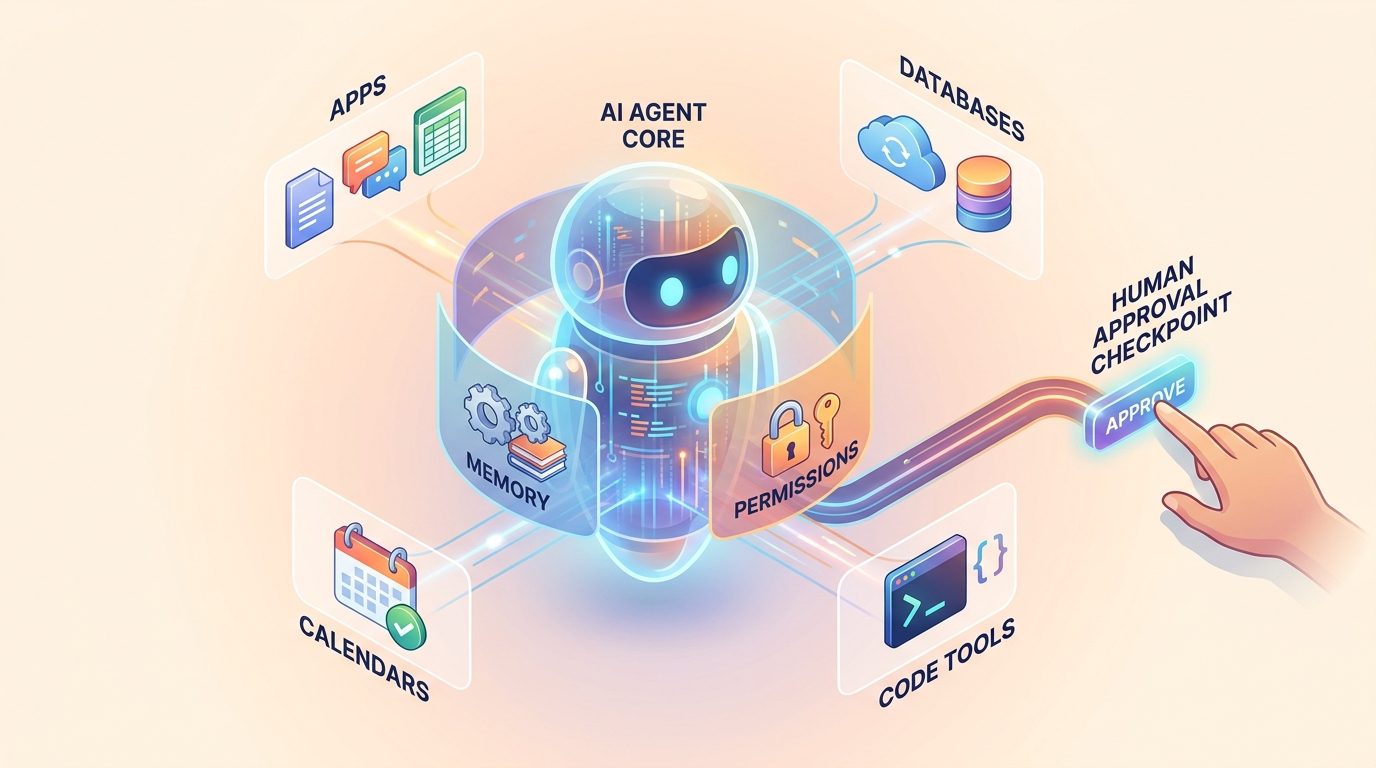
If a chatbot gives a bad answer, the damage is usually limited to confusion. If an agent with tool access gives a bad answer and then sends an email, updates a database, runs code, or deletes a file, the mistake has moved from text into the real world. Controls are the bridge between helpful autonomy and responsible use.
What makes an AI agent different from a normal chatbot?
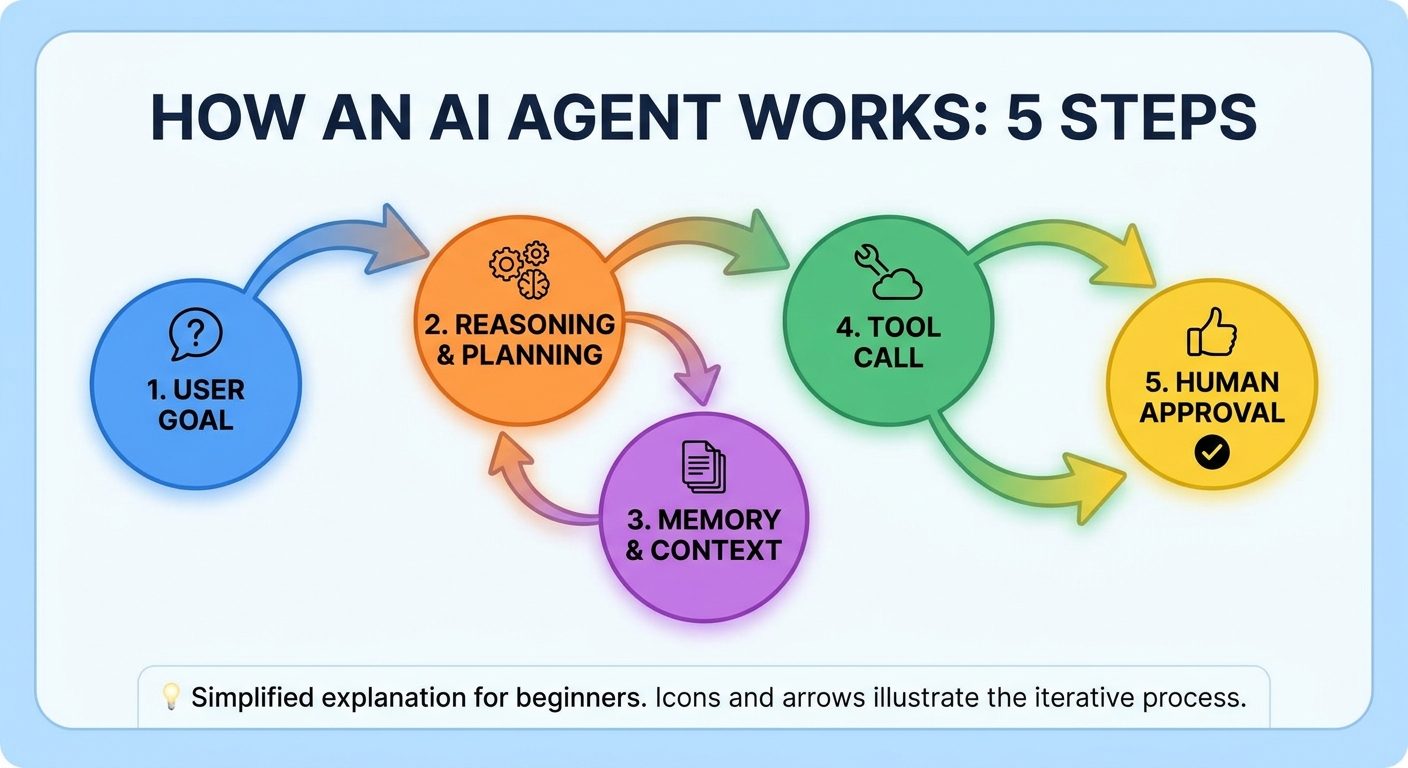
A normal chatbot mainly responds. An AI agent can pursue a goal through multiple steps. It may plan, inspect available context, decide which tool to use, call that tool, observe the result, and continue until the task is complete or blocked.
That does not mean every agent is fully autonomous. In practical systems, an agent can be narrow and carefully supervised. For example, a support agent might summarize a ticket, search internal docs, draft a reply, and ask a human to approve the final message. A coding agent might inspect files, propose changes, run tests, and stop before touching production.
For a broader foundation, see AI Agents Explained. This article focuses on the control layer: the part that decides what an agent is allowed to know, do, remember, and escalate.
The five-part AI agent control stack
Think of agent controls as a stack. No single layer is enough. Stronger systems combine several controls so that a failure in one layer does not automatically become a harmful action.
| Control layer | What it does | Question it answers |
|---|---|---|
| Instructions | Defines the agent’s role, goals, boundaries, and refusal rules. | What should the agent try to do? |
| Memory and context | Controls what the agent can use from past conversations, documents, databases, and retrieved information. | What does the agent know? |
| Tools | Gives the agent specific capabilities such as search, code execution, file access, APIs, or messaging. | What can the agent do? |
| Permissions | Limits which tools are available, under what conditions, and with which scopes. | What is the agent allowed to do? |
| Human approval and monitoring | Requires review for sensitive actions and records what happened. | Who checks the agent before impact? |
Tools: where agent usefulness becomes agent risk
Tools are what make agents useful. A tool might let an agent search the web, query a database, open a calendar, create a ticket, run a terminal command, or send a message. The rise of standards such as Anthropic’s Model Context Protocol reflects a bigger shift: AI systems are increasingly being connected to the places where real work happens.
But every tool expands the blast radius. A read-only documentation search tool is low risk. A payment refund tool, production database tool, or external messaging tool is much higher risk. The control question is not simply “can the model use tools?” It is “which tools, for which task, with which input, with which approval, and with what audit trail?”
Memory: useful context with privacy boundaries
Memory helps an agent avoid starting from zero. It can remember preferences, project context, prior decisions, open tasks, or retrieved facts. That makes the agent feel more capable and less repetitive.
Memory also creates risk. If memory stores sensitive details forever, uses stale assumptions, or mixes one user’s context with another user’s task, the agent can become confidently wrong or privacy-invasive. Good agent memory should be scoped, inspectable, updateable, and forgettable.
- Scoped: memory should be tied to the right user, project, or workspace.
- Inspectable: people should be able to see important saved context.
- Correctable: outdated memory should be editable or removable.
- Minimal: the agent should not store secrets or unnecessary personal data by default.
Permissions: the difference between assistance and uncontrolled automation
Permissions are the practical heart of AI agent controls. They convert vague safety goals into concrete access decisions. A permission system can decide whether an agent may only read information, draft changes for review, make reversible updates, or perform irreversible external actions.
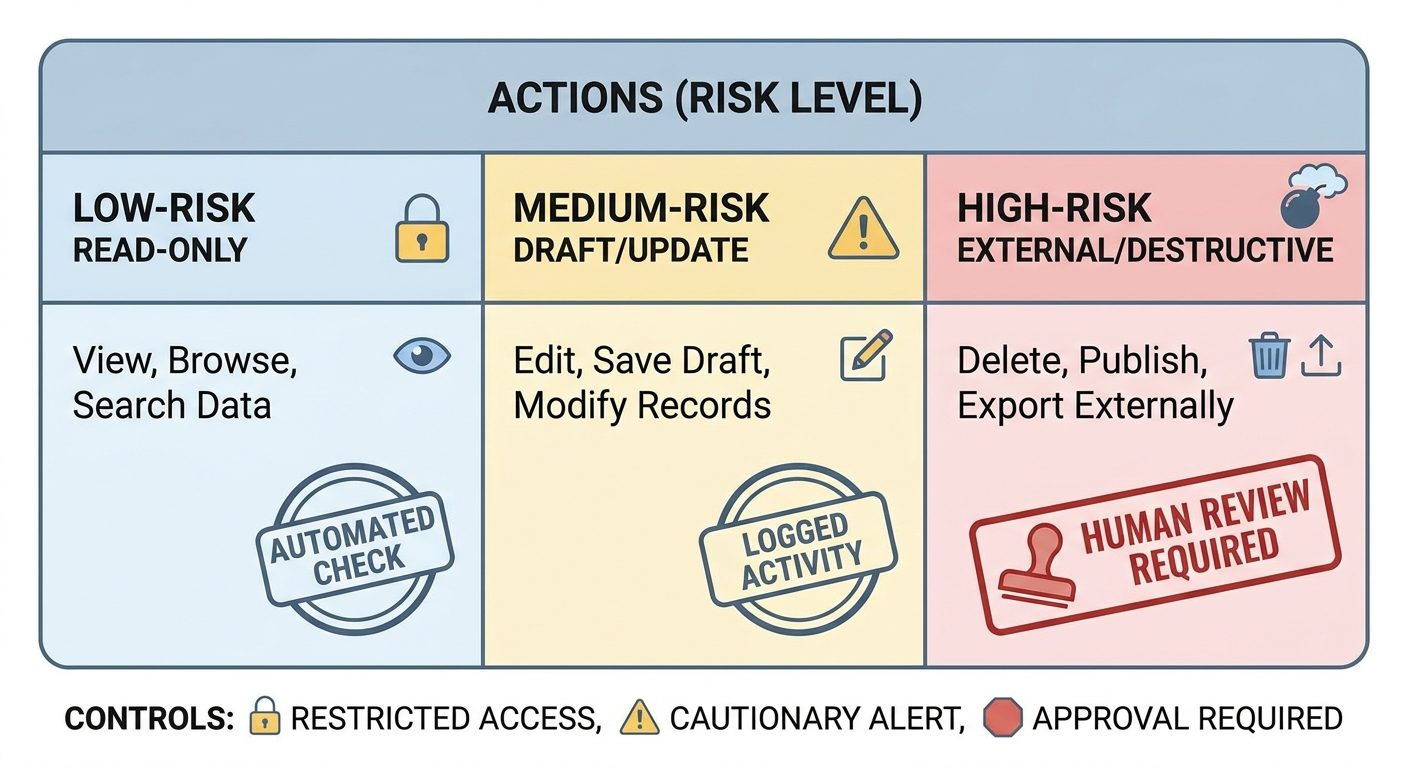
| Risk tier | Example agent action | Recommended control |
|---|---|---|
| Read-only | Search docs, summarize a page, inspect a ticket. | Allow with logging and privacy limits. |
| Draft-only | Draft an email, create a proposed code patch, prepare a report. | Require human review before sending or applying. |
| Reversible write | Create a task, update a low-risk field, add a note. | Allow in narrow scopes with undo and monitoring. |
| External impact | Send customer messages, change billing data, trigger workflows. | Require explicit approval and clear preview. |
| Destructive or high-stakes | Delete data, deploy production changes, approve payments. | Block by default or require multi-step authorization. |
This idea connects closely with MCP tool risk tiers and secure MCP server design. Even if you are not a developer, the principle is simple: agents should get the smallest useful permission, not the largest possible permission.
Human approval: where judgment belongs
Human approval is not a decorative checkbox. It is a control point for decisions where context, ethics, risk, or accountability matter. The best approval flows show the human exactly what the agent wants to do, why it wants to do it, what data it used, what will change, and how to reverse the action if needed.
Weak approval flows ask people to rubber-stamp vague outputs. Strong approval flows make review easier than blind trust. For example, instead of saying “Approve task,” the system should show: “Send this response to customer X, based on policy Y, with these quoted facts, and no account changes.”
For deeper practical patterns, see Human Approval for AI Agents.
Guardrails are not magic, but they help
Guardrails are rules and checks that reduce unwanted behavior. They might filter inputs, check outputs, block sensitive data, enforce policy, verify tool arguments, or stop an agent from acting when confidence is low. They matter because AI systems can misunderstand instructions, overgeneralize, or be manipulated by malicious content.
Security groups such as OWASP now provide guidance for generative AI and LLM application risks, including agentic systems. The OWASP GenAI Security Project is useful because it treats AI applications as systems with attack surfaces, not just clever text generators.
How controls reduce common AI agent failures
| Failure mode | What can go wrong | Helpful control |
|---|---|---|
| Hallucinated action | The agent invents a fact and acts on it. | Require source citations, retrieval checks, and approval for impact. |
| Prompt injection | External content tricks the agent into ignoring rules. | Separate trusted instructions from untrusted content; validate tool calls. |
| Excessive agency | The agent takes more action than the user expected. | Use narrow permissions, confirmations, and task boundaries. |
| Privacy leak | The agent exposes private data in the wrong context. | Scope memory, redact sensitive data, and limit retrieval. |
| Silent failure | The agent does something wrong and nobody notices. | Log actions, monitor outcomes, and create escalation triggers. |
A simple control checklist for beginners
If you are evaluating an AI agent tool, building a small automation, or just trying to understand whether an agent is safe enough, ask these questions:
- What exact goal is the agent allowed to pursue?
- What information can it read?
- What tools can it call?
- Which actions are read-only, reversible, external, or destructive?
- When does it stop and ask for approval?
- Can a human preview the action before it happens?
- Are actions logged in a way people can audit?
- Can memory be inspected, corrected, or deleted?
- What happens when the agent is uncertain?
- Who is accountable if the agent causes harm?
How this connects to AI risk management
AI agent controls are not only a technical topic. They are part of risk management. NIST’s AI Risk Management Framework emphasizes mapping, measuring, managing, and governing AI risk. Agent controls translate that mindset into day-to-day product decisions.
The Stanford AI Index shows the broader environment: AI capability, deployment, and investment keep expanding. As more systems move from chat to action, controls become more important because AI output can increasingly affect workflows, users, and organizations.
What good AI agent controls feel like
A well-controlled agent does not feel powerless. It feels predictable. It knows what it can do, explains what it is about to do, asks for help at the right moment, and leaves a trail that humans can understand.
That is the difference between a flashy demo and a trustworthy assistant. The goal is not to remove autonomy completely. The goal is to put autonomy inside clear boundaries.
Conclusion: safer agents need visible boundaries
AI agents are becoming more useful because they can connect reasoning with tools. But the more they can do, the more visible their boundaries need to be. Tools create capability. Memory creates continuity. Permissions create limits. Human approval creates accountability. Monitoring creates learning.
If you remember one idea, make it this: an AI agent is not safe because it sounds confident. It is safer when its actions are scoped, reviewed, logged, and reversible wherever possible.
Next step: before trusting any agent with real work, list every tool it can use and classify each action as read-only, draft-only, reversible, external, or destructive. That single exercise will reveal where your controls need to be stronger.
FAQ
What are AI agent controls?
AI agent controls are the instructions, permissions, memory rules, tool limits, guardrails, approval steps, and logs that keep an agent operating within a safe and useful scope.
Why do AI agents need permissions?
Permissions prevent an agent from using every available tool in every situation. They help separate low-risk reading from higher-risk writing, external messaging, financial changes, or destructive actions.
What is tool use in AI agents?
Tool use means the agent can call external capabilities such as search, file access, databases, APIs, calendars, code execution, or messaging systems. Tool use turns AI from a text responder into a workflow actor.
Can human approval make AI agents safe?
Human approval helps, especially for sensitive actions, but it should be paired with clear previews, permissions, logs, and risk tiers. Approval alone can become weak if reviewers do not understand what the agent is about to do.
Do agent controls stop hallucinations?
Controls cannot guarantee that hallucinations disappear, but they can reduce harm by requiring source checks, limiting risky actions, blocking unsupported tool calls, and asking humans to review consequential outputs.
