
AI Browser Agent Approval Workflow: When to Let Agents Click, Ask, or Stop
A practical approval model for AI browser agents: what agents may do alone, when they must ask a human, and when they should stop before a wrong click becomes a business problem.
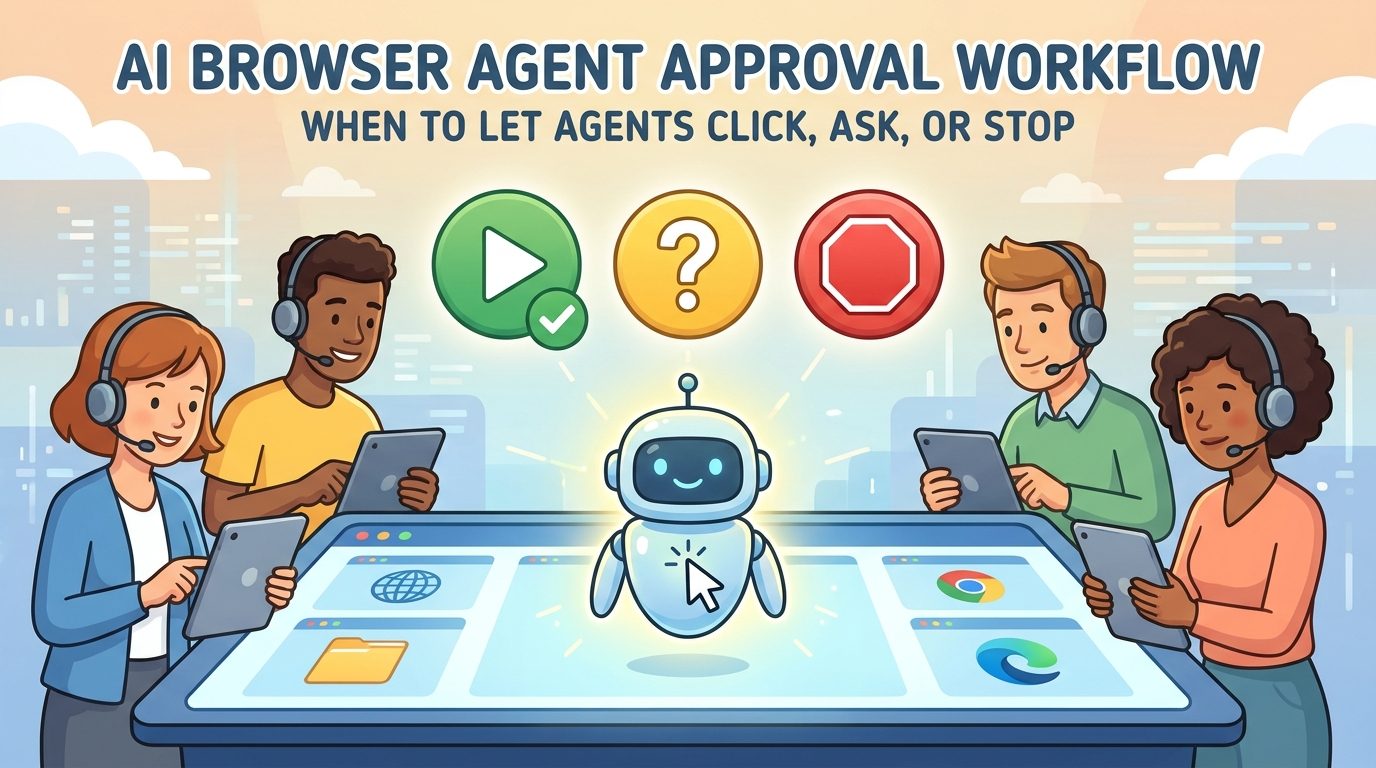
AI Browser Agent Approval Workflow: Quick Answer
An AI browser agent approval workflow is the operating model that tells an agent when it may continue, when it must ask a human, and when it should stop safely. It is the missing layer between “the agent can use a browser” and “the agent is trusted with real work.” Browser agents can read screens, click buttons, fill forms, extract data, compare pages, and move through web applications. But capability is not the same as permission.
The simplest useful model is click, ask, or stop. The agent may click when the action is low-risk, reversible, expected, and inside the approved task scope. It must ask when the action is sensitive, costly, identity-related, customer-facing, legally meaningful, or ambiguous. It should stop when the page looks wrong, the task drifts outside the allowed domain, credentials or private data appear unexpectedly, a site blocks automation, or the agent cannot verify what will happen next.
This cluster article supports our pillar guide on AI browser agents. The pillar explains the broad trend: browser agents are turning web workflows into delegated tasks. This article narrows the question to one implementation problem teams hit quickly: how to let agents work through web apps without giving them unlimited authority to click, submit, buy, delete, change, or expose information.
Why Human Approval Is the Control Layer Browser Agents Need
Browser agents are useful because so much work still happens inside web applications built for people. A team member opens a CRM, checks a supplier portal, compares invoices, validates form fields, updates a ticket, downloads a report, or tests a product flow. Traditional API automation is ideal when a clean API exists. Robotic process automation can work when screens are stable. Browser agents become interesting when the task is web-based, repetitive, and variable enough that brittle scripts struggle.
The same flexibility creates risk. A browser is an action surface. A model that can read a page and click a button can also click the wrong button, submit a form too early, expose data to the wrong system, follow malicious page instructions, or keep retrying a task long after it should have escalated. That is why approval workflow design is not a compliance afterthought. It is core product architecture.
The source-backed signal is clear. Amazon Bedrock AgentCore Browser documentation describes a secure, isolated browser environment with session isolation, live viewing, CloudTrail logging, session replay, timeouts, and ephemeral sessions. Those controls exist because browser-agent work needs visibility and boundaries. Browser Use documentation also separates an agent that runs a task from a browser that provides raw control. Approval workflow sits above both: it tells the agent which browser actions are allowed in the current business context.
There is also a security reason. OWASP’s GenAI prompt-injection risk is especially relevant when agents read untrusted web pages. A web page can contain ordinary content, hidden instructions, hostile text, or misleading interface language. A browser agent should not treat page content as authority to override the user’s real task or the organization’s policy. Approval gates help prevent the model from converting untrusted page text into trusted action.
In practice, human approval gives teams four benefits: accountability, reversibility, confidence, and learning. It lets people own sensitive decisions, catch edge cases, build trust in the system, and gradually identify which actions are safe enough to automate later.
The Five Approval Levels for AI Browser Agents
A useful approval system should not treat every action the same. If an agent has to ask before every click, automation becomes pointless. If it can do everything alone, the blast radius becomes unacceptable. The better pattern is layered autonomy: allow low-risk actions automatically, require review for risky actions, and block actions that are outside policy.
| Level | Agent authority | Good examples | Human role |
|---|---|---|---|
| Level 0: Observe only | The agent can read pages, capture evidence, and summarize. It cannot change anything. | Research, monitoring, QA observation, vendor-page comparison. | Review findings and decide next step. |
| Level 1: Navigate and extract | The agent can click links, search within allowed sites, copy public or approved data, and prepare outputs. | Collecting status pages, comparing product information, finding order records. | Approve final use of extracted information. |
| Level 2: Prepare changes | The agent can fill forms or draft updates but cannot submit, publish, delete, purchase, or send. | Pre-filling support tickets, drafting CRM notes, preparing invoice checks. | Review and submit if correct. |
| Level 3: Submit low-risk changes | The agent can complete reversible, low-cost actions inside a narrow workflow. | Updating internal labels, marking routine QA checks, saving drafts. | Monitor logs and handle exceptions. |
| Level 4: Restricted autonomous execution | The agent can complete a bounded task end-to-end under strict limits. | Staging environment testing, internal report generation, repeated low-risk portal checks. | Approve workflow design, audit results, and tune policies. |
Most teams should start at Level 0 or Level 1. Level 2 is often the sweet spot for real productivity because the agent does the tedious preparation while a human keeps responsibility for the final action. Level 3 and Level 4 should be earned through measured reliability, clear logs, limited credentials, and repeated successful runs.
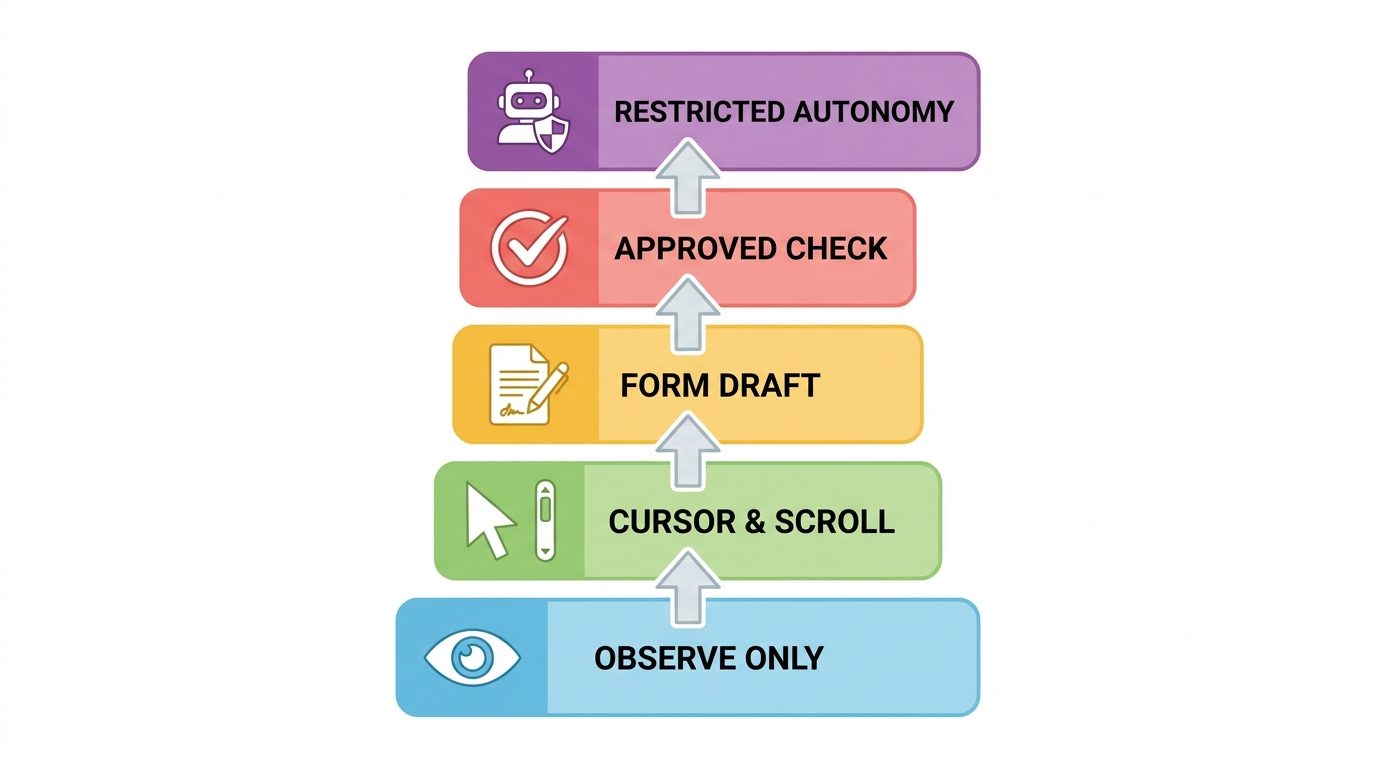
The key is not to label an entire agent as “approved” or “not approved.” Label each task and action type. The same agent may be allowed to navigate a supplier portal, prepare a comparison table, and draft an update, but not change bank details, approve payment, or send a customer email.
The Click, Ask, or Stop Decision Matrix
The most practical approval workflow can fit on one page. Before an agent takes an action, it classifies the next step: click, ask, or stop. This should be implemented in prompts, tool policies, product UI, logs, and team SOPs. A model prompt alone is not enough for high-risk workflows, but a clear policy gives both developers and reviewers a shared language.
| Decision | Use when | Examples | Required evidence |
|---|---|---|---|
| Click | The action is low-risk, reversible, expected, inside the allowed domain, and needed to continue. | Open a search result, expand a row, download an approved report, move to the next page, save a draft. | Current page URL, visible label, reason for click, screenshot before/after if useful. |
| Ask | The action could affect money, identity, customer records, publication, permissions, legal status, or external communication. | Submit order, change account setting, send message, publish content, approve invoice, update user role. | Summary of action, expected consequence, confidence level, alternatives, exact button/form involved. |
| Stop | The agent is uncertain, off-domain, blocked, sees sensitive data unexpectedly, detects prompt-injection-like instructions, or cannot verify the result. | Unexpected login, captcha, payment screen, delete button, conflicting instructions, unknown popup, repeated failure. | Reason for stopping, last safe state, screenshot/log reference, recommended human next step. |
This matrix also reduces operator frustration. Humans do not want vague interruptions like “Should I continue?” They need specific review prompts: “I found the invoice total differs from the purchase order by 3.2%. The next button will mark the invoice as approved. Do you want me to submit, save as draft, or stop?” Good approval prompts are short, consequence-aware, and easy to audit later.
How to Design the Approval Workflow Step by Step
Approval workflow design should happen before the first production browser-agent pilot. The mistake is to run a shiny demo, then bolt on safety after people are excited. A better approach is to define the work envelope first: allowed domains, allowed actions, blocked actions, data boundaries, credentials, timeout, escalation path, and success criteria.
Step 1: Define the task envelope
Write one sentence that describes what the agent is allowed to accomplish. For example: “Check whether supplier invoice records match internal purchase order records and prepare an exception summary.” That is safer than “handle invoices.” The envelope should include domain, data source, expected output, and clear non-goals.
Step 2: Inventory action types
List every browser action the task may require: log in, search, filter, open records, copy values, download documents, fill fields, save drafts, submit forms, send messages, or change settings. Assign each action to click, ask, or stop. This is where risk becomes concrete.
Step 3: Choose the permission model
Avoid broad personal credentials as the default. Prefer service accounts, scoped permissions, short-lived sessions, staging access, or delegated access with clear logging. If the agent only needs read access, do not give it write access. If it only needs one portal, do not let it roam the open web.
Step 4: Add evidence requirements
For every important step, decide what evidence should be captured. That may include URL, timestamp, screenshot, extracted field values, DOM state, before/after summary, confidence score, and the human approver’s decision. Amazon’s emphasis on live viewing and session replay is a useful signal: browser automation needs replayable evidence, not only final output.
Step 5: Create interruption templates
Approval requests should be structured. Include the proposed action, why it is needed, what will happen if approved, what data will be changed, and the safer alternatives. The human should be able to choose approve, edit, skip, or stop.
Step 6: Set budgets and stop limits
Browser agents can loop. Set a maximum session duration, step count, retry count, and cost threshold. Amazon Bedrock AgentCore Browser supports configurable session timeouts, and the broader lesson applies everywhere: a task that cannot finish within the expected envelope should stop and summarize rather than improvise indefinitely.
Step 7: Review after every pilot run
Measure completion rate, false approvals, unnecessary interruptions, stop events, human review time, and cost per successful run. Then move some repeated low-risk asks into click rules, and move any surprising failures into stop rules. Approval workflow is not static. It matures with evidence.
Practical Examples of Browser-Agent Approval Rules
The approval workflow becomes easier to understand through examples. These are not universal legal rules. They are starting points for product, operations, security, and compliance teams to adapt.
Notice the pattern: the agent does navigation, comparison, preparation, and evidence collection. Humans keep ownership of irreversible decisions, external communication, payments, permissions, publication, and ambiguous exceptions. This split is not anti-automation. It is how automation earns trust.
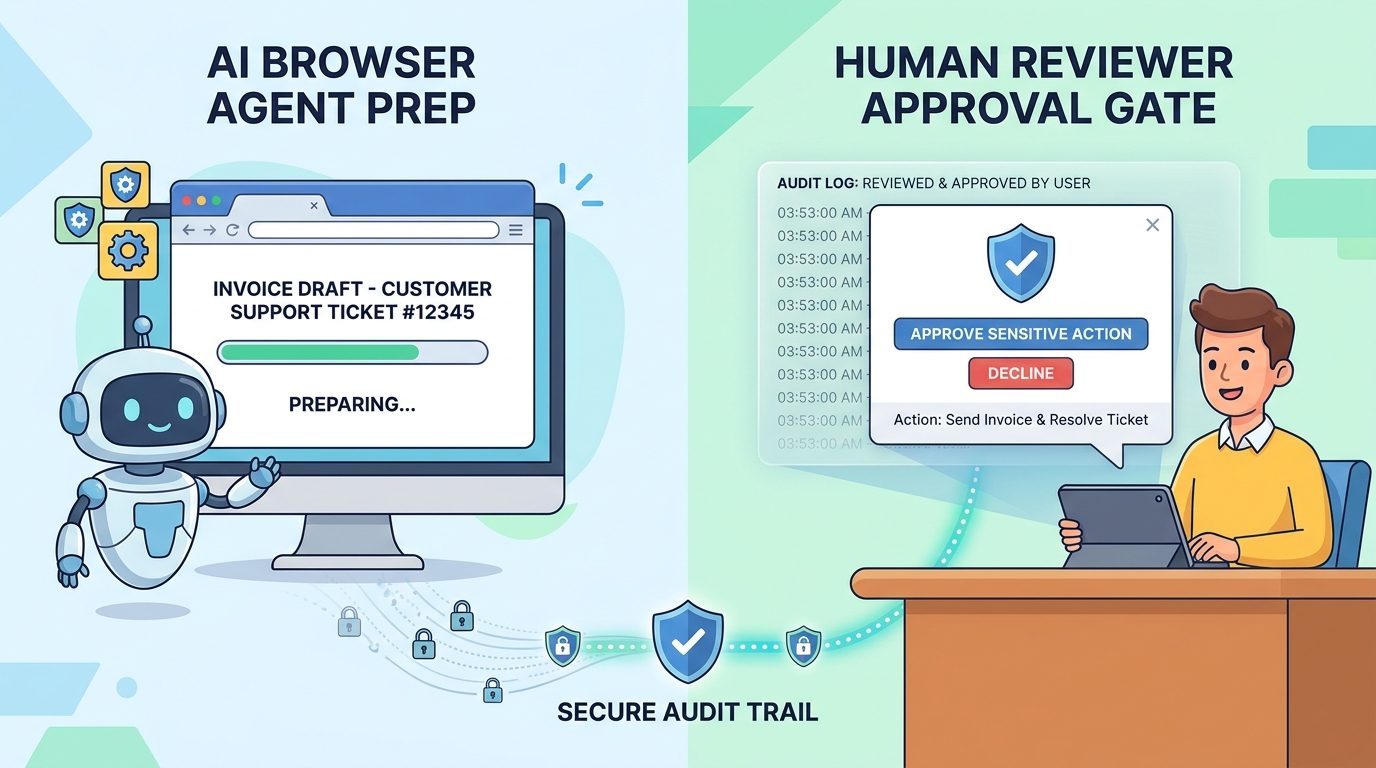
What to Log in an AI Browser Agent Approval Workflow
If a browser agent completes real work and nobody can explain what happened, the workflow is not ready. Audit evidence is what turns agent output from “the AI said so” into a reviewable business process. It also helps teams debug failures, train better policies, and answer stakeholder questions.
| Log item | Why it matters | Minimum useful version |
|---|---|---|
| Task instruction | Shows what the agent was actually asked to do. | Original user request plus normalized task envelope. |
| Allowed domains/actions | Proves the agent had boundaries. | Policy snapshot at session start. |
| Steps taken | Creates a timeline for review. | URL, action, visible target, timestamp, outcome. |
| Approval requests | Shows where human judgment entered the loop. | Prompt, proposed action, approver, decision, time. |
| Evidence captures | Supports verification and dispute resolution. | Screenshots, extracted values, before/after summaries. |
| Stop reasons | Turns failures into policy improvements. | Trigger, last safe state, next recommended step. |
| Final result | Connects execution to business outcome. | Completed, partial, failed, escalated, plus summary. |
Session replay is especially valuable for browser workflows because text logs may miss visual context. A popup, disabled button, warning banner, or layout shift can explain a failure that the agent summary glosses over. That is why managed browser platforms increasingly emphasize recording, live view, and observability.
Audit logs should also capture non-events. If the agent refused to submit a form because approval was missing, that refusal is useful evidence. It shows the guardrail worked.
A Safe First Pilot Checklist
A good first pilot is boring. It should not be the highest-risk workflow or the flashiest demo. Choose a process where the agent can save time, the result is easy to verify, and the consequences of failure are limited.
Good pilot signs
- The task is repetitive and browser-heavy.
- The agent can start with read-only or staging access.
- Success is easy to check.
- There is a clear human reviewer.
- Unexpected cases can safely stop.
- The workflow has measurable time savings.
Bad pilot signs
- The task involves payments, legal filings, or account deletion.
- The site blocks automation or has unclear terms.
- The agent needs broad personal credentials.
- Success depends on nuanced human judgment.
- No one can review logs or screenshots.
- The workflow changes every week.
Start with observe-only runs. Then allow navigation and extraction. Then allow form preparation. Only after reliability is measured should the agent submit low-risk changes. Teams that skip this progression usually learn the hard way that a browser agent demo and a browser agent operating model are different things.
Why This Cluster Topic Fits Singularity Journey
The latest Singularity Journey pillar article already explains the broad AI browser agents trend. A cluster article should not repeat that overview. This article adds information gain by focusing on one practical missing subtopic: approval workflow design. It strengthens the pillar by answering the next question readers ask after understanding the trend: “What controls do we need before we let an agent act inside a browser?”
Recent analytics and Search Console data for the site remain early-stage, so the strongest SEO move is topical authority rather than chasing a single high-volume term. The site already has related coverage on AI agents, memory, autonomy levels, MCP servers, enterprise agents, and human control. This approval-workflow article links those ideas into an actionable operating model while staying narrower than the source pillar.
The article also fills a search and data gap. Vendor documentation explains browser infrastructure. Security resources warn about prompt injection and agentic risks. Tool pages show what agents can do. Fewer pages combine those signals into a simple, reusable click/ask/stop framework for teams evaluating browser agents.
Recommended Operating Policy Template
Use this lightweight policy template as a starting point. It is intentionally plain because teams are more likely to follow a policy they can read in one meeting.
| Policy field | Decision to document |
|---|---|
| Task name | What exact workflow is the browser agent allowed to perform? |
| Allowed domains | Which websites, apps, or environments may the agent access? |
| Credential type | Read-only, service account, delegated user, short-lived session, or staging account? |
| Autonomous actions | Which actions can be completed without asking? |
| Approval actions | Which actions require explicit human approval? |
| Blocked actions | Which actions must never be performed? |
| Stop triggers | What conditions require immediate stop and escalation? |
| Evidence requirements | What screenshots, logs, fields, or session records are required? |
| Review owner | Who approves actions and who reviews failures? |
| Success metrics | Completion rate, review time saved, exception rate, quality issues, cost per run. |
This template makes browser-agent deployment feel less mysterious. It turns a risky open-ended capability into a bounded workflow with named responsibilities.
Final Takeaway: Autonomy Should Be Earned, Not Assumed
AI browser agents are becoming important because they can operate inside the same web tools people use every day. That makes them powerful, practical, and risky. The correct response is not to avoid them entirely or let them act freely. The correct response is to design approval workflows that match the risk of each action.
Start with observe and prepare modes. Use click/ask/stop rules. Keep humans responsible for irreversible decisions. Log what happened. Review failures. Expand autonomy only where repeated evidence shows the workflow is safe, valuable, and understandable.
If you want the broader trend context behind this operating model, read the source pillar: AI Browser Agents: The Trend Turning Web Workflows Into Delegated Tasks. This approval workflow is the practical next layer: the part that turns browser agents from impressive demos into accountable delegated work.
Keep Learning on Singularity Journey
- AI Browser Agents — the source pillar behind this cluster article.
- Autonomous AI Agents and Human Control — governance blueprint for agentic systems.
- AI Agent Autonomy Levels — practical model for human oversight.
- How to Build an MCP Server for AI Agents — controlled tool access for developers.
- Enterprise AI Agent Control Plane — governance layer for enterprise agents.
Sources and References
- AWS: AI agent-driven browser automation for enterprise workflow management
- Amazon Bedrock AgentCore Browser documentation
- Browser Use documentation
- OWASP GenAI: prompt injection risk
This article uses public documentation, source-backed trend context, and Singularity Journey analytics. Product capabilities, pricing, and policies can change; verify tool documentation and internal policy before production adoption.
FAQ: AI Browser Agent Approval Workflows
What is an AI browser agent approval workflow?
It is a policy and product design layer that tells a browser agent when it may act alone, when it must ask a human, and when it should stop safely.
Which browser-agent actions should require human approval?
Actions involving payments, permissions, publication, external messages, customer records, legal or financial changes, deletion, identity, or irreversible consequences should require approval unless they are explicitly pre-approved in a narrow low-risk workflow.
Can AI browser agents use personal credentials?
Personal credentials are a risky default. Prefer least-privilege service accounts, read-only access, short-lived sessions, delegated access, or staging accounts where possible.
What is the safest first browser-agent pilot?
Start with observe-only or prepare-only tasks such as QA walkthroughs, public research collection, internal report preparation, or low-risk portal checks with human review.
How do you stop a browser agent from clicking the wrong button?
Use allowed-domain rules, action classification, approval gates for sensitive actions, step limits, screenshots, session replay, and stop triggers for uncertainty or unexpected pages.
What should be logged during a browser-agent session?
Log the task instruction, allowed domains, each action, page URL, screenshots or evidence, approval prompts, human decisions, stop reasons, and final result.
Is human-in-the-loop approval enough for security?
No. Human approval helps, but teams also need credential controls, session isolation, audit logs, data minimization, prompt-injection defenses, timeouts, and policy enforcement.
