
AI Agent Tools Explained: When Agents Should Search, Call APIs, Write Code, or Ask Humans
AI agent tools are the difference between a model that only answers and an agent that can do useful work. A tool lets an agent search documents, call an API, read a file, run a calculation, draft a message, open a pull request, or ask a human to approve a risky step. The value is obvious. The risk is just as obvious: once an agent can use tools, it can make mistakes outside the chat window.
This article supports the broader Dev Zone pillar, How to Build AI Agents in 2026, by focusing on one design question: which tools should an agent have, and when should it use them? The practical answer is to start with narrow, observable tools, add permissions one level at a time, and require human approval before the agent touches high-risk systems.
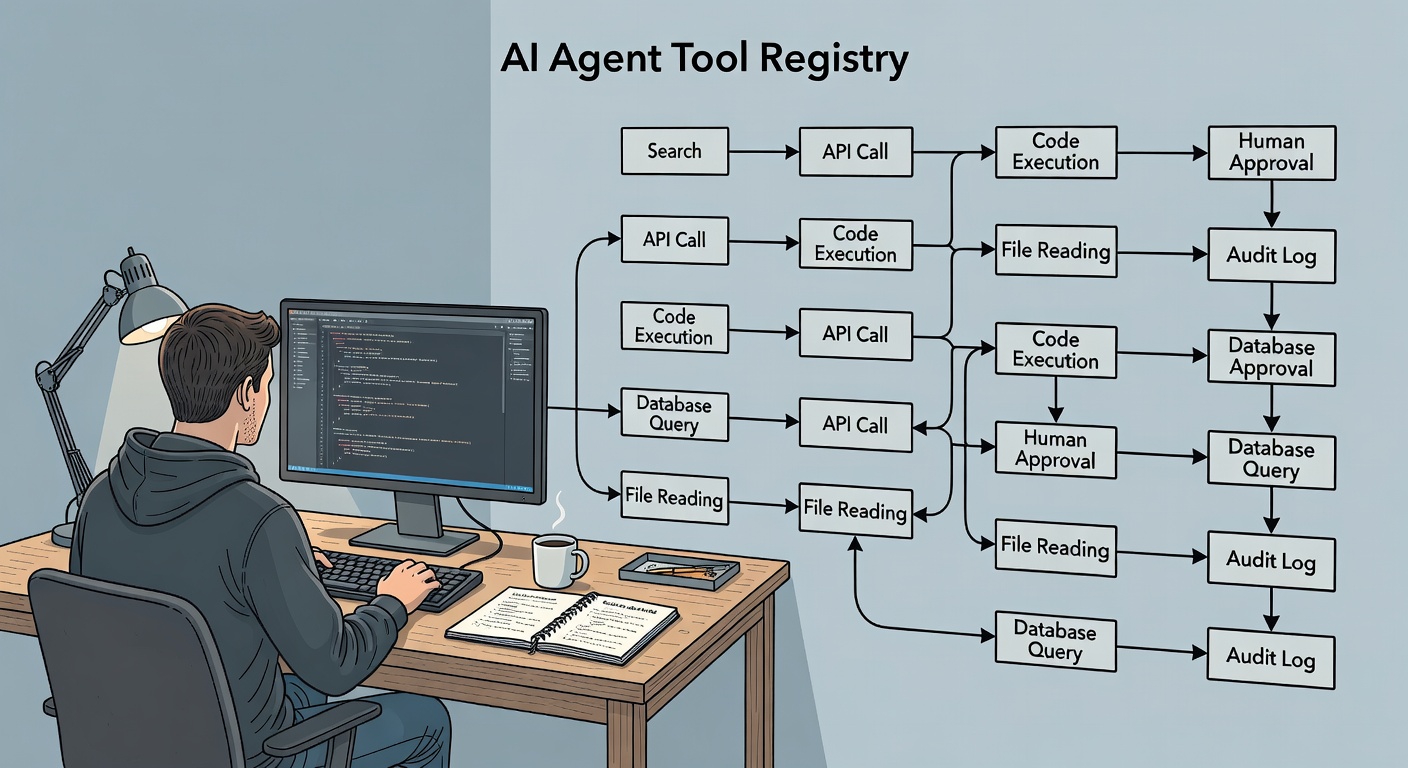
What Are AI Agent Tools?
An AI agent tool is a controlled function that lets a model interact with information or systems outside its prompt. The tool might be read-only, like searching a knowledge base. It might be analytical, like calculating a refund estimate. It might be state-changing, like creating a ticket or sending an email.
Tool calling is not the same as giving a model unlimited access. A well-designed agent does not receive database credentials, shell access, and a vague instruction to "figure it out." It receives a small list of approved tools, each with clear inputs and outputs. The model can request a tool call, but the application validates that request before anything happens.
OpenAI describes function calling as a way for models to connect to external systems through structured tool definitions and arguments: OpenAI function calling documentation. The implementation details differ across platforms, but the engineering principle is stable: the model proposes, your software controls.
The Six Tool Types Most Agents Need
Most useful agents rely on a few repeatable tool categories. Naming them clearly helps teams avoid giving agents a messy collection of broad, overlapping powers.
1. Search Tools
Search tools help the agent find context. Examples include documentation search, support ticket search, product policy search, code search, and web search. Search is often the safest first tool because it can be read-only and easy to log.
Use search when the agent needs evidence before answering. A support agent should search refund policy before recommending a refund. A coding agent should search existing patterns before writing a patch. A research agent should search trusted sources before summarizing a topic.
2. Retrieval and File Tools
Retrieval tools open or read a specific resource once it has been identified. That might be a document, spreadsheet, code file, log excerpt, design note, or contract section. Search finds candidates; retrieval gives the agent the exact content it needs.
The safest retrieval tools limit scope. Instead of "read any file on this machine," prefer "read files inside this repository" or "read approved policy documents by ID." Return source names, timestamps, and small excerpts instead of dumping large unstructured blobs into context.
3. API and Database Tools
API tools connect the agent to live systems. They can check order status, fetch customer metadata, list calendar events, inspect build failures, query analytics, or create records.
Design API tools around business actions, not raw infrastructure. "Get order summary" is safer than "run arbitrary SQL." "Create draft invoice note" is safer than "update finance database." The tool should enforce authorization, rate limits, allowed fields, and output filtering before the model sees the result.
4. Calculation and Code Tools
Some tasks need deterministic computation. A model can reason about a formula, but code should do the math when accuracy matters. Calculation tools can compute prices, compare records, validate JSON, transform data, and run tests.
Code execution is high leverage and high risk. If you let an agent run code, use a sandbox, constrain file access, limit network access, set timeouts, and capture logs. For coding agents, prefer tools that inspect, test, and create proposed changes before any merge or deployment action.
5. Draft and Staging Tools
Draft tools let an agent prepare work without finalizing it. Examples include drafting an email, creating a ticket comment, opening a pull request, preparing a customer response, creating a pending database change, or generating a report for review.
This is where many teams should spend most of their time. A staged action is useful because it saves work, but it remains reviewable. The user can inspect the diff, edit the response, or reject the recommendation before it affects customers or production systems.
6. Human Approval Tools
A human approval tool is not a fallback for weak automation. It is a core part of responsible agent design. The agent should ask for approval when the task is ambiguous, expensive, irreversible, sensitive, or outside its confidence boundary.
Approval requests should be specific. Instead of "Should I continue?", the agent should ask, "Approve this refund recommendation? Amount: $84. Source policy: standard return window. Reason: damaged item reported within 14 days."
The Tool Permission Ladder
Do not move an agent from no access to full autonomy in one jump. Use a permission ladder. Each level adds capability only after the previous level works reliably.
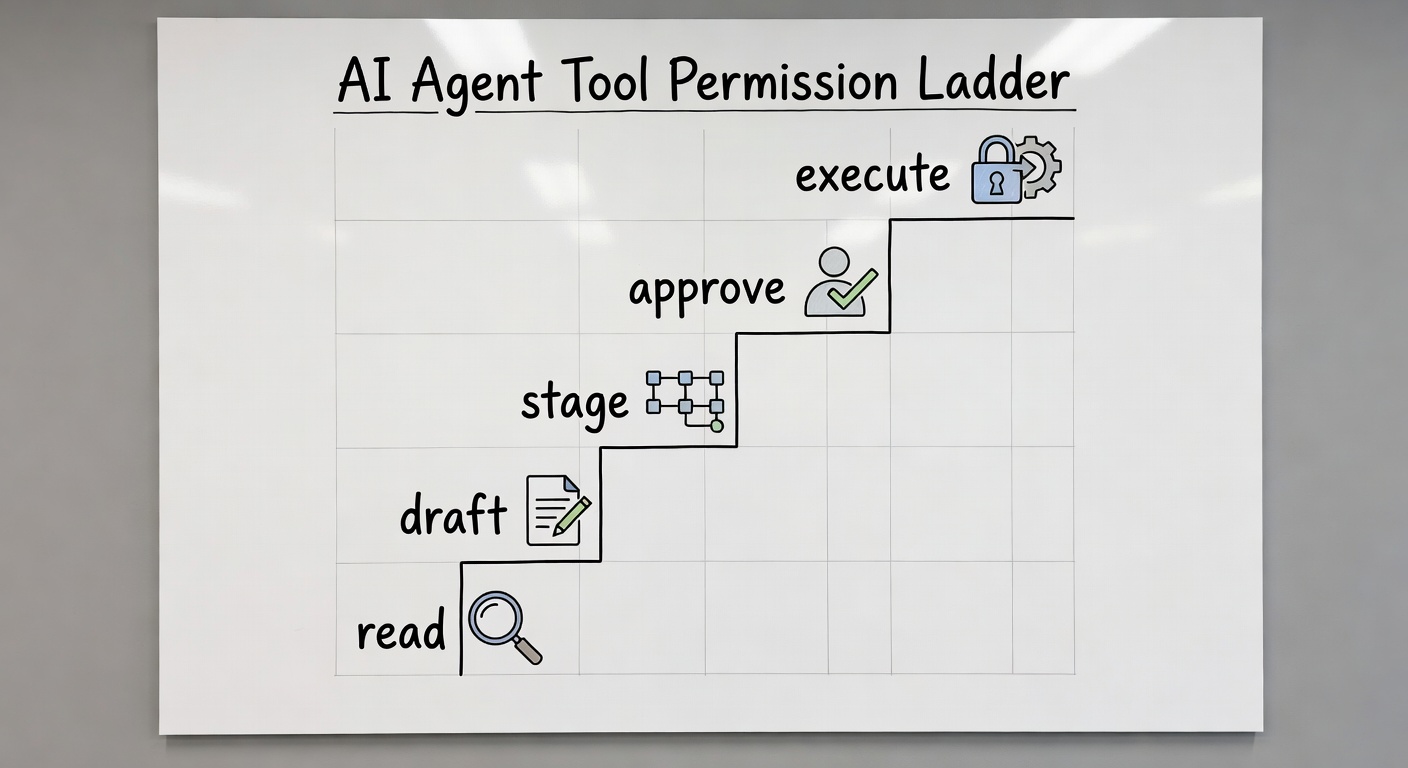
Level 1: Read
The agent can search, retrieve, inspect, classify, and summarize. It cannot change systems. This level is ideal for early pilots because failures are usually easy to contain. Examples include reading docs, checking ticket history, and summarizing logs.
Level 2: Draft
The agent can produce proposed work, such as a response, plan, code patch, table, or checklist. It still cannot submit the work. This level is useful for assistants that reduce blank-page effort while keeping the user in control.
Level 3: Stage
The agent can create a reviewable artifact inside the system: a draft issue, queued change, pull request, pending CRM note, or proposed calendar invite. Staging is safer than execution because it creates a visible checkpoint.
Level 4: Execute With Approval
The agent can execute only after a person approves the specific action. This is appropriate for sending messages, updating records, merging code, issuing refunds, scheduling meetings, or changing production settings.
Level 5: Execute Automatically
Automatic execution should be reserved for narrow, reversible, well-tested actions. Examples include tagging a low-risk support ticket, refreshing a cache, formatting a document, or updating a status field with clear rules. If a mistake would create legal, financial, security, privacy, or customer trust damage, keep approval in the loop.
How Agents Should Decide Which Tool to Use
The agent should not call tools just because tools are available. Tool use should be tied to uncertainty, evidence, and task progress. A simple decision flow works for many systems:
For production systems, tool choice also depends on the durable workflow layer around the agent: retry rules, approval gates, operation state, and recovery behavior.
- Clarify the goal: Does the agent understand the job and success criteria?
- Check available context: Is the answer already in the prompt or session state?
- Search before acting: If facts are missing, use search or retrieval first.
- Use APIs for live state: If the answer depends on current account, order, build, or inventory state, query the approved system.
- Calculate when precision matters: Use deterministic tools for math, validation, transforms, and tests.
- Stage before side effects: Prepare reviewable work before sending, updating, merging, or deploying.
- Ask humans at risk boundaries: Escalate when confidence is low or consequences are high.
The Model Context Protocol is useful to study because it standardizes how applications expose tools, resources, and prompts to AI clients: MCP tools specification. Even if you do not use MCP directly, its separation between exposed capabilities and client behavior is a helpful design model.
Practical Example: A Customer Support Agent
Imagine a support agent that helps with refund requests. A careless design would give it access to customer records, payment actions, email sending, and a prompt that says "be helpful." A better design starts with a narrow goal: recommend whether a support teammate should approve a refund.
Safe Tool Set
- Search policy: returns approved refund policy snippets by topic.
- Get order summary: returns order date, product, amount, delivery status, and prior refund state.
- Get ticket history: returns the current ticket and previous related cases.
- Calculate refund window: checks dates and computes eligibility based on policy.
- Draft recommendation: creates a reviewable note with sources and reasoning.
- Request approval: asks a human to approve, modify, or reject the recommendation.
Notice what is missing. The first version does not issue refunds automatically. It does not expose raw database queries. It does not send customer emails. It creates a recommendation with evidence, then asks a person to decide.
Tool Flow
The agent receives a ticket, searches refund policy, fetches the order summary, checks the ticket history, calculates eligibility, and drafts a recommendation. If the policy conflicts with the customer story, it marks the case for manual review. The logs then become an evaluation dataset: Was the policy source correct? Did reviewers accept or edit the recommendation?
Practical Example: A Coding Agent
A coding agent needs a different tool mix. It should inspect files, search for patterns, run tests, and prepare a patch. The risky boundary is write access to shared branches, secrets, infrastructure, or production deployments.
Safe Tool Set
- Search repository: finds symbols, tests, routes, and related modules.
- Read file: opens specific files inside the project workspace.
- Run tests: executes approved test commands with timeouts.
- Apply patch: edits files inside a scoped working tree.
- Create pull request draft: stages the change for human review.
- Ask reviewer: requests approval when a change touches auth, payments, migrations, or infrastructure.
A good coding agent should inspect before editing, run focused tests after editing, and explain residual risk. Tool design should reinforce that behavior.
Security Rules for Agent Tools
Agent security starts with least privilege. Give each tool the minimum access needed for its job. Treat tool descriptions, retrieved documents, web pages, and user content as potentially hostile inputs. The OWASP Top 10 for Large Language Model Applications is a useful starting point because it calls out risks such as prompt injection and excessive agency: OWASP Top 10 for LLM Applications.
Use deterministic controls around the model. Validate arguments. Enforce authorization in the tool backend. Require confirmation for side effects. Redact secrets before returning output. Keep audit logs, rate-limit loops, add timeouts, and fail closed when a tool returns malformed data.
What Not to Put in a Tool
- Broad shell access without sandboxing.
- Raw database query execution for normal business users.
- Unscoped file-system access.
- Credentials or tokens visible to the model.
- One tool that can read, update, send, and delete.
- Actions that cannot be reviewed, reversed, or audited.
How to Name and Describe Tools
Tool names and descriptions shape model behavior. Make them boring, specific, and honest. A tool called search_refund_policy is better than handle_refund. A tool called create_draft_ticket_comment is better than message_customer if it only creates a draft.
Descriptions should state what the tool does, when to use it, what it cannot do, and what inputs are required. Return structured outputs that include source, status, error, and confidence fields where relevant. The more predictable the tool contract, the easier it is to test the agent.
Minimum Logging for Tool-Using Agents
Logs make tool use inspectable. For every run, store the user goal, agent version, selected tool, arguments, result summary, latency, errors, approvals, final answer, and feedback. Do not rely on final responses alone. The failure usually happened earlier.
These logs become the foundation for debugging and evaluation. If users reject a recommendation, you can inspect whether the search result was weak, the API response was stale, the tool description was vague, or the model made a bad judgment.
FAQ
Should every AI feature use tools?
No. If the task has a fixed input and output, a normal model call may be enough. Tools are useful when the agent needs current data, external actions, calculations, retrieval, or reviewable workflow steps.
What is the safest first tool for an agent?
A read-only search tool is usually the safest first tool. It improves answer quality without giving the agent permission to change systems.
When should an agent ask a human?
Ask a human when the action is irreversible, expensive, sensitive, customer-facing, policy-heavy, low confidence, or outside the agent's tested scope.
Can an agent call APIs directly?
Yes, but the API should be wrapped in a narrow tool that enforces authorization, validation, rate limits, and output filtering. The model should not receive raw credentials or unrestricted API access.
How many tools should an agent have?
Start with the fewest tools required for the job. Add tools only when logs show repeated need and evaluation proves the agent can use the existing tools reliably.
Conclusion: Tools Are Product Boundaries
AI agent tools are not just technical integrations. They are product boundaries. They define what the agent can know, what it can change, what it must ask about, and what humans can inspect.
The safest path: begin with read-only tools, add drafting and staging, require approval for side effects, and reserve automatic execution for narrow, reversible tasks.
Before any execute-level tool is trusted with retries or approval resumes, design it to prevent duplicate tool actions.
That is the difference between a flashy agent demo and a system people can trust in real work.
