
AI Agent Tool Context: Design Schemas, Results, and Approvals That Keep Agents Reliable
Reliable agents do not just need better prompts. They need tool context that tells the model which tool to use, what each tool is allowed to do, what result shape to expect, when to ask a human, and what evidence should carry into the next model call.
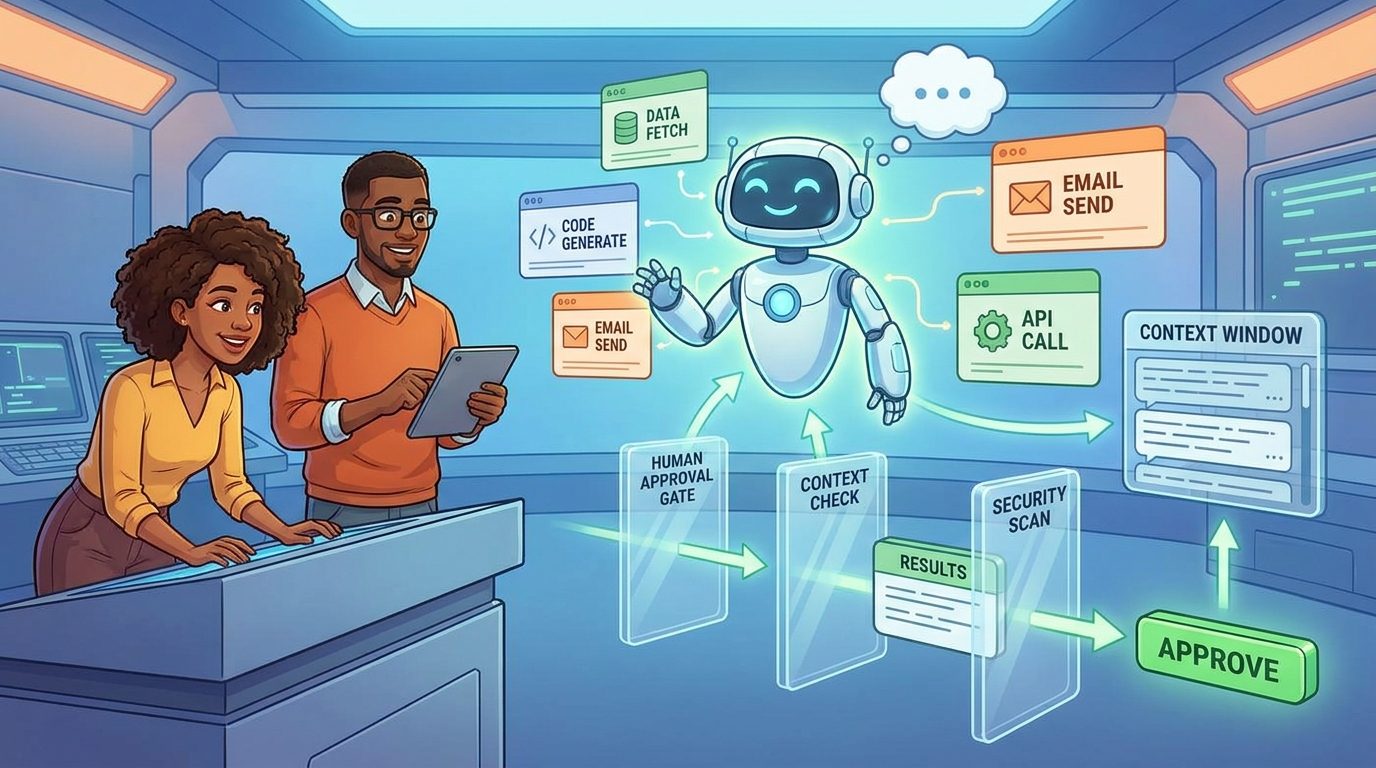
AI Agent Tool Context: Quick Answer for Developers
AI agent tool context is the information an agent needs to choose tools safely, call them correctly, interpret their results, and decide what should happen next. It includes tool names, descriptions, input schemas, output contracts, permission boundaries, approval rules, error messages, trace metadata, and summaries of tool results that remain useful in the next model call.
The common mistake is treating tools like normal backend functions. A human developer can read code, infer hidden assumptions, and ask another engineer when something is unclear. An AI agent sees only the tool context you expose. If the tool name is vague, the schema is too loose, the description overlaps with another tool, or the result dumps a giant JSON blob into the conversation, the agent may select the wrong action even when the model itself is capable.
This cluster article supports the broader pillar guide on context engineering for AI agents. The pillar explains memory, retrieval, tools, guardrails, and evaluations as one system. This article narrows in on the tool layer: how to design schemas, tool outputs, and human approval prompts so an agent can operate without drowning its own context window.
Why AI Agent Tools Fail Even When the Model Is Strong
Many agent failures are not caused by a weak model. They are caused by missing or misleading context. LangChain’s context engineering documentation makes this point directly: agents often fail because the right context was not passed to the model, and context engineering is the work of providing the right information and tools in the right format. Anthropic makes a similar argument in its writing on effective agents: successful implementations usually use simple, composable patterns and well-documented interfaces rather than opaque complexity.
Tool context is where that theory becomes operational. Every time an agent loops, it has to answer questions that a normal application usually answers in code: Which capability should I use? What arguments are required? Is this a read-only action or a write action? Is the user asking for something that requires approval? Is the tool result trustworthy? Should I keep the raw result, summarize it, or store a pointer and fetch details later?
If those answers are not explicit, the agent will guess. Sometimes the guess works in a demo. In production, vague tools create brittle behavior: accidental writes, repeated calls, hallucinated assumptions about results, skipped approvals, oversized prompts, and trace logs that are impossible to debug.
| Failure mode | What the agent sees | Better tool context |
|---|---|---|
| Wrong tool selected | Several overlapping tools with vague names such as update_item, sync_data, and process_record. | Distinct tool names, clear descriptions, use cases, non-use cases, and examples. |
| Bad arguments | Loose strings and optional fields without constraints. | Typed schemas, enums, validation rules, examples, and safe defaults. |
| Context overflow | Raw logs, database rows, or HTML returned directly into the next prompt. | Compact summaries, structured fields, pagination, and retrievable pointers. |
| Unsafe action | The model can call write/destructive tools without a separate decision gate. | Risk tiers, approval prompts, preview mode, and explicit cancellation paths. |
| Poor debugging | Only the final answer is stored. | Trace fields for tool choice, arguments, result size, approvals, errors, and follow-up actions. |
Search and source review show a clear content gap here. Official docs explain pieces of the problem: MCP describes tools and human-in-the-loop expectations, OpenAI’s Agents SDK separates local context from LLM-visible context, Anthropic explains context as a finite resource, and LangChain outlines model, tool, and lifecycle context. What developers still need is a single practical blueprint for designing the tool context contract.
The Tool Context Map: What Belongs Where?
A reliable agent should not put every piece of state into the model prompt. Context has layers. Some context should be visible to the LLM because it helps the model reason. Some context should remain local to the application because it contains dependencies, secrets, permissions, database handles, or mutable runtime state. Some context should persist across turns as state or long-term memory. Mixing these layers is one of the fastest ways to make agents unreliable.
OpenAI’s Agents SDK documentation makes a useful distinction between context available locally to code and context available to LLMs. Local context can include a user ID, logger, data fetchers, helper functions, and dependency objects. The LLM does not need to see those objects directly. It needs a safe interface and the relevant outcome.
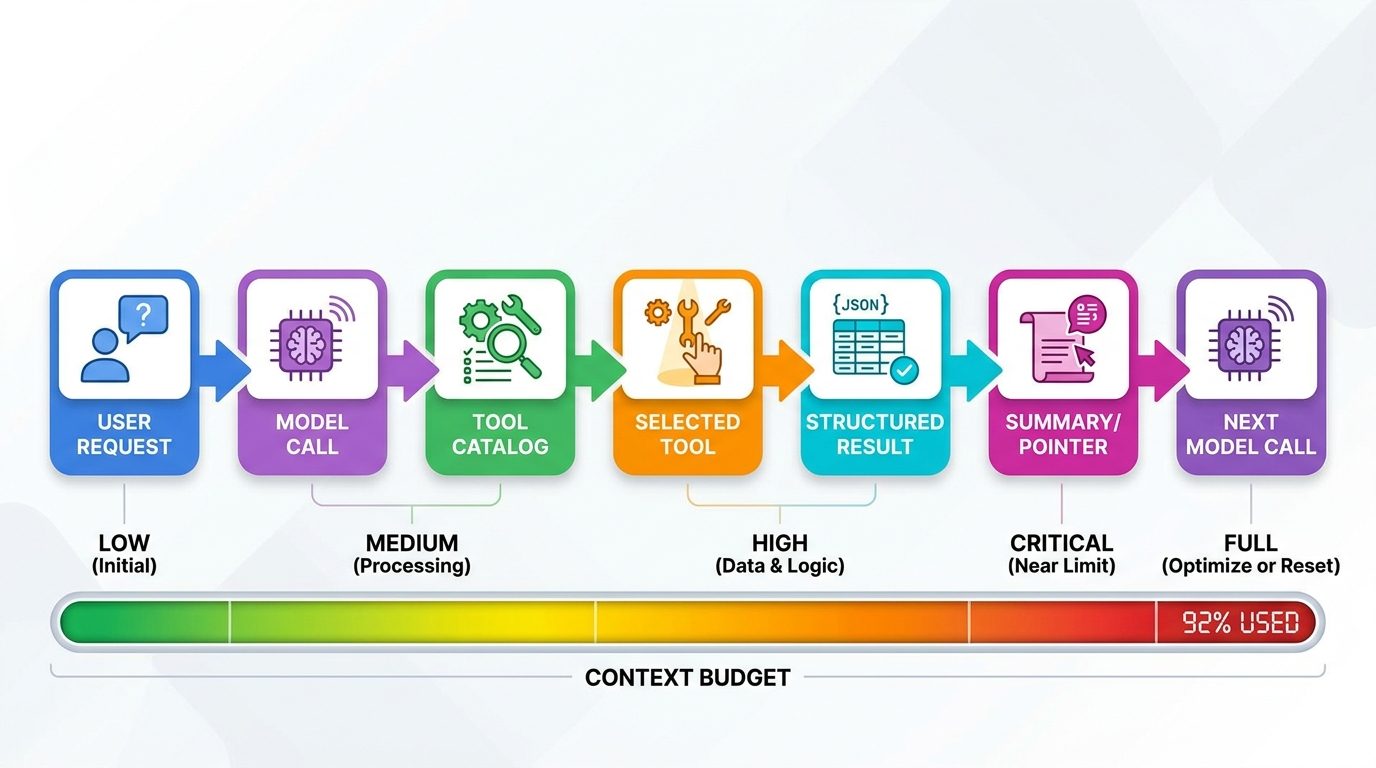
Use this rule: the model should see enough to make a good decision, but not enough to bypass your application controls. It does not need raw credentials. It does not need every row from a database. It does not need hidden policy logic embedded in vague prose. It needs a concise contract: what the tool does, when to use it, what arguments it accepts, what it returns, what risk tier it belongs to, and what approval state is required.
The Model Context Protocol specification is useful here because it treats tools as named capabilities with metadata and schemas. It also warns that implementations should make exposed tools clear to users and should provide human confirmation for operations when trust and safety require it. That is not just security language. It is context design. The user, the agent, and the system all need a shared picture of what is about to happen.
Design Tool Schemas That Make the Right Action Obvious
A tool schema is not just validation. It is a user interface for the model. The schema tells the agent what action exists, which arguments matter, and where the boundaries are. A good schema reduces decision ambiguity before the call happens. A weak schema creates more work for prompts, guardrails, and human reviewers later.
Start with the tool name. Use a verb and object that reflect the actual operation: search_customer_tickets, create_refund_preview, send_refund_after_approval, read_calendar_events, propose_calendar_change. Avoid Swiss-army tools such as manage_customer or update_data. If a human cannot tell when to use the tool from the name and description, the agent will not reliably infer it either.
Then write the description like a contract. Include the job, the allowed scope, the non-use cases, and the risk level. Tool descriptions should be short, but not empty. They are part of the model’s decision context. Anthropic’s agent guidance emphasizes simple, composable patterns and clear interfaces; that applies directly to tool descriptions.
{
  "name": "create_refund_preview",
  "description": "Creates a non-binding refund preview for one order. Use before any refund action. Does not move money. Requires order_id and reason_code.",
  "input_schema": {
    "type": "object",
    "properties": {
      "order_id": {"type": "string", "description": "Internal order ID, not a customer email."},
      "reason_code": {"type": "string", "enum": ["duplicate", "damaged", "late_delivery", "goodwill"]},
      "notes": {"type": "string", "maxLength": 500}
    },
    "required": ["order_id", "reason_code"]
  },
  "risk_tier": "read_preview"
}
Notice what this schema does. It separates preview from execution. It constrains the reason code. It tells the agent not to use a customer email as the identifier. It keeps notes bounded. It gives the approval layer a risk tier. None of that requires a smarter model; it requires better context.
Schema design rules
- Split read, preview, write, and destructive tools. Do not hide different risk levels inside one generic action.
- Use enums where the business domain is closed. Free-text arguments invite inconsistent behavior.
- Make identifiers explicit. Say whether the tool expects a user ID, email, slug, order ID, URL, or database key.
- Give the model examples only when they clarify real ambiguity. Examples are useful, but too many examples become context noise.
- Put security checks in code, not only in instructions. The schema guides; validation enforces.
This connects directly with the pillar article’s argument that the tool interface is itself a guardrail. A safe agent is not built by asking the model to “be careful” while exposing broad tools. It is built by narrowing the action surface so the agent has fewer unsafe paths available.
Return Tool Results That Preserve Evidence Without Flooding Context
Tool result design matters as much as tool input design. A tool result becomes part of the next model call unless you deliberately trim, summarize, store, or route it elsewhere. Anthropic’s context-window documentation notes that everything in a request can count toward the context window: system prompts, messages, tool results, images, documents, and output. It also warns that more context is not automatically better because accuracy and recall can degrade as context grows.
That means the default result should not be “dump everything.” The default result should answer the agent’s next decision question. If details are needed later, return a pointer, page token, record ID, or retrieval handle. The agent can fetch deeper evidence on demand.
| Tool result field | Why it helps | Example |
|---|---|---|
status | Lets the agent branch cleanly without parsing prose. | success, needs_approval, not_found, validation_error |
summary | Gives the model a compact explanation. | “Found 4 matching tickets; 2 are high priority.” |
evidence | Preserves the key facts used for reasoning. | Ticket IDs, dates, owners, confidence, excerpts. |
next_allowed_actions | Reduces unsafe guessing after a result. | create_preview, ask_user, escalate |
pointer | Keeps bulky details outside the prompt. | Stored result ID, URL, page token, trace ID. |
risk_notes | Warns the next model call about sensitive state. | “Refund exceeds policy limit; manager approval required.” |
For long outputs, use a two-layer result. The first layer is the model-visible summary. The second layer is retrievable evidence stored outside the immediate prompt. This is especially useful for logs, search results, HTML pages, database exports, analytics rows, and documents. The model sees the decision-relevant facts. The application keeps the full payload available for audit and follow-up.
Do not hide uncertainty. If the tool result is partial, stale, truncated, filtered, or based on a low-confidence match, say so in structured fields. Agents are more reliable when they know what the evidence cannot prove. A compact result that includes uncertainty is better than a huge result that forces the model to infer what is missing.
Approval Context: When Should the Agent Ask Before Acting?
Human approval is often discussed as a safety feature, but it is also a context feature. Approval prompts tell the user what the agent intends to do, why, with which tool, using which arguments, and what will happen if the user confirms. A bad approval prompt simply asks “Allow?” A useful approval prompt creates shared context between the model, application, and human reviewer.
The MCP tools specification says applications should make exposed tools clear, show when tools are invoked, and present confirmation prompts for operations to keep a human in the loop. For production agents, that guidance should become a risk-tier system.
| Risk tier | Examples | Approval behavior |
|---|---|---|
| Read-only | Search tickets, read calendar, fetch analytics, inspect code. | Usually allow within scoped permissions; log the call. |
| Preview | Draft email, create refund preview, propose database update. | No external effect; show preview before execution. |
| Write | Send email, update CRM, create ticket, publish content. | Require confirmation with exact target, payload, and rollback note. |
| Destructive | Delete record, cancel subscription, revoke access, overwrite file. | Require stronger approval, reason, possibly second reviewer or cooldown. |
| External/public | Post publicly, message a customer, deploy release. | Require explicit human review and identity/account confirmation. |
A good approval prompt should include five things: the tool name, the exact action, the target, the consequence, and the evidence. For example: “Approve send_refund_after_approval for order ORD-1042? This will issue a $42 refund to the original payment method. Evidence: damaged item photo reviewed, policy allows refund under $50, customer requested refund rather than replacement.”
Notice that the model is not left to infer the approval state later. The approval decision should become structured context: who approved, when, for which exact arguments, whether the approval expires, and whether the tool call was executed unchanged. This prevents a dangerous pattern where the user approves one thing and the agent later executes a slightly different thing.
Context Budget Rules for Tool-Using Agents
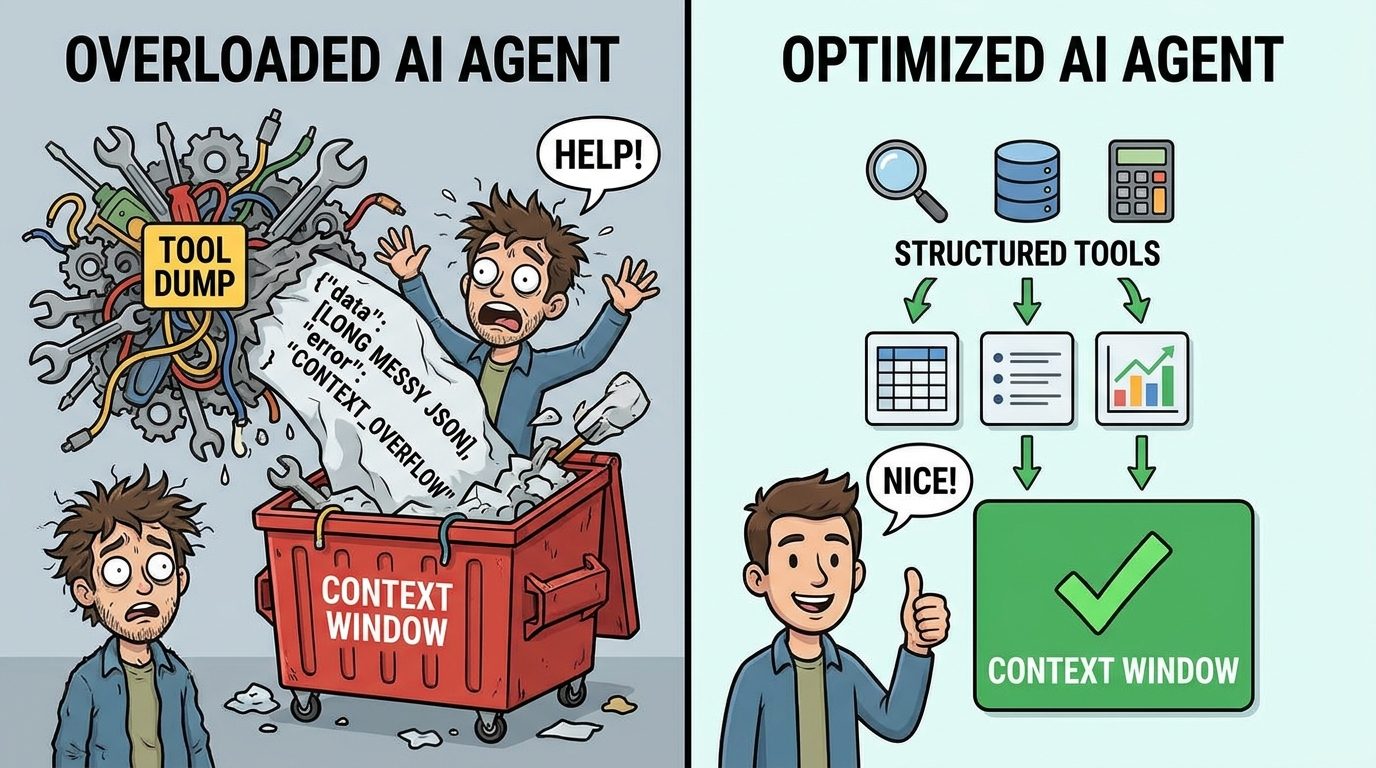
Tool context competes for space with instructions, conversation history, retrieved documents, memory, and the agent’s own intermediate reasoning. Large context windows are useful, but they do not remove the need for curation. Anthropic’s context engineering article describes context as a finite resource with diminishing returns; context windows can grow, yet attention and recall still need careful management.
Use context budgeting as an engineering discipline. You do not need a fake universal token number. You need repeatable rules that decide what enters the next model call and what stays in storage.
One practical pattern is plan, call, summarize, verify. Before a risky tool call, the agent states the plan and required evidence. After the tool returns, a lifecycle hook or tool wrapper summarizes the result into a compact contract. Then the agent verifies whether the result supports the next action. This prevents the agent loop from becoming an ever-growing pile of unfiltered tool outputs.
Another pattern is pointer-based evidence. Instead of returning a full report, return a summary plus a result ID. If the agent needs more detail, it calls a retrieval tool with the pointer and a specific question. This is especially valuable for browser agents, analytics agents, document agents, and coding agents that can produce huge intermediate results.
Finally, treat tool definitions themselves as context. If you expose fifty tools, the model has to reason over fifty descriptions. If many overlap, selection gets harder. Group tools by task, hide irrelevant tools by workflow stage, and expose only the capabilities needed for the current job. Context engineering is not only about trimming messages; it is also about curating the tool catalog.
Before-and-After Examples of Better Tool Context
Example 1: Customer support agent
Weak tool context: one tool named handle_customer can read records, change plans, issue credits, and send emails. The description says, “Use this for customer support tasks.” The result returns the whole customer profile and all recent tickets.
Better tool context: split the capability into search_customer_tickets, draft_customer_reply, create_credit_preview, and apply_credit_after_approval. Read-only tools can run automatically within permission scope. Write tools require approval. Results return a summary, ticket IDs, policy matches, and a pointer to the full customer record.
Example 2: Coding agent
Weak tool context: a shell tool can run any command, and the agent is told to be careful. Test output, lint output, and stack traces are pasted raw into every next call.
Better tool context: expose scoped tools such as run_unit_tests, inspect_file, apply_patch_preview, and apply_patch_after_approval. The test tool returns failing test names, top error messages, changed files, and a pointer to the full log. Destructive commands are not available without an approval workflow. This supports the testing practices discussed in the AI Agent Evaluation Framework.
Example 3: Research agent
Weak tool context: a search tool returns ten full web pages into the prompt and the model is expected to synthesize from everything.
Better tool context: the search tool returns titles, URLs, publication details, excerpts, and credibility notes. A separate fetch tool retrieves one source at a time when needed. The result marks source type and uncertainty. This creates a cleaner evidence chain and reduces the chance that low-quality text overwhelms better sources.
These examples show why tool context belongs beside memory and retrieval in the larger context engineering system. Memory decides what persists. Retrieval decides what evidence to bring in. Tool context decides how the agent safely changes or queries the world.
Production Checklist for AI Agent Tool Context
Use this checklist before exposing a tool to an agent in production. It is intentionally practical. If you cannot answer these questions, the tool is probably not ready for autonomous or semi-autonomous use.
| Area | Question | Pass condition |
|---|---|---|
| Purpose | Can a developer explain exactly when the tool should and should not be used? | Name, description, and examples make the use case clear. |
| Schema | Are arguments typed, constrained, and validated? | Required fields, enums, limits, and identifier formats are explicit. |
| Risk | Is the tool read, preview, write, destructive, or public/external? | Risk tier is stored and used by the approval layer. |
| Result | Does the result help the next model decision without flooding context? | Structured summary, evidence, uncertainty, and pointer fields are present. |
| Approval | Can the user see the exact target, action, consequence, and evidence? | Approval prompts are specific and bound to exact arguments. |
| Trace | Can you debug why the agent chose the tool? | Trace captures candidate action, arguments, result size, errors, and approval state. |
| Evaluation | Do tests include wrong-tool and oversized-result cases? | Golden tasks measure selection accuracy, safe refusal, and context compression. |
Testing matters because tool context failures are often invisible until the agent has enough autonomy to cause damage. Build test cases where tool names are similar, required arguments are missing, results are truncated, approvals are denied, and the user asks for something outside policy. A reliable agent should ask, stop, or choose a safer preview tool instead of forcing a risky call.
What good tool context improves
- More accurate tool selection.
- Lower prompt bloat from tool results.
- Clearer approval and audit trails.
- Safer separation of read, preview, write, and destructive actions.
- Better evaluations because failures are easier to classify.
What poor tool context creates
- Ambiguous tool choices.
- Repeated calls and runaway loops.
- Silent permission bypasses.
- Raw output flooding the context window.
- Trace logs that do not explain the agent’s reasoning path.
Keep Building the Context Engineering Stack
Tool context is one layer of a reliable agent. To build the full system, connect it with memory, retrieval, guardrails, and evaluation. Start with the pillar guide on context engineering for AI agents, then use the supporting articles below as implementation companions.
- AI Agent Memory Architecture — design short-term and long-term memory without turning memory into a junk drawer.
- AI Agent Evaluation Framework — test tool calls, traces, memory, and production behavior.
- AI Workflows vs AI Agents — decide when a deterministic workflow is safer than an autonomous agent.
- MCP Server Security — secure tool exposure and permission boundaries for agent systems.
- AI Agent Controls Explained — connect tools, memory, permissions, and human approval.
Sources and References
- Anthropic: Effective context engineering for AI agents
- Anthropic: Building effective agents
- Anthropic Docs: Context windows
- LangChain Docs: Context engineering in agents
- OpenAI Agents SDK: Context management
- Model Context Protocol: Tools specification
This article avoids unsupported performance claims and uses source-backed design principles rather than fake benchmarks. Exact implementation details vary by model provider, agent framework, security policy, and product risk level.
FAQ: AI Agent Tool Context
What is AI agent tool context?
AI agent tool context is the model-visible and system-managed information that helps an agent choose tools, call them correctly, interpret results, respect permissions, and decide the next action.
How is tool context different from memory?
Memory is information saved across time. Tool context is the contract around actions and information access: tool names, schemas, permissions, result formats, approval state, and trace data.
What should an AI agent tool schema include?
It should include a clear name, specific description, typed arguments, required fields, enums or limits where useful, identifier expectations, examples for ambiguity, and a risk tier used by approval logic.
Should tools return raw JSON to the model?
Usually not by default. Return a compact structured summary, key evidence, uncertainty notes, allowed next actions, and a pointer to the full payload if the agent needs more detail later.
When should an AI agent ask for human approval?
Ask before write actions, destructive actions, public or external communication, financial transactions, permission changes, deployment, or any action where the user must understand and accept the consequence.
How do you test tool context?
Create golden tasks for tool selection, missing arguments, similar tool names, oversized results, denied approvals, stale data, unsafe requests, and result interpretation. Measure whether the agent chooses, asks, summarizes, or stops appropriately.
Does MCP solve tool context automatically?
No. MCP provides a protocol for exposing tools and metadata, but developers still need to design clear schemas, permissions, approval flows, result contracts, and evaluation tests.
Can better prompts fix poor tool design?
Only partly. Prompts can guide behavior, but broad tools, vague schemas, and unsafe permissions should be fixed in the tool interface and application layer, not patched with reminders to be careful.
