
AI Agent Planning Explained: How Agents Break Goals Into Steps and Recover From Mistakes
AI agent planning is the part of an agent that turns a fuzzy goal into ordered work. This guide explains the planning loop, what can go wrong, how agents recover, and where human approval belongs.
AI Agent Planning: The Quick Answer
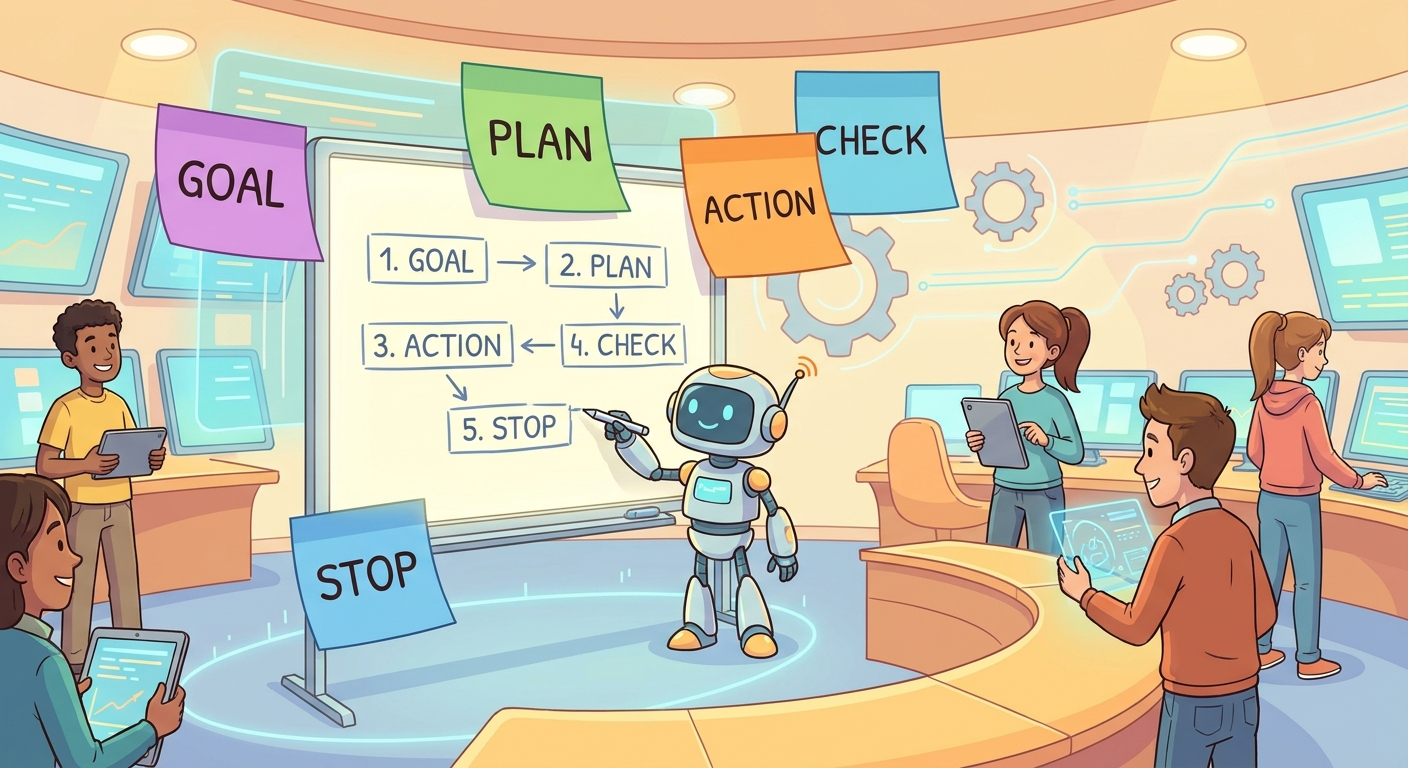
AI agent planning is how an AI agent decides what to do before and during a task. A normal chatbot usually answers in one pass. An agent has a goal, chooses steps, calls tools, observes results, updates its plan, and stops when the task is complete or unsafe to continue. Planning is not magic foresight. It is a practical control loop that helps the agent avoid wandering, repeating itself, calling the wrong tool, or confidently finishing the wrong job.
The easiest mental model is: goal → plan → action → observation → updated plan → final response. If the observation proves the first plan was wrong, a useful agent should replan. If the action is risky, expensive, private, irreversible, or outside its permission boundary, it should ask a human before continuing. That is why planning belongs beside tools, memory, and human control in the larger agent architecture. If you need the broad foundation first, start with the pillar guide How AI Agents Work: Tools, Memory, Planning, and Human Control Explained, then come back to this narrower planning guide.
Good planning makes agents easier to understand. You can inspect what the agent is trying to do, why it chose a tool, what evidence it used, and whether it knows when to stop. Bad planning creates the familiar failures people complain about: loops, vague progress, unnecessary tool calls, overconfident answers, hidden assumptions, and tasks that run far longer than they should.
Why Planning Is the Difference Between a Chatbot and a Useful Agent
A chatbot can answer a question without changing the outside world. An agent often has to operate across steps. It may search, retrieve files, call an API, edit a document, compare outputs, ask for permission, run a test, or summarize a result. Once a system is allowed to take actions, it needs a way to decide action order. That decision process is planning.
LangChain describes an agent as a model calling tools in a loop until a task is complete. That short sentence contains the whole planning problem. A loop needs a purpose. It needs a stopping condition. It needs context at the right time. It needs a way to decide whether the next move should be another tool call, a clarification question, a safer fallback, or a final answer. Without planning, a tool-using model can still produce impressive demos, but it becomes unreliable in messy real work.
IBM’s AI agent material separates components such as memory, tools, planning, reasoning, and orchestration. That separation is useful for beginners because it shows that planning is not the same thing as memory or tool use. Memory helps the agent remember context. Tools let it affect systems or fetch information. Planning decides what should happen next and in what order. Reasoning helps evaluate choices. Human control sets boundaries around all of it.
This is especially important because modern AI agents often appear more competent than they are. A confident interface can hide shallow planning. A long trace can look productive even if the agent is looping. A polished final answer can hide missing checks. Planning gives readers, developers, and managers a concrete way to ask better questions: What is the goal? What are the steps? What evidence did the agent collect? What changed after each observation? Where should it have stopped?
For Singularity Journey’s AI CORE readers, the practical value is simple. You do not need to be a developer to understand whether an agent is behaving sensibly. If you can read the plan and see that the next step matches the evidence, you can reason about the agent. If the plan is hidden, vague, or never updated, you should be cautious.
The Plan-Act-Observe Loop Explained
Most useful agent planning can be explained as a loop. The exact architecture differs between frameworks, but the beginner mental model is stable: the agent starts with a goal, creates a short plan, takes an action, observes the result, then decides whether to continue, revise, ask, or stop.
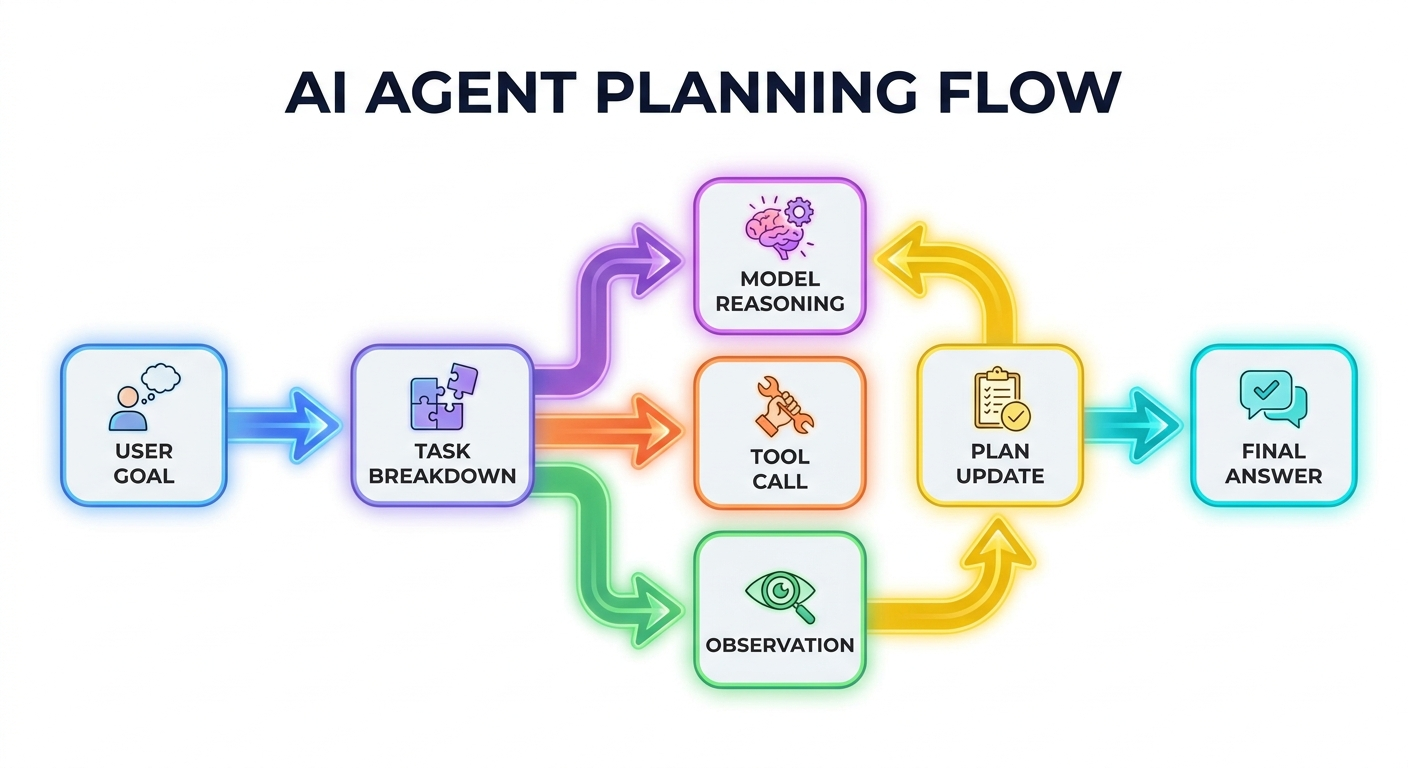
| Stage | What the agent does | Good sign | Warning sign |
|---|---|---|---|
| Goal understanding | Restates the user’s desired outcome and constraints. | The goal is specific enough to check. | The agent acts before clarifying ambiguity. |
| Task breakdown | Splits the goal into smaller steps. | Steps are short, ordered, and relevant. | The plan is a generic checklist that ignores the task. |
| Action | Uses a tool, searches, reads, edits, computes, or asks a question. | The action clearly supports the next step. | The agent calls tools because they are available, not because they are needed. |
| Observation | Reads the result and compares it with the goal. | The agent notices success, failure, missing data, or contradiction. | The agent ignores failed tools or bad evidence. |
| Replanning | Updates the plan based on the observation. | The next step changes when reality changes. | The agent repeats the same action in a loop. |
| Stop or escalate | Finishes, asks for approval, or stops safely. | There is a clear completion or handoff point. | The agent keeps going without a reason. |
The ReAct research paper is one influential way to describe this pattern. ReAct combines reasoning traces and task-specific actions in an interleaved way, so the model can think about what it is doing, act in the environment, and use observations to update the task path. The important beginner lesson is not the academic name. It is that useful agents should not separate “thinking” from “doing” so completely that action results never affect the next decision.
Planning also prevents over-delegation. If a user says, “Organize this customer issue,” the agent could immediately start writing a reply. A better planner might create steps: read the ticket, identify the customer’s desired outcome, check account status, decide whether policy allows the requested action, draft a response, and ask for human approval before sending. The second path is slower on paper but safer in practice.
Common AI Agent Planning Patterns
There is no single perfect planning pattern. The right pattern depends on task risk, uncertainty, tool access, and how much autonomy the agent should have. A beginner does not need to memorize every framework name, but knowing the common patterns helps you read agent behavior more clearly.
The Tree of Thoughts paper is useful here because it explains a limitation of simple left-to-right generation: some tasks require exploration, lookahead, or backtracking. In normal language, that means the first plausible answer is not always enough. Some problems require trying several candidate paths mentally before committing. That does not mean every customer-support bot needs a complex tree search. It means complex planning should be reserved for complex tasks.
A common mistake is using the most advanced planning pattern for every job. That can make agents slower, more expensive, and harder to debug. A meeting-summary agent probably needs a simple checklist. A coding agent fixing a failing test may need plan-act-observe. A research agent comparing conflicting sources may need multiple candidate paths. A finance or healthcare workflow may need human-gated planning even when the technical answer seems obvious.
Good planning is proportional. The plan should be only as complex as the task requires. If the agent needs three steps, do not force twenty. If the agent faces privacy, money, safety, or reputation risk, do not let a two-line plan bypass human review.
Where AI Agent Planning Fails
Agent planning fails in recognizable ways. Once you know the patterns, you can spot them quickly in product demos, workflow logs, or your own experiments.
| Failure mode | What it looks like | Why it happens | How to reduce it |
|---|---|---|---|
| Vague goal | The agent starts work without knowing what success means. | The user request is broad and the agent does not ask a clarifying question. | Require a success condition before tool use. |
| Over-planning | The plan becomes longer than the work. | The agent tries to look smart instead of solving the task. | Limit plans to the next few useful steps. |
| Tool chasing | The agent calls every available tool. | Tools are exposed without clear selection rules. | Describe when each tool should and should not be used. |
| Observation blindness | A tool fails, but the agent continues as if it succeeded. | The plan is not tied to evidence checks. | Force each step to interpret tool output before moving on. |
| Looping | The agent repeats a search, edit, or tool call. | There is no retry limit or stopping rule. | Add loop limits, progress checks, and escalation. |
| Unsafe continuation | The agent moves into private, external, or irreversible work. | The planning system has no approval gates. | Classify risky actions and ask a human before proceeding. |
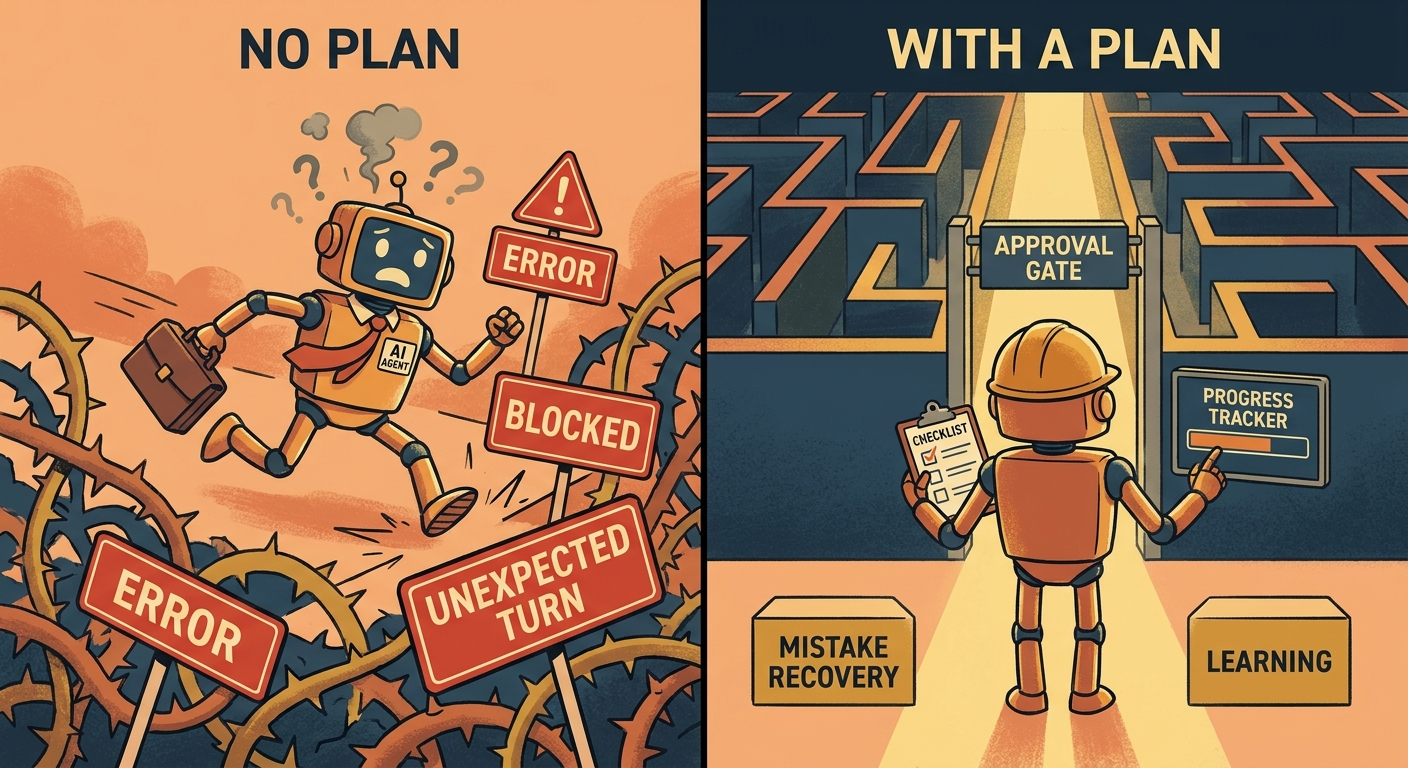
The most dangerous planning failure is not a silly loop. It is a confident plan that optimizes the wrong goal. For example, an agent asked to “reduce support backlog” might draft fast replies that close tickets without solving customer problems. A goal like “close tickets quickly” is different from “resolve customer issues accurately while escalating refunds and security questions.” Planning quality depends on goal quality.
Another subtle failure is stale planning. The first plan may be reasonable, but new evidence should change it. If a research agent discovers that its first source is outdated, the plan should shift. If a coding agent finds that the failing test is caused by configuration rather than application logic, the plan should change. If a travel agent learns the user’s passport expires too soon, it should stop booking and explain the blocker. A planner that never changes is not really planning; it is just following a script.
Where Human Approval Belongs in Agent Planning
Human approval is not an afterthought. It is part of the plan. The agent should know which steps it may complete alone, which steps require confirmation, and which steps it should never attempt. This is one of the strongest links between this cluster article and the broader pillar on tools, memory, planning, and human control.
A useful approval rule is based on consequence, not complexity. Some technically simple actions are risky: sending an email, deleting a file, changing billing data, posting publicly, making a purchase, or sharing private information. Some technically complex actions are low risk: drafting a private outline, summarizing public documentation, or producing a comparison table. Planning should treat irreversible and external actions differently from reversible internal work.
Agent can usually proceed
- Reading public information.
- Drafting private text for review.
- Creating a plan or checklist.
- Summarizing provided material.
- Running reversible local analysis when allowed.
Agent should ask first
- Sending messages or publishing content.
- Changing customer, billing, or account records.
- Deleting, overwriting, or exposing data.
- Making purchases or commitments.
- Using sensitive personal or company information in a new place.
Approval points should be visible in the plan. Instead of hiding them behind a generic “complete task” button, an agent should say: “I can draft the response now. Before sending it to the customer, I will ask for approval.” That sentence helps users trust the system because the boundary is clear before the risky moment arrives.
This also protects the agent from impossible expectations. A safe system should sometimes refuse to continue alone. That is not a weakness. It is evidence that the planning layer understands its boundary. The most useful agents are not the ones that always act; they are the ones that know when action is appropriate.
Practical Examples of AI Agent Planning
Example 1: Research assistant
User goal: “Find out whether this AI regulation affects my product.” A weak agent searches once, summarizes the first result, and gives a confident answer. A better planning agent breaks the task into: identify jurisdiction, identify product category, find official guidance, compare obligations, flag uncertainty, and recommend legal review if the answer affects compliance. The plan prevents the agent from pretending that a blog summary is a legal conclusion.
Example 2: Customer support assistant
User goal: “Help with this angry customer.” A good plan starts by reading the customer’s complaint, identifying the requested outcome, checking policy, drafting a calm response, and asking for approval before sending. If the customer mentions a payment dispute or account security issue, the agent should replan and escalate instead of continuing with a generic apology.
Example 3: Coding assistant
User goal: “Fix this failing test.” A good coding agent does not immediately rewrite the whole module. It reads the failing test, checks the error, inspects the smallest relevant files, proposes a cause, makes a minimal change, runs the test, and reports the diff. If the test still fails, it updates the hypothesis. This is planning as debugging discipline.
Example 4: Personal productivity agent
User goal: “Plan my week.” A weak agent creates a beautiful schedule from assumptions. A better agent asks for constraints, reads available calendar data if authorized, separates fixed commitments from flexible tasks, creates a draft, and asks before changing calendar events or sending messages. The planning layer preserves agency for the human.
Example 5: Browser automation agent
User goal: “Book the cheapest flight.” A risky agent clicks through checkout. A safer planning agent searches options, compares constraints, summarizes tradeoffs, and stops at the payment or login step. It may prepare the path, but it should not make the purchase without explicit approval.
A Simple Checklist for Evaluating Agent Planning
You can use this checklist whether you are testing a new AI tool, designing an internal workflow, or just deciding whether to trust an assistant with a task.
If an agent cannot satisfy most of this checklist, treat it as an assistant for drafts and suggestions, not as an autonomous worker. That distinction matters. Many tools marketed as agents are useful, but not every tool deserves high autonomy. Planning quality is one of the easiest ways to tell the difference.
The best next step is to connect planning with the other agent components. Planning decides the path. Tools execute parts of the path. Memory carries context across steps. Human control sets boundaries. Together, those pieces explain why the broad pillar article frames agents as systems, not just smarter chat windows.
Related Guides on Singularity Journey
- How AI Agents Work: Tools, Memory, Planning, and Human Control Explained — the source pillar article for this cluster.
- AI Agent Tool Use Explained — the companion cluster on how agents choose tools and ask for approval.
- AI Agent Context Explained — how memory, tools, state, and instructions shape behavior.
- AI Workflows vs AI Agents — when a fixed workflow is enough and when planning adds value.
- AI Agent Evaluation Framework — how to test agent behavior after you understand the planning loop.
Sources and References
- IBM: What are AI agents?
- LangChain documentation: Agents
- ReAct: Synergizing Reasoning and Acting in Language Models
- Tree of Thoughts: Deliberate Problem Solving with Large Language Models
- Prompt Engineering Guide: ReAct prompting
This article uses cited sources for concepts and frameworks. It avoids unsupported claims about future AGI timelines or guaranteed agent capabilities.
FAQ: AI Agent Planning
What is AI agent planning?
AI agent planning is the process of turning a goal into ordered steps, taking actions, reading results, updating the plan, and stopping or asking for help when needed.
How is planning different from reasoning?
Reasoning evaluates information and choices. Planning organizes those choices into an action path. In real agents, reasoning and planning often work together.
What is a plan-act-observe loop?
It is a simple agent loop: create a plan, take an action, observe the result, update the plan, and repeat until the task is complete or should stop.
Do all AI agents need complex planning?
No. Simple tasks may only need a short checklist. Complex, risky, or uncertain tasks need stronger planning, evidence checks, and human approval gates.
Why do agents get stuck in loops?
Agents loop when they lack a clear success condition, retry limit, or evidence check. Good planning includes stopping rules and escalation points.
When should an AI agent ask for human approval?
It should ask before external, irreversible, private, financial, reputational, or destructive actions, even if the action is technically easy.
Can planning make AI agents fully reliable?
No. Planning improves structure and safety, but agents still need evaluation, monitoring, permission boundaries, and human oversight for important tasks.
