
AI Agents Are Becoming the Workflow Layer: What Changes When Software Starts Taking Action
The next shift in AI is not just smarter chat. It is software that can plan, call tools, move data, ask for approval, and complete work across systems. This guide explains the AI agent workflow layer, why it matters, where the real opportunity is, and how to adopt it without turning automation into unmanaged risk.
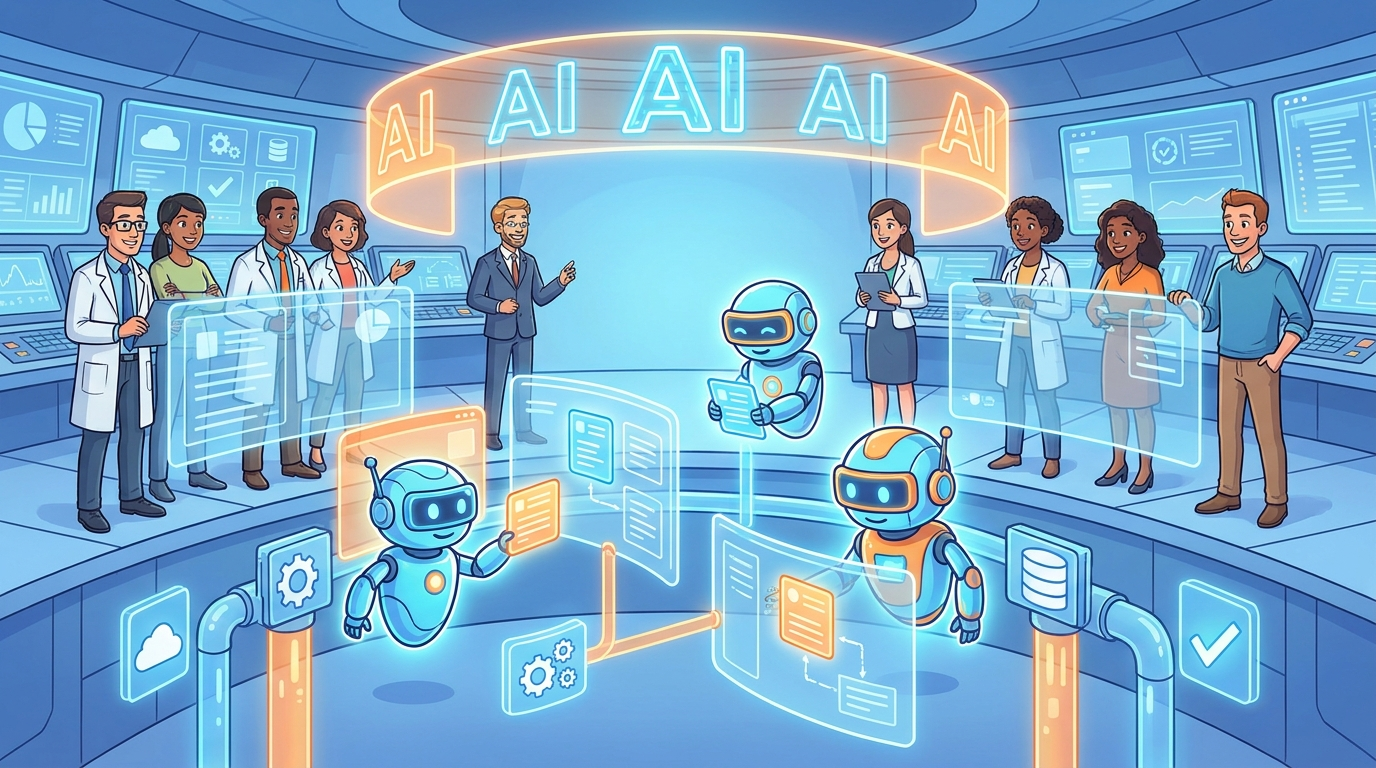
Quick Answer: What Is the AI Agent Workflow Layer?
The AI agent workflow layer is the emerging layer of software that sits between people and the tools they use every day. Instead of only answering a question, an agent can interpret a goal, choose a process, retrieve context, call approved tools, update systems, create artifacts, route exceptions, and ask a human before sensitive steps. In simple terms, it turns AI from a conversation box into an action layer.
This does not mean every app disappears or every employee gets replaced by a robot worker. A better way to understand the shift is that existing applications become resources inside a larger workflow. The CRM, spreadsheet, ticketing system, code repository, document store, analytics platform, calendar, and email inbox remain important. What changes is the interface and orchestration pattern. The user increasingly asks for an outcome, while the agent navigates the path across systems.
The strongest trend is not “agents will do everything.” The real trend is more specific: organizations are discovering which repeatable workflows can safely become semi-autonomous, where a human should approve the step, and which systems need better observability before agents are trusted at scale. That is why this topic belongs in the TRENDS & INSIGHTS category. The shift is partly technical, partly operational, and partly cultural.
Recent enterprise research also points in this direction. Snowflake’s article on generative and agentic AI ROI reports that surveyed organizations saw a 49% return, described as $1.49 returned for every dollar invested, and that 92% of respondents were seeing a return on AI investments. Those numbers should not be read as a promise that every agent project pays off. They are better read as a signal that AI value is moving from isolated pilots into production workflows when the right data, governance, and skills are present.
The Shift: From Chat Assistants to Action-Taking Software
The first mainstream wave of generative AI taught people to prompt. Workers asked for summaries, emails, code snippets, spreadsheet formulas, campaign ideas, and explanations. That was useful, but it left a lot of work outside the model. The human still copied the output, checked it, opened another app, pasted it, triggered the next step, and remembered the policy. The model helped with language and reasoning, while the workflow remained human-operated.
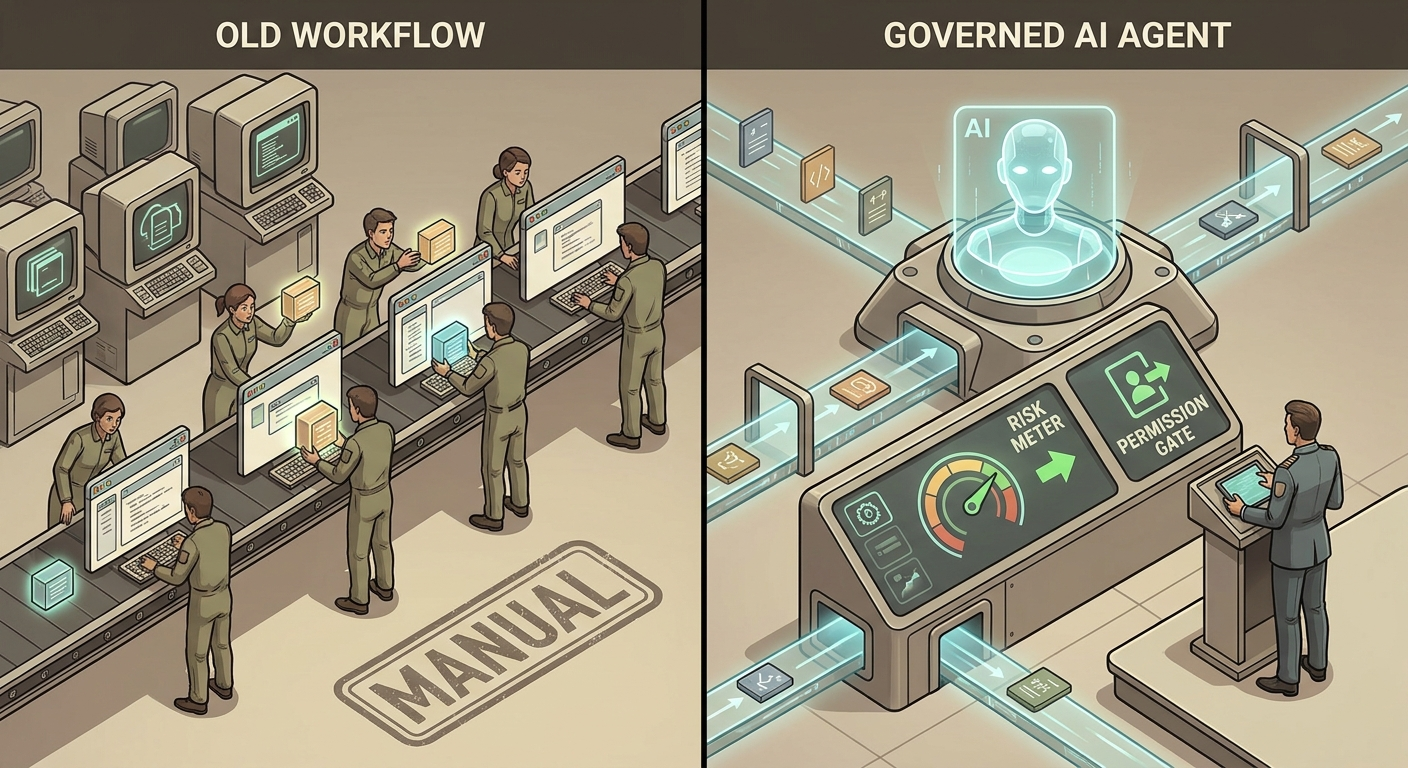
AI agents change the center of gravity. An agent is not merely a model. It is a model wrapped in planning logic, memory or context retrieval, tool access, permissions, evaluations, logging, and often a user interface for supervision. When those pieces come together, the agent can act on a task instead of only describing what should be done. It can inspect a ticket, gather related documents, draft a response, update the CRM, schedule a follow-up, and create an audit trail. The important difference is agency under constraint.
This is why “workflow layer” is a better phrase than “AI chatbot.” A chatbot implies a conversational destination. A workflow layer implies a system that coordinates other systems. It has to know what tools exist, which user is allowed to use them, what data is relevant, when to stop, what must be logged, and which actions require approval. The layer may appear as a sidebar, an automation builder, an embedded assistant, a background worker, or a multi-agent orchestration platform. The form varies, but the pattern is the same: user intent is translated into controlled action.
The shift also changes how software products compete. Traditional software competed on features inside a single application. Agentic software competes on how well it can understand context across applications, execute safely, and reduce coordination cost. A sales tool that only stores account data is useful. A sales workflow agent that can prepare a renewal brief, find risk signals, draft the customer email, update the opportunity, and ask a manager before discounting is closer to a working teammate. The agent does not replace the system of record; it makes the system of record more usable.
There is a catch. The more action an agent can take, the more mistakes matter. A bad summary wastes time. A bad database update corrupts a process. A bad payment instruction creates financial exposure. A bad permission model leaks data. That is why the agent era cannot be governed like the chatbot era. If software starts taking action, organizations need controls that match the consequences of those actions.
How the AI Agent Workflow Layer Actually Works
Most practical agent workflows contain six parts. First, there is a user goal, such as “prepare the client renewal brief” or “triage these support tickets.” Second, there is context: customer records, documents, history, policies, previous decisions, code, logs, or analytics. Third, there is planning: the agent breaks the goal into steps. Fourth, there is tool use: APIs, databases, browsers, calendars, ticketing systems, code tools, or internal services. Fifth, there are controls: permissions, approval gates, validation, rate limits, and policy checks. Sixth, there is observation: logs, traces, cost tracking, quality review, and feedback.
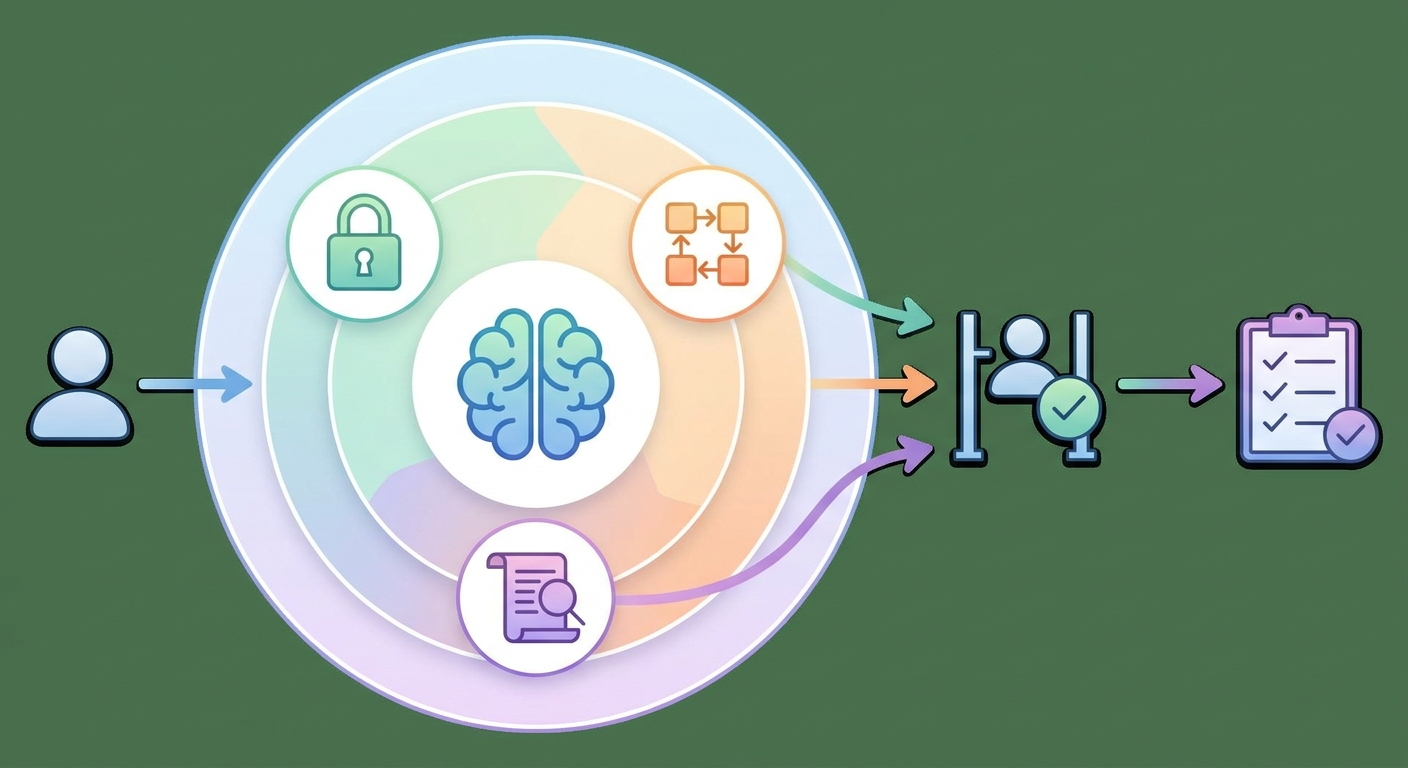
When these parts are missing, “agent” becomes a marketing word. A model with a prompt and a single tool can be useful, but it is not enough for serious workflow automation. Production agents need identity, authorization, retrieval, retries, error handling, monitoring, escalation paths, and human override. They also need a clear boundary between recommending an action and executing it.
This pattern explains why AgentOps, orchestration, control planes, and agent governance are becoming important topics. IBM’s agent governance and AgentOps materials point to the growing need to manage agents like operational software rather than experimental demos. That means tracing what happened, understanding why it happened, and making it possible to intervene when the agent is wrong, uncertain, or outside policy.
The workflow layer also explains the excitement around protocols and tool standards. Model Context Protocol, agent-to-agent communication patterns, delegated authorization, and tool catalogs all point toward the same future: agents need a safer way to connect with the software ecosystem. A standalone model can generate useful text. A workflow-layer agent needs a trustworthy bridge into real systems.
Why This Is Happening Now
Several forces are arriving at the same time. Models are better at reasoning over longer context. Tool calling has become a standard product pattern. Enterprise software vendors are embedding AI into workflows. Developers are building agents that can write code, inspect logs, run tests, query data, and update tickets. Business leaders are under pressure to turn AI experimentation into measurable productivity. The result is a new question: not “Can AI answer this?” but “Can AI complete part of this process safely?”
The market language can get overheated, so it helps to separate durable signals from hype. The durable signal is that many organizations have already tried AI assistants and are now looking for operational value. Snowflake’s reported ROI signals are useful here because the article emphasizes that value comes from embedding AI into the way work gets done, with trusted data, governance, and skills. In other words, returns are connected to workflow integration, not random prompting.
Another durable signal is that security and governance are not side topics anymore. Vendor surveys and adoption reports, including PwC-related AI agent survey material referenced by the broader market, suggest broad interest in agents. But broad adoption does not equal mature adoption. Many organizations are somewhere between experimentation and controlled rollout. They want the productivity benefit but worry about access, privacy, reliability, compliance, and accountability.
The third signal is that users are tired of fragmented work. Modern knowledge work often means bouncing between ten tabs, five SaaS products, two spreadsheets, Slack, email, documents, analytics dashboards, and approval chains. The pain is not only that work is hard. It is that coordination overhead consumes attention. Agents are attractive because they promise to reduce the invisible tax of moving information from one place to another.
Governance: The Difference Between Useful Agents and Risky Automation
When software starts taking action, governance becomes product design. It is not a legal PDF added after the demo. It is the set of constraints that determine what the agent can see, what it can do, when it must ask, how it is monitored, and who is accountable. The NIST AI Risk Management Framework is a strong backbone because its core functions — Govern, Map, Measure, and Manage — translate well to agentic workflows.
Govern means defining ownership, policies, roles, acceptable use, escalation paths, and accountability. In an agent workflow, this answers questions such as: who owns the agent, who approves tool access, who reviews failures, and who can shut it down? Map means understanding the context and risks of the use case. What data does the agent touch? What users are affected? What could go wrong? Measure means testing quality, bias, reliability, security, cost, latency, and failure modes. Manage means responding to the risks with controls, monitoring, updates, and governance decisions.
| NIST-aligned function | Agent workflow question | Practical control |
|---|---|---|
| Govern | Who owns the agent and its decisions? | Named owner, policy review, access approval, incident process. |
| Map | Where does the agent operate and what can go wrong? | Workflow inventory, data classification, risk register, user impact review. |
| Measure | How do we know whether the agent is working? | Evaluation set, trace review, hallucination checks, latency and cost metrics. |
| Manage | How do we reduce risk while keeping value? | Approval gates, scoped permissions, rollback, monitoring, phased rollout. |
The most important practical control is permission design. Agents should not inherit broad admin access just because a human user has broad access somewhere. A good agent permission model is scoped, delegated, revocable, and auditable. The agent should have the minimum rights needed for the workflow. It should not use shared credentials. It should not silently expand its own access. It should not take irreversible actions without clear approval.
Human approval is another misunderstood control. Approval does not mean every tiny step needs a manager. That would destroy the value of automation. Approval should be risk-based. Low-risk actions can run automatically after validation. Medium-risk actions may require review during rollout, then move toward automation if quality is proven. High-risk actions should keep human confirmation by design. Examples include sending external messages, deleting records, changing permissions, making payments, publishing content, or modifying production systems.
Observability is the third pillar. If an agent makes a mistake and nobody can reconstruct what happened, the system is not ready. Teams need to see the user request, retrieved context, reasoning summary where appropriate, tool calls, API responses, policy checks, approval decisions, errors, retries, output, cost, and final state. This is why agent observability is not a developer luxury. It is the operational memory of the workflow layer.
AI Agent Workflow Readiness Matrix
Not every workflow should become agentic. The easiest mistake is to choose a high-visibility, high-risk process first because it impresses stakeholders. A better approach is to grade workflows by repeatability, data quality, policy clarity, tool access, reversibility, measurable value, and risk. The best early candidates are boring enough to be controlled but valuable enough to matter.
| Workflow type | Agent readiness | Why | Recommended mode |
|---|---|---|---|
| Summarizing internal documents | High | Low action risk, clear usefulness, easy human review. | Assistive with citations. |
| Support ticket triage | High | Repeatable categories, measurable speed gains, manageable escalation. | Semi-autonomous with audit logs. |
| CRM updates after meetings | Medium | Useful but data quality and customer impact matter. | Draft changes for human approval, then automate narrow fields. |
| Code changes in noncritical repositories | Medium | Can be tested, reviewed, and rolled back if workflow is disciplined. | Agent drafts pull request; human reviews. |
| Financial payments | Low | High consequence, fraud risk, compliance exposure. | Recommendation only, explicit human approval required. |
| Production infrastructure changes | Low to medium | Value can be high, but failure modes are serious. | Sandbox first, policy gates, change approval, rollback. |
A useful rule is the “three clear things” test. The goal must be clear, the source of truth must be clear, and the stopping rule must be clear. If the agent does not know what success means, where truth lives, or when to stop, it will compensate with confident guesses. That is tolerable in brainstorming. It is dangerous in operations.
Another test is reversibility. If an agent action can be undone easily, automation can move faster. If an action is hard to reverse, the workflow needs stronger approval and testing. This is why agents can often start with drafting, classifying, enriching, and routing before they move into executing, deleting, paying, publishing, or provisioning.
Finally, ask whether the workflow has enough volume. A highly custom decision that happens twice a year may not deserve an agent. A repeatable process that happens hundreds or thousands of times a month may justify the investment in tools, evaluations, and governance. The workflow layer is most powerful where repetition meets complexity.
A Practical Roadmap for Adopting the AI Agent Workflow Layer
Start with workflow inventory, not tool shopping. List the recurring processes where people copy information between systems, wait for approvals, summarize context, classify requests, prepare updates, or perform predictable checks. For each workflow, capture frequency, time spent, systems touched, data sensitivity, failure cost, current pain, and owner. This prevents the team from choosing use cases based only on demo appeal.
Next, choose one workflow with a good value-to-risk ratio. Support triage, internal knowledge retrieval, meeting-to-CRM drafting, document intake, QA checklist generation, report preparation, and developer pull-request assistance are often better starting points than payments or production changes. Build the first agent in assistive mode. Let it recommend, draft, classify, or prepare. Do not rush into fully autonomous execution.
Then define the tool contract. Which systems can the agent access? Which actions are read-only? Which actions can write? Which require approval? Which are forbidden? What data should never be passed to the model? What should be redacted? What logs are required? Tool contracts turn vague trust into explicit boundaries.
After that, build an evaluation set. Collect real examples of the workflow, including easy cases, edge cases, confusing cases, and failure cases. Test the agent against that set before rollout. Measure accuracy, usefulness, hallucination risk, policy compliance, latency, cost, escalation quality, and user satisfaction. If you cannot measure the workflow, you cannot responsibly automate it.
Roll out in phases. Phase one is shadow mode: the agent runs but does not affect the system of record. Phase two is draft mode: the agent prepares work for human review. Phase three is supervised action: the agent executes low-risk actions with logs and approvals for higher-risk actions. Phase four is managed autonomy: the agent handles narrow workflows independently while humans review exceptions and metrics.
Good early-agent signs
- The workflow has clear inputs and outputs.
- Human reviewers agree on quality criteria.
- Relevant data is accessible and trustworthy.
- Actions can be logged and reversed.
- There is a named workflow owner.
Warning signs
- The process depends on hidden tribal knowledge.
- No one agrees what “good” means.
- The agent needs broad credentials.
- Mistakes are hard to detect or undo.
- Leadership wants autonomy before evaluation.
The roadmap also needs a people plan. Agents change work, but they do not remove the need for judgment. Workers need to learn how to delegate clearly, review outputs, spot failure modes, and improve workflows. Managers need to redesign metrics so employees are not punished for using automation responsibly. Security and compliance teams need a seat early, not after launch. Developers need to instrument agents like production systems.
This is the quiet part of the trend: the organizations that benefit most from agents may not be the ones with the fanciest demos. They will be the ones that redesign work carefully, connect AI to trustworthy data, give agents narrow authority, and teach people how to supervise automated work. The workflow layer is as much an operating model as it is a technology stack.
Examples of the Workflow Layer in Real Work
Imagine a customer success team preparing for renewals. Today, a manager may open the CRM, product analytics, support tickets, call notes, invoices, and email history. An agentic workflow can gather the same evidence, summarize account health, flag risks, draft a renewal plan, and prepare a manager review. The agent should not invent customer facts or approve discounts alone. But it can remove hours of manual assembly and make the human conversation better.
In software teams, the workflow layer appears as coding agents and review assistants. An agent can inspect an issue, search the repository, propose a change, run tests, and open a pull request. The key control is that code should still pass tests, security scans, and human review before merging. The agent accelerates the path from issue to proposed fix; it does not eliminate engineering accountability.
In operations, agents can triage invoices, procurement requests, HR tickets, access requests, and compliance evidence. These workflows are attractive because they involve structured steps and repeated decisions. They are also sensitive because they touch money, identity, employee data, or regulatory records. That is why approval gates and audit trails matter.
In marketing and content, agents can research, draft, repurpose, schedule, and analyze. But publishing is an external action, so it should usually require a final human or policy-approved check. A strong content agent does not simply produce more text. It connects analytics, search intent, brand guidelines, source validation, image workflows, internal links, and publishing systems into a controlled editorial process.
Across all these examples, the pattern is the same. The agent does not have to own the whole job. It can own a defined slice of the workflow. That slice should be measurable, bounded, and reviewable. Over time, more slices can become semi-autonomous as evidence builds.
Common Mistakes Teams Make With AI Agents
The first mistake is starting with autonomy instead of assistance. Teams see a demo where an agent completes a task end to end, then try to skip the learning phase. That creates brittle systems. A safer pattern is to start with recommendations and drafts, measure quality, then grant action rights gradually.
The second mistake is treating prompts as the whole product. Prompts matter, but production agents depend on retrieval, tools, permissions, tests, logs, and user experience. A clever prompt cannot compensate for dirty data, unclear policy, or dangerous credentials.
The third mistake is ignoring exception handling. Real workflows are full of partial data, conflicting instructions, missing permissions, unusual customers, outdated records, and ambiguous goals. A good agent knows when to pause, ask, escalate, or say it cannot proceed. The ability to stop is a feature.
The fourth mistake is measuring only productivity. Speed matters, but agent value should also include quality, error rate, escalation rate, user trust, compliance outcomes, and cost. An agent that finishes tasks quickly but creates review burden may not be valuable. An agent that handles fewer tasks but reliably reduces high-friction work may be worth more.
The fifth mistake is deploying agents without a shutdown plan. Every production agent should have a way to disable tools, revoke credentials, pause the workflow, inspect logs, and roll back recent actions where possible. This is basic operational hygiene.
What This Means for the Future of Software
If agents become the workflow layer, software interfaces will change. Users will still open apps, but more work will begin with intent: “prepare,” “compare,” “fix,” “follow up,” “reconcile,” “triage,” “monitor,” or “explain.” The app becomes less of a destination and more of a capability the agent can use. That does not make design less important. It makes workflow design more important.
Software vendors will need to expose safer APIs, richer event streams, better permission models, and clearer audit logs. Enterprises will need agent registries, tool catalogs, policy engines, evaluation suites, and observability dashboards. Developers will need to think in terms of systems of action, not only systems of record. Workers will need to learn how to supervise, correct, and improve agents.
The singularity-relevant angle is not that today’s agents are close to human-level general intelligence. They are not. The important angle is that small amounts of agency, when connected to tools and workflows, can change institutions faster than chat alone. A model that writes a suggestion is helpful. A governed agent that completes a process across systems changes the economics of coordination.
That is why the right posture is neither panic nor blind optimism. The useful posture is disciplined experimentation. Choose workflows carefully. Connect agents to trustworthy data. Scope permissions. Measure performance. Keep humans in the loop where consequences matter. Expand autonomy only when evidence supports it.
FAQ: AI Agents as the Workflow Layer
Are AI agents replacing normal software apps?
No. AI agents are more likely to sit above and between apps than replace them immediately. Systems of record, databases, CRMs, ticketing tools, code repositories, and collaboration apps still matter. Agents make those systems easier to coordinate by translating user goals into controlled actions across them.
What is the difference between an AI assistant and an AI agent?
An AI assistant usually helps generate information or suggestions. An AI agent can plan steps and use tools to take action under constraints. The boundary is not always clean, but action, tool use, memory, permissions, and observability are the important differences.
What workflows are safest for AI agents?
Start with repeatable, high-volume, low-to-medium-risk workflows where data is clear and outputs are reviewable. Examples include summarization, classification, ticket triage, draft preparation, internal research, meeting follow-ups, and noncritical code assistance.
What makes an AI agent risky?
Risk increases when the agent has broad permissions, touches sensitive data, takes irreversible actions, lacks audit logs, operates in ambiguous workflows, or acts without human approval in high-impact situations. The more consequence an action has, the more governance it needs.
How should teams measure agent ROI?
Measure time saved, error reduction, throughput, quality, user satisfaction, escalation rate, cost per completed workflow, and business outcome. Do not measure only task speed. A fast agent that creates hidden cleanup work is not delivering real ROI.
Which governance framework is useful for agentic workflows?
The NIST AI Risk Management Framework is a useful starting point because its Govern, Map, Measure, and Manage functions translate well to agent workflows. Teams can use it to define ownership, understand context, measure behavior, and manage risk over time.
Sources and Further Reading
Continue Learning on Singularity Journey
Conclusion: The Workflow Layer Is the Real Agent Trend
The useful future of AI agents is not a swarm of magical workers doing everything at once. It is a disciplined workflow layer that helps people move from intent to outcome with less friction and better control. The agent retrieves context, uses approved tools, asks for approval when needed, records what happened, and improves the process over time.
For leaders, the next step is to identify one workflow where the goal is clear, the data is trustworthy, the risk is manageable, and the value is measurable. For builders, the next step is to design agents with permissions, evaluations, and observability from the beginning. For workers, the next step is to learn how to delegate and supervise agentic work without giving up judgment.
AI agents are becoming the workflow layer because modern work is already a workflow problem. The opportunity is real. So is the risk. The winners will be the teams that treat agents not as toys, not as replacements, but as governed systems of action.
