
How to Build a Secure MCP Server: Tools, Permissions, and Human Approval
To build a secure MCP server, treat every tool call as a controlled product surface: typed inputs, scoped permissions, observable execution, and human approval for actions that can change money, data, infrastructure, or customer trust.
If you want to build a secure MCP server, the goal is not merely to make an AI assistant call your API. The real goal is to expose useful capabilities to an agent without turning that agent into an unbounded operator with access to everything your backend can do. MCP, short for Model Context Protocol, gives developers a standard way to connect AI applications to tools, resources, and workflows. That standardization is powerful, but it also makes your design decisions more important: a bad tool boundary can scale risk as quickly as a good one scales productivity.
The official MCP documentation describes MCP as an open-source standard for connecting AI applications to external systems, and the specification frames servers as providers of resources, prompts, and tools. In practical developer terms, an MCP server is the integration layer where your AI client discovers capabilities and asks for work to be done. That makes it a control point. You can use it to simplify integrations, reduce one-off connector code, and let agents operate across files, databases, tickets, calendars, dashboards, or internal services.
What a Secure MCP Server Actually Does
An MCP server is easiest to understand as a capability boundary. The AI host might be Claude Desktop, ChatGPT, VS Code, Cursor, or another MCP-capable application. Inside the host, an MCP client connects to your server. Your server then exposes capabilities such as tools, resources, and prompts. Resources are things the model can read or inspect, such as documents, schemas, issue records, knowledge-base pages, or structured context. Prompts are reusable workflow templates. Tools are callable functions that can do something: search, create a ticket, send a message, update a row, deploy a job, query a database, or trigger a workflow.
Security starts with accepting that these categories do not have equal risk. A resource that returns a sanitized product manual is not the same as a tool that can delete a repository. A prompt that guides a support workflow is not the same as a tool that sends customer email. The MCP specification warns that tools can represent arbitrary code execution and should be treated with caution. That means the server has to enforce rules deterministically; it cannot depend on the model to remember every policy instruction under pressure.
The Architecture: Host, Client, Server, Tools, and Resources
The basic MCP flow is simple. A host application starts a client connection. The client discovers what your server can provide. The server advertises tools, resources, and prompts using structured metadata. When the user asks for a task, the host may decide to call a tool. Your server receives the call, validates the request, performs the backend work, and returns a structured response. This sounds similar to an API, but the calling party is an AI-assisted environment that may generate tool arguments dynamically.
| MCP concept | What it means | Security question |
|---|---|---|
| Host | The AI application where the user interacts. | Can the user see and approve risky actions clearly? |
| Client | The connector inside the host that communicates with your MCP server. | Does it preserve identity, session boundaries, and user intent? |
| Server | Your integration layer that exposes tools, resources, and prompts. | Does it enforce policy outside the model? |
| Tool | A callable action or function. | Is the action typed, permissioned, rate-limited, and reversible or approved? |
Traditional API endpoints often assume the caller is another piece of code written by your team. MCP tools may be called because a model inferred they were relevant. Even when the host requires user approval, the proposed action may still be shaped by model output. For that reason, the server should treat each call as untrusted until it has passed schema validation, permission checks, business rules, rate limits, and risk classification.
Design the Tool Surface Before Writing Code
The most common MCP server mistake is exposing backend power too directly. A tool named run_query looks flexible, but it may become a SQL injection, data exposure, or policy bypass problem. A tool named execute_command looks convenient, but it can become arbitrary code execution. A tool named send_email looks useful, but it can create reputational damage if the model sends the wrong message to the wrong audience. The secure design pattern is to expose specific business capabilities, not raw superpowers.
Good MCP tool design
- One tool maps to one user-understandable capability.
- Inputs use strict JSON schema and clear enums.
- The server validates identity, tenant, and permissions.
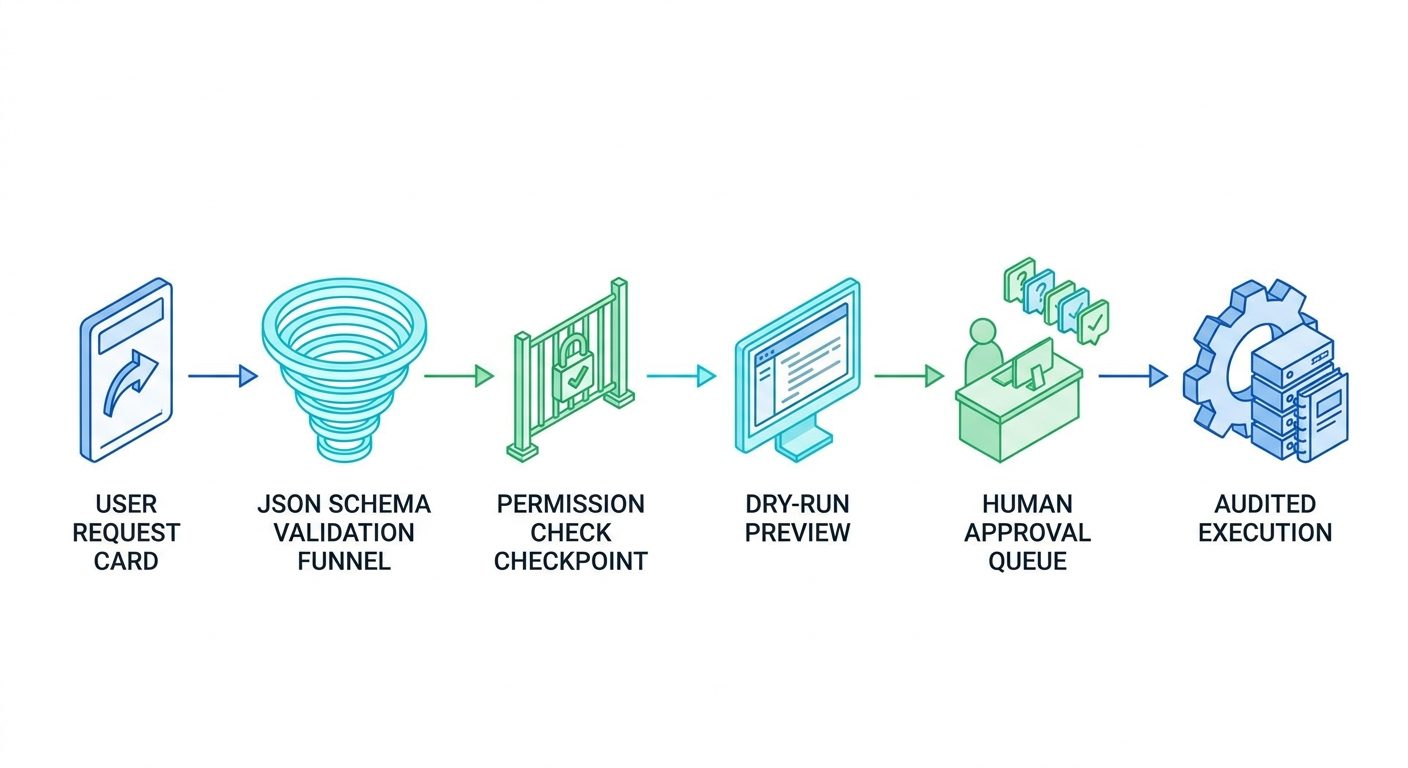
- Dangerous work starts as dry-run, draft, or request.
Risky MCP tool design
- Generic tools expose raw queries, shell commands, or unrestricted APIs.
- Tool descriptions promise safety but the backend does not enforce it.
- Any connected client can use every tool.
- Writes happen without confirmation, idempotency, or rollback.
Instead of run_salesforce_query(query), prefer get_account_health_summary(account_id). Instead of update_database(table, row, values), prefer request_customer_status_change(customer_id, proposed_status, reason). Instead of send_slack_message(channel, text), prefer draft_team_update(channel_id, summary, links) with a separate approval step for sending. The model can still help users work faster, but your server remains the place where allowed actions are encoded.
Implementation Pattern and Pseudocode
The exact SDK and runtime will depend on your stack, but the implementation pattern is stable. Start with a minimal server. Define one read-only resource, one safe read tool, and one write-like tool that only creates a draft or dry-run result. Then add authentication, permissions, structured logging, and approval routing before exposing destructive actions.
server.tool("create_support_ticket_draft", schema, async (ctx, input) => {
  const user = authenticate(ctx);
  authorize(user, "support.ticket.draft", input.customer_id);
  const clean = validateAndNormalize(input);
  const draft = await tickets.createDraft(clean);
  auditLog({user:user.id, tool:"create_support_ticket_draft", result:draft.id});
  return {status:"draft_created", draft_id:draft.id, next_step:"human_review"};
});
The key is policy placement. The tool description tells the model and client what the tool does, but the server still authenticates the session, authorizes the action, validates the input, logs the call, and returns a bounded result. If the user asks the agent to do something outside scope, the server should return a policy error with a useful explanation rather than silently doing a more dangerous variation.
Interactive Approval Decision Helper
Select every statement that applies to your proposed tool.
Security, Validation, and Tool Poisoning Defenses
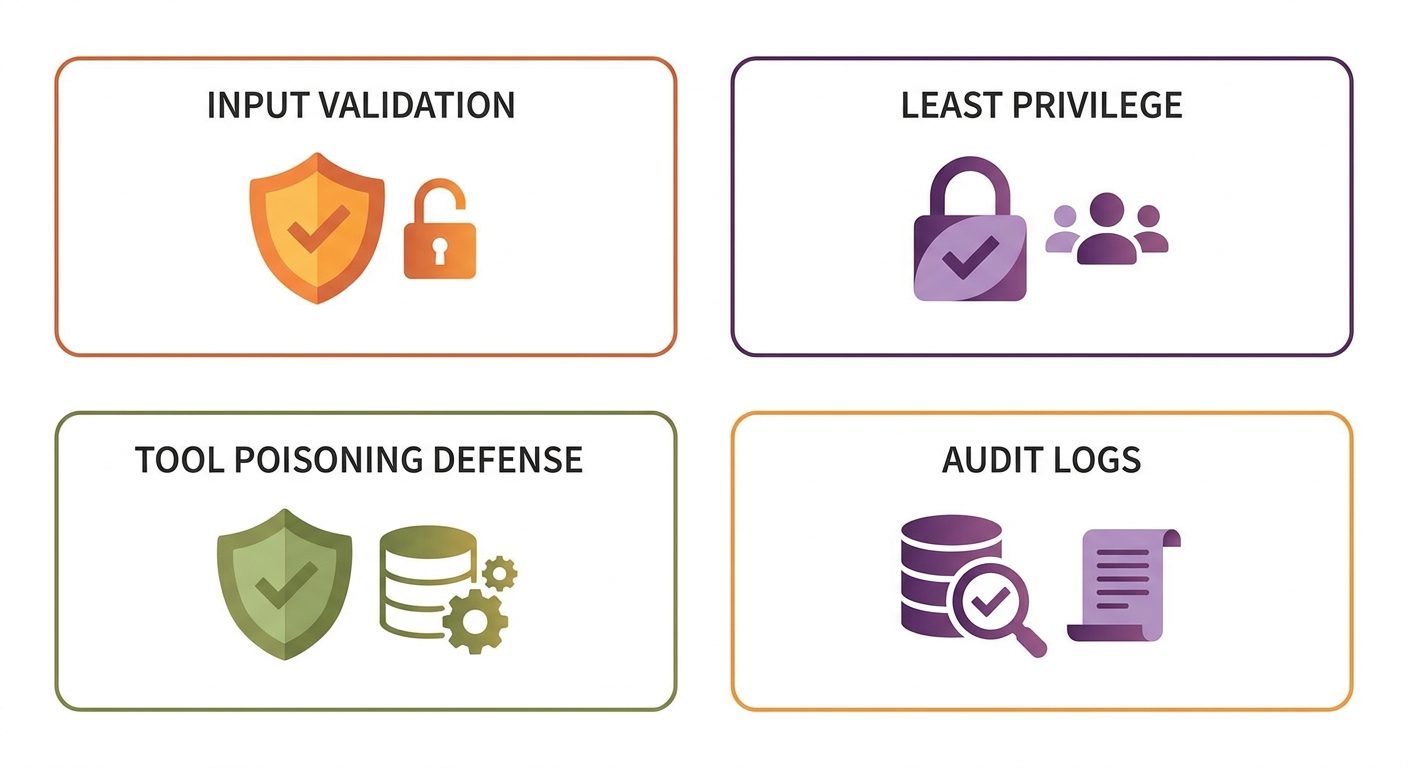
OWASP’s secure MCP guidance emphasizes strong architecture, authentication, authorization, strict validation, session isolation, and hardened deployment. OWASP also describes MCP tool poisoning as a form of indirect prompt injection where a malicious server or tool response inserts instructions into the model context. The practical lesson for developers is simple: do not trust tool descriptions or tool outputs just because they arrived through a protocol. Treat external tool metadata and responses as untrusted input.
Tool poisoning matters because agents often combine information from many places. A malicious or compromised tool might return normal-looking data plus hidden instructions that try to override the user’s goal or cause calls to more privileged tools. Your server cannot solve every client-side risk, but it can reduce damage by returning structured outputs, keeping privileged actions isolated, enforcing policy server-side, requiring confirmation for sensitive operations, and avoiding broad trust between unrelated tools.
| Risk | How it appears | Server-side mitigation |
|---|---|---|
| Overbroad tool | A generic query, command, or API wrapper lets the model invent high-risk operations. | Replace generic power tools with narrow business tools and enums. |
| Prompt injection through output | Returned text contains instructions aimed at the model. | Prefer structured JSON, sanitize free text, and isolate privileged tools. |
| Permission confusion | The MCP server uses an integration token broader than the user’s real access. | Propagate identity or enforce per-user authorization at the server layer. |
| Silent destructive action | A tool deletes, sends, charges, or deploys without a human checkpoint. | Use dry-runs, drafts, approval queues, risk tiers, and rollback plans. |
Testing, Observability, and Production Checklist
Testing an MCP server is not just checking whether a tool returns the happy-path response. Test whether the server refuses unsafe requests. Test whether it handles malformed input. Test whether it respects user permissions. Test whether the same user can repeat a call without duplicate side effects. Test whether tool outputs remain structured when downstream APIs fail. Test whether your logs are enough to reconstruct a real incident.
- Each tool has a clear purpose, owner, risk tier, and schema.
- All inputs are validated and unexpected fields are rejected.
- Read and write tools are separated.
- Dangerous tools require explicit approval outside the model context.
- Permissions are enforced by backend policy, not system prompts alone.
- Tool responses are structured where possible and free text is treated as untrusted.
- Every call logs user, tenant, client, tool, arguments, approval state, result, latency, and error.
- Secrets are never exposed to the model or returned in tool output.
How This Fits Into the Bigger Agent Stack
A secure MCP server is one layer in a larger agent system. You still need a good agent architecture, reliable workflow execution, safe human approval, durable retries, and practical governance. If your agent performs multi-step tasks, the server boundary should work with the orchestrator instead of fighting it. The orchestrator can decide what the next step should be, but the MCP server should decide whether the proposed action is allowed, whether the user has permission, whether the input is valid, and whether a human needs to approve the work before it runs.
This division of responsibility keeps the agent flexible without making the tool layer vague. The model can reason about user intent. The client can present possible actions. The workflow engine can manage retries and long-running state. The MCP server can expose specific capabilities and enforce the rules around those capabilities. When teams blur those layers, they usually end up with a system that is impressive in demos but hard to debug, hard to govern, and risky in production.
For example, a support agent might read a customer history, draft a response, create a refund request, and notify an account manager. Only the first two steps may be safe to run automatically. The refund request should probably become an approval item with a clear amount, reason, customer ID, and policy reference. The notification may be safe if it stays internal, but not if it sends a message to the customer. The secure MCP server turns those distinctions into tools with different risk tiers instead of asking the language model to remember every exception.
Source-Backed Design Principles
The strongest public sources point in the same direction. The MCP docs define the protocol as a way to connect AI applications to external systems. Anthropic’s launch announcement framed MCP as a universal way to connect assistants to the systems where data lives. Microsoft’s VS Code documentation shows MCP becoming part of developer tooling. OWASP’s newer security guidance focuses on authentication, authorization, validation, session isolation, and hardened deployment. OWASP’s MCP Tool Poisoning page highlights the runtime trust gap created when tool outputs flow into model context.
Together, those sources support a practical design principle: MCP is connectivity, not automatic safety. The protocol gives you a cleaner way to connect agents to tools, but the secure implementation still depends on ordinary engineering discipline. Do not invent adoption statistics or pretend every organization is already using MCP in production. The more useful claim is narrower and stronger: as MCP-style tool access spreads across developer tools and AI assistants, server owners need a repeatable pattern for safe capability exposure.
That pattern is what this article provides: narrow tools, explicit schemas, backend permission checks, structured responses, audit logs, dry-run defaults, approval gates, and clear operational metrics. None of those controls is glamorous. Together, they are what let an AI assistant become useful without becoming a silent privileged operator.
Common Mistakes When You Build a Secure MCP Server
The first mistake is treating MCP as a shortcut around product design. If your backend action needs a user interface, a role model, a confirmation step, or a rollback plan in a normal app, it probably needs those things when exposed to an AI agent. The second mistake is assuming the MCP client will handle all security. Good clients matter, but your server is still responsible for your tools, your data, and your users. The third mistake is adding too many tools at once.
The fourth mistake is relying on natural-language tool descriptions as policy. Tool descriptions are for discovery and model understanding; they are not enforcement. If a tool description says “only use this for approved customers,” the server must still check whether the customer is approved. If a prompt says “never delete files,” the filesystem tool must still restrict paths and actions.
FAQ: Building Secure MCP Servers
What is an MCP server?
An MCP server is a service that exposes tools, resources, and prompts to an MCP-capable AI host through the Model Context Protocol.
What is the safest first MCP tool to build?
Start with a read-only or draft-only tool, such as reading a sanitized record summary or creating a draft support ticket.
Do MCP servers replace normal API security?
No. MCP servers still need authentication, authorization, validation, rate limiting, secrets management, session isolation, monitoring, and incident response.
How should I handle human approval?
Classify each tool by risk and require approval for sensitive, destructive, external, or hard-to-undo operations.
What is MCP tool poisoning?
MCP tool poisoning is an indirect prompt injection pattern where malicious tool metadata or responses influence the model context.
